
The learning management system market is no longer a niche software category. In 2025, the global LMS market was valued at USD 24.09 billion and is projected to grow from USD 31.61 billion in 2026 to USD 104.04 billion by 2034, expanding at a CAGR of 16.10%. North America leads this growth at 42.7% of the global market, and the U.S. LMS market alone is expected to reach USD 26.7 billion by 2032. (Fortune Business Insights)
So the question is not whether to move to a SaaS LMS. It is which one fits the way you actually train. The list below ranks the best SaaS LMS platforms in 2026 by pricing, real user ratings, free-trial access, and the use cases each one is built for. Start with the table, then read the deep-dives for the platforms on your shortlist.
SaaS LMS Platforms at a Glance: Pricing, Ratings, and Best Fit
Prices and ratings change often. The figures below reflect published pricing and current G2 or Capterra data as of June 2026. Where a vendor does not publish list pricing, we show the typical quoted range.
| Platform | Starting price | G2 rating (reviews) | Free trial | Best for | Standout feature |
|---|---|---|---|---|---|
| Blend-ed | Custom quote (no setup fee) | New entrant (few public reviews) | No (demo) | Training companies and academies | White-label plus AI Course Creator, Tutor, and Admin |
| Docebo | Custom (~$25,000/yr; ~$7–$10/user/mo) | 4.3 (741) | No (demo) | Large enterprise internal L&D | Enterprise AI automation, 400+ integrations |
| iSpring Learn | $3.58/user/mo (annual, active user) | 4.6 / Capterra 4.7 (190+) | Yes (30 days) | Small teams making quick courses | PowerPoint-based authoring |
| TalentLMS | Free plan; paid from $119/mo | 4.6 (797) | Yes (free plan) | SMBs needing simple training | Fast setup and a usable free tier |
| Disprz | Custom (~$3/user/mo reference) | 4.6 (Capterra, 38) | No (demo) | Enterprise upskilling and frontline | Skills taxonomy and frontline enablement |
| Cypher Learning | Custom quote (NEO, MATRIX, INDIE) | 4.4 (319) | Yes | Mixed education and corporate | AI course generation and gamification |
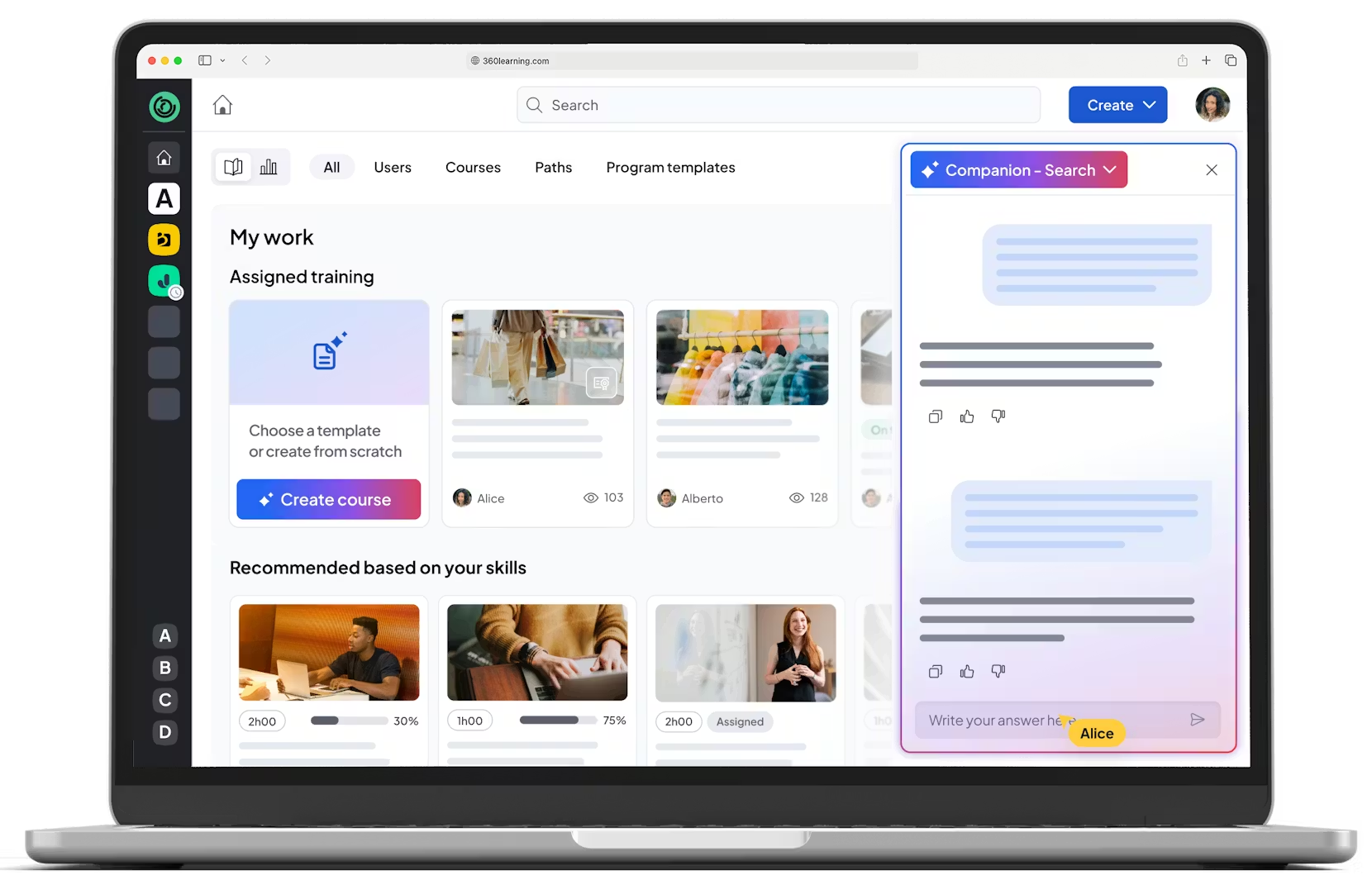
| 360Learning | $8/user/mo (Team, up to 100) | 4.6 (581) | Yes (30 days) | Peer and collaborative learning | SME-led collaborative authoring |
| LearnUpon | Custom (plans from $18,000/yr) | 4.5 (253) | No (demo) | Multi-audience training programs | Multi-portal training |
| Cornerstone | Custom (~$6/user/mo; often $60k+/yr) | 4.1 (500+) | No (demo) | Large enterprise HR and compliance | Full talent suite |
| Zoho Learn | Free plan; from ~$1/user/mo | ~4.5 (limited) | Yes (free plan) | Small teams on Zoho | Knowledge base plus LMS |
How We Evaluated These SaaS LMS Platforms
Every platform below was reviewed against the same six criteria, so the comparison stays fair rather than feature-by-feature noise.
Pricing transparency
Is pricing published, or quote-only? Does the model scale predictably as learners grow?
Scalability
Can the platform handle more learners, programs, and audiences without forcing a re-platform later?
Multi-audience support
Can it serve employees, customers, partners, and external clients in one system, with clean separation?
Skills tracking
Does it measure skills and competencies, or only course completions?
Customization
How deep can you brand and reshape the platform, from logos to workflows to multiple portals?
Integrations
Does it connect to your stack: SSO, HRIS, CRM, webinars, payments, and content standards like SCORM and xAPI?
A platform that scores well for internal HR compliance can still fail for customer or commercial training. Context decides the right pick, which is why "best for" matters more than a raw feature count.
The 10 Best SaaS LMS Platforms in 2026
Below is an in-depth look at each platform, reviewed with the same framework and updated with current pricing and ratings.
1. Blend-ed

Platform Overview
Blend-ed is a fully white-label, AI-native SaaS LMS built for organizations that deliver training as a business. Unlike traditional LMS tools that focus only on course delivery, Blend-ed combines LMS, LXP, authoring, skills intelligence, automation, and multi-organization management into one system. It runs on Open edX, which makes Blend-ed one of 13 official global Open edX partners.
It is designed for complex training operations that involve cohorts, instructors, certifications, multiple client organizations, competency based education, and measurable skill outcomes.
Best For
Training companies, professional academies, certification bodies, customer training providers, and large-scale learning organizations that need deep customization and scale.
Key Features
- Full white-label branding across web and mobile apps
- Built-in eCommerce for selling courses, certifications, and memberships
- Instructor-led, self-paced, blended, and cohort-based learning
- AI Course Creator, AI Tutor, and AI Admin running across content, delivery, and administration
- Skill passports, competency frameworks, and skill gap analysis
- Multi-organization portals for clients, departments, or partners
- Multilingual delivery across 50+ languages, including Arabic and RTL support
- SCORM, xAPI, LTI, SSO, API, and HRIS integrations
Pros
- Deep white-label and branding control
- LMS, LXP, AI, and authoring unified in one platform
- Strong skills-first, outcomes-driven architecture
- Scales cleanly for training companies and multi-tenant academies
Cons
- No pre-built compliance content library; you bring your own content or build it with the AI Course Creator
- Built for structured, cohort-based training organizations rather than solo course creators
- Admins may need short onboarding to use the AI features fully
Pricing
Custom quote with no setup fee. Two plans, Core and Enterprise, are quoted by learner volume, programs, and deployment model. Both include the full AI suite. Access is through a demo rather than a self-serve trial.
Ratings
Blend-ed is a newer platform, so it does not yet carry a large third-party review base. Judge it on a hands-on demo against your own workflow.
Standout Strength
A skills-first, AI-native SaaS LMS purpose-built for professional training organizations that need customization, automation, and multi-organization delivery at scale.
2. Docebo
Platform Overview
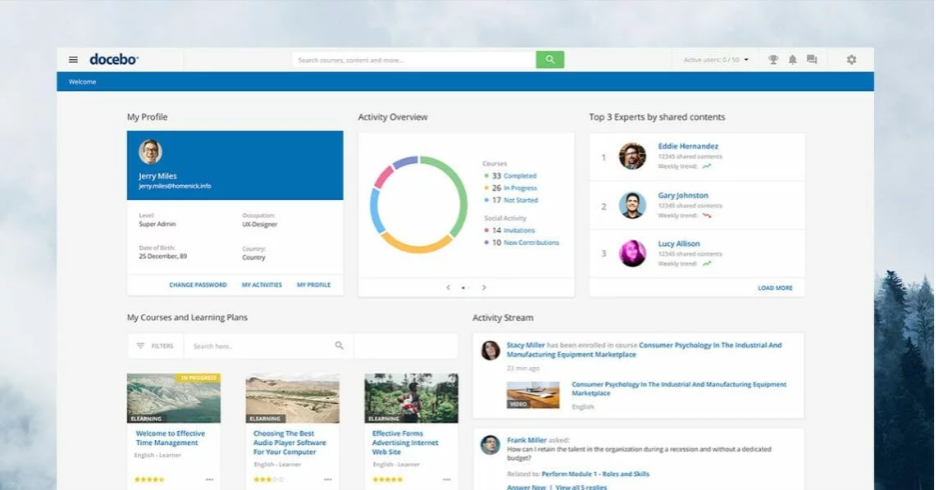
Docebo is a well-established enterprise SaaS LMS built mainly for internal corporate learning and HR-driven training. It emphasizes automation, content management, and integration with enterprise HR systems, and more than 3,900 organizations use it.
It suits large organizations with structured L&D teams and clear internal workflows. Docebo supports customer and partner training too, but its architecture leans toward employee learning.
Best For
Mid-to-large enterprises with structured internal L&D teams.
Key Features
- AI-powered content recommendations and content creation
- Employee training and onboarding workflows
- 400+ integrations with enterprise systems
- Reporting and compliance tracking
Pros
- Strong enterprise automation and integrations
- Mature reporting and compliance tracking
- Scales well for large internal workforces
Cons
- Limited flexibility for training companies and white-label use cases
- Customization can be restricted
- Pricing is often high for non-enterprise needs
Pricing
Quote-based, with no free plan. Entry contracts typically start near $25,000 per year, or roughly $7 to $10 per user per month, and rise into six figures at enterprise scale. Docebo also added a consumption-based AI credit system in early 2026, which adds a cost variable.
Ratings
4.3 on G2 from 741 reviews, and 4.4 on Capterra. Reviewers praise flexibility but note a learning curve and complex setup.
Standout Strength
Enterprise-grade automation for internal corporate learning.
3. iSpring Learn
Platform Overview
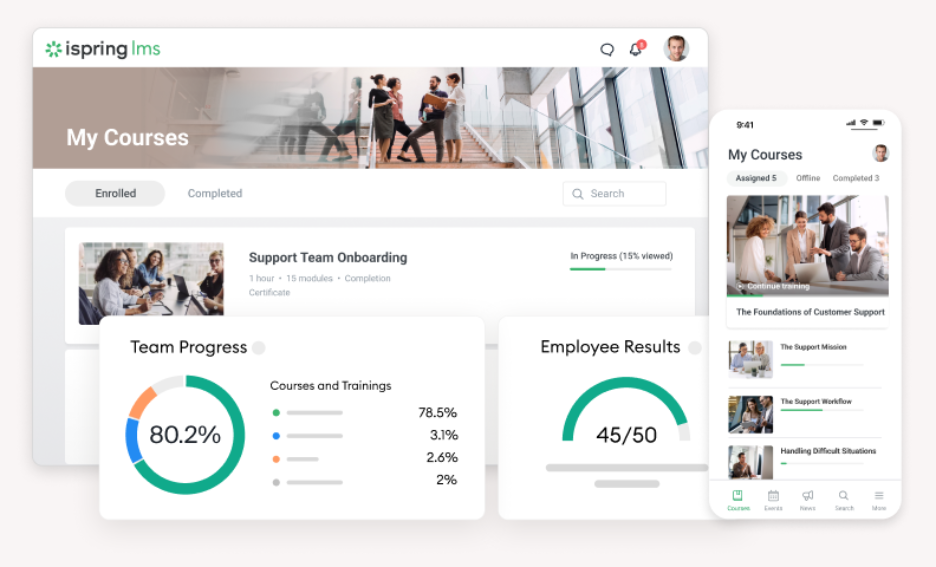
iSpring is best known for PowerPoint-based course authoring paired with a simple LMS. It helps teams turn existing slides into online courses fast, without a steep learning curve.
The LMS focuses on straightforward delivery and basic tracking rather than complex operations or advanced analytics. It works well for small teams that value speed over scale.
Best For
Small teams and organizations that want quick course creation.
Key Features
- PowerPoint-based authoring
- Simple LMS delivery with mobile and offline access
- Compliance tracking and clear reporting
Pros
- Extremely easy to use
- Strong authoring experience for non-technical users
- Quick setup and deployment
Cons
- Limited scalability for growing organizations
- Not suited to complex or multi-tenant training models
Pricing
From about $3.58 per user per month on the Business plan, billed annually and charged per active user across 300, 500, or 1,000-user tiers.
Ratings
4.6 on G2 and 4.7 on Capterra, from more than 190 Capterra reviews. Reviewers consistently call it strong value for the price.
Standout Strength
Fast course creation with minimal learning curve.
4. TalentLMS
Platform Overview
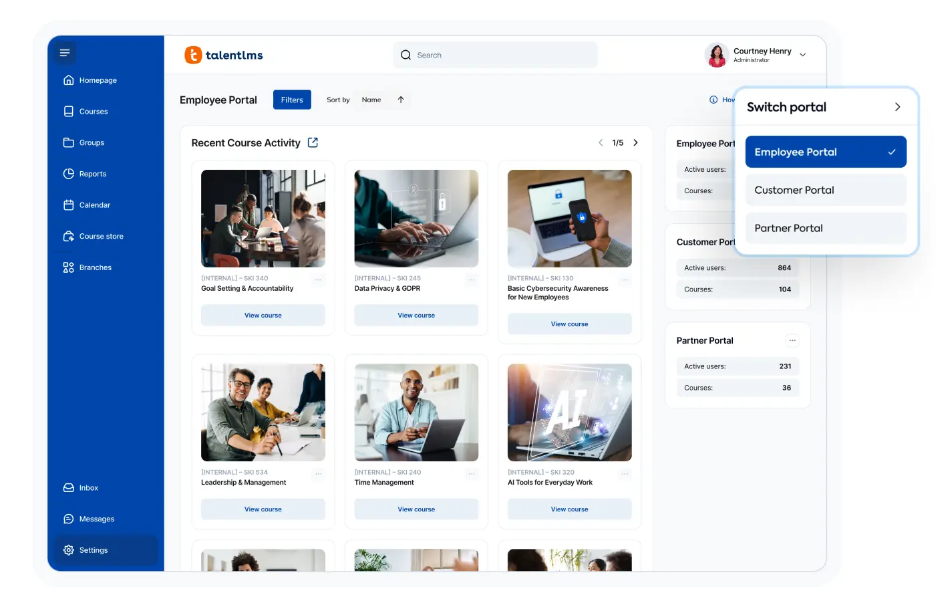
TalentLMS is a lightweight SaaS LMS built mainly for small and mid-sized businesses with basic training needs. It focuses on simplicity, fast onboarding, and easy administration, and serves more than 70,000 teams.
It supports self-paced learning, simple assessments, and standard reporting, which makes it popular for internal team training. It is not built for deep customization or large external programs.
Best For
Small to mid-sized businesses with basic training needs.
Key Features
- Self-paced learning and AI-assisted course creation
- Branches for separate client or department portals
- Ready-to-use integrations and simple reporting
Pros
- Fast to set up and easy to manage
- Affordable entry-level pricing
- Clean, simple user experience
Cons
- Limited customization and branding depth
- Not ideal for complex training use cases
Pricing
A genuine free plan covers up to 5 users and 10 courses, with no time limit. Paid plans start at $119 per month (billed annually) for the Core tier, up to 100 users, with Grow and Pro tiers above it and a custom Enterprise plan.
Ratings
4.6 on G2 from 797 reviews, and 4.7 on Capterra. Value for money is the most repeated praise.
Standout Strength
Simplicity and speed for SMB training.
5. Disprz
Platform Overview
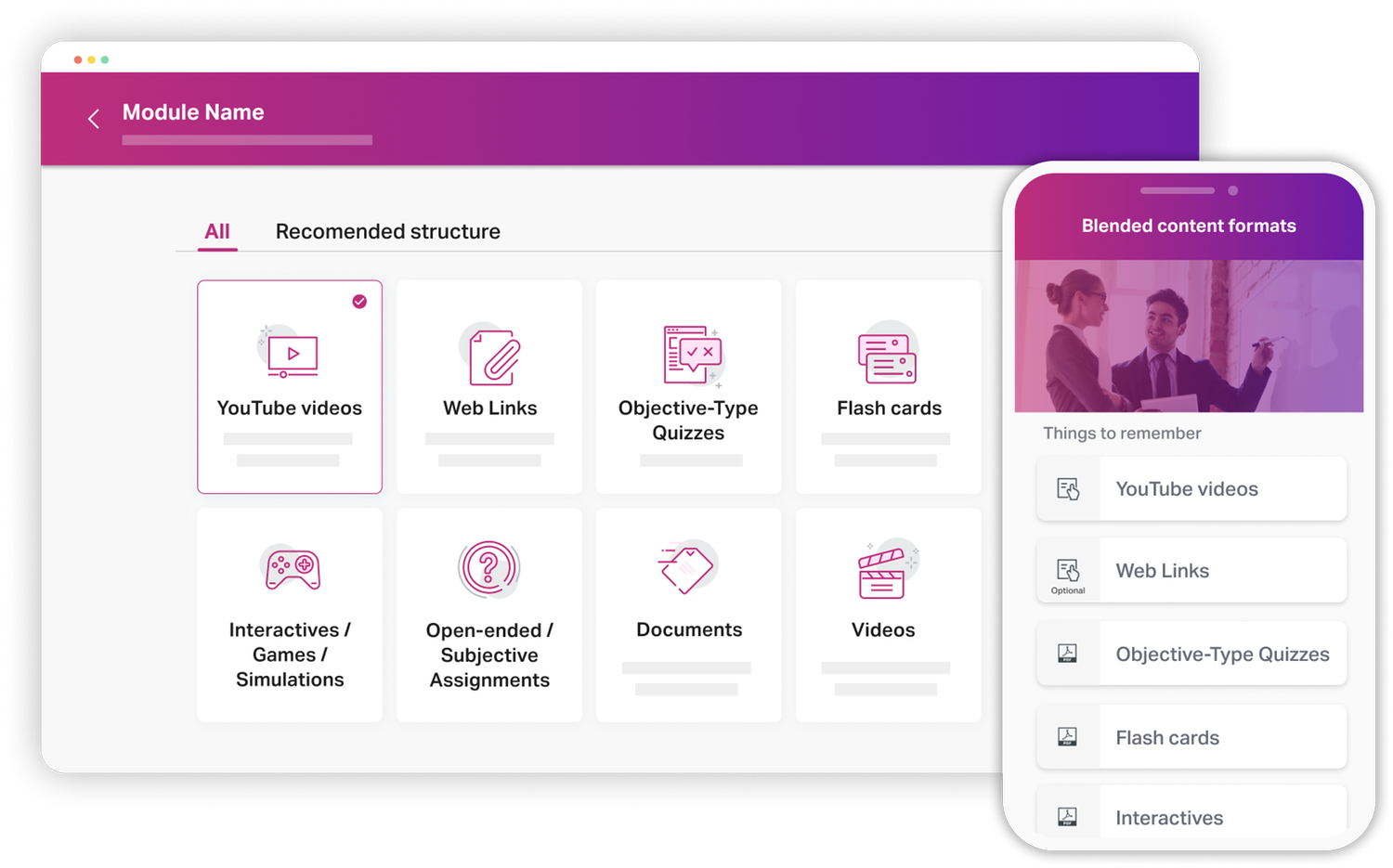
Disprz is a GenAI-powered learning and skilling suite focused on employee engagement and skills development. It emphasizes personalized learning journeys and skills visualization for internal teams, and supports knowledge and frontline workers.
It fits enterprises running upskilling and reskilling programs, but it aligns less with training companies or external delivery.
Best For
Enterprises focused on internal upskilling and frontline enablement.
Key Features
- Skill taxonomy mapped to job roles, plus skill analytics
- Adaptive, mobile-first learning journeys
- Classroom and blended training with attendance tracking
Pros
- Modern, mobile-first user experience
- Strong skills analytics and engagement
- Good fit for internal employee learning
Cons
- Limited support for external academies
- Less flexibility for white-label or multi-client delivery
Pricing
Custom and quoted by deployment. Public references put the entry point near $3 per user per month, but Disprz sells through its sales team rather than self-serve.
Ratings
About 4.6 on Capterra from 38 reviews, with similar sentiment on G2. Reviewers value the analytics and reporting.
Standout Strength
Employee upskilling and engagement.
6. Cypher Learning
Platform Overview
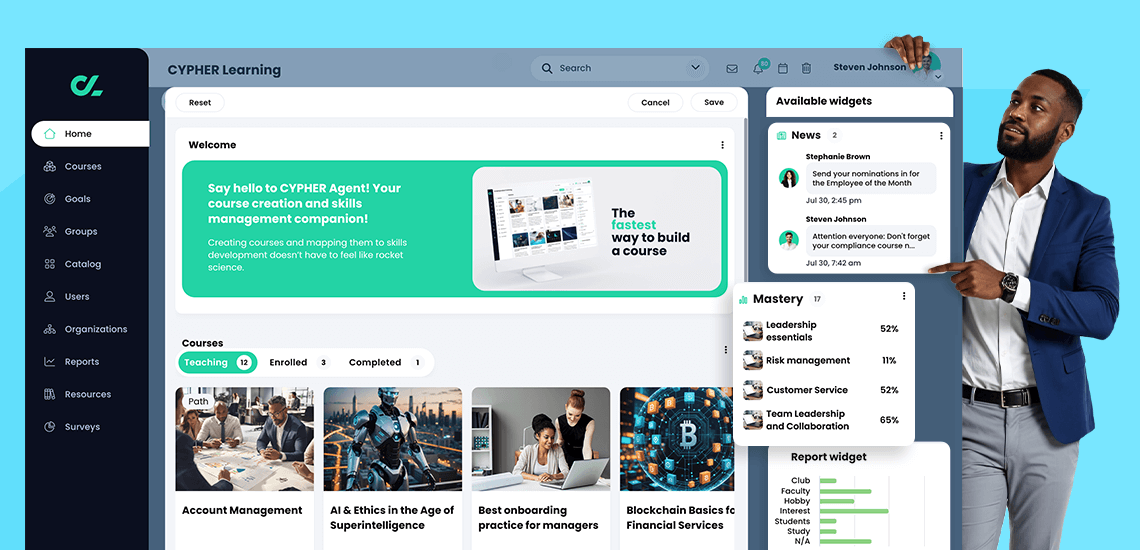
Cypher Learning, formerly NEO LMS, is an AI-powered platform that serves education, corporate, and training use cases through three products: NEO, MATRIX, and INDIE. It offers a broad feature set covering most standard LMS needs.
It is flexible and reasonably scalable, but not deeply specialized for any single use case. That makes it a balanced, all-around option rather than a purpose-built one.
Best For
Organizations that want a flexible but general AI-driven LMS.
Key Features
- AI course generation for schools, corporates, and training
- Automation rules, gamification, and mastery paths
- Standard integrations and multilingual support
Pros
- Broad applicability across sectors
- Strong AI authoring and gamification
- Supports multiple learning models
Cons
- Lacks deep specialization
- Advanced use cases may need workarounds, and pricing is opaque
Pricing
Custom quote across the NEO, MATRIX, and INDIE products. CYPHER does not publish list pricing, so you contact sales for a quote.
Ratings
4.4 on G2 from 319 reviews, with similar scores on Capterra. Reviewers praise the interface and AI tools, and note setup complexity.
Standout Strength
Versatility across sectors.
7. 360Learning
Platform Overview
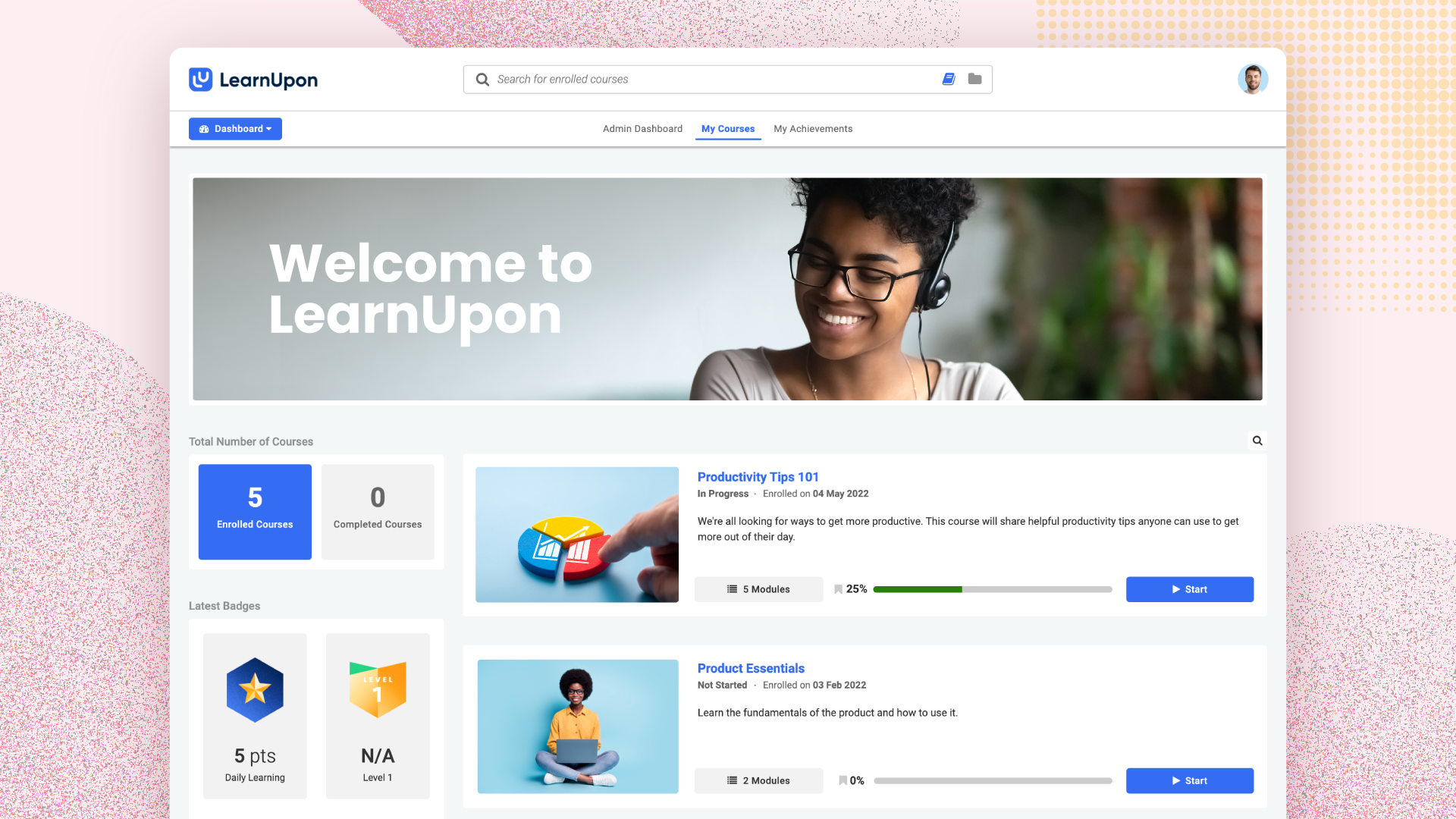
360Learning focuses on collaborative, peer-driven learning. It encourages subject matter experts inside the organization to create and share content, with AI assisting the early stages of authoring.
It works well where social learning and internal collaboration matter, but it can feel restrictive for structured academies or certification programs.
Best For
Organizations that emphasize peer and collaborative learning.
Key Features
- Collaborative, SME-led authoring
- AI-assisted content creation and skills ontology
- Social learning, feedback loops, and academies
Pros
- Strong collaborative learning model
- Good engagement features
- Easy content creation for internal experts
Cons
- Limited control for structured programs
- Less suitable for external or commercial training
Pricing
The Team plan is $8 per user per month for up to 100 users. Business and Enterprise tiers are quote-based.
Ratings
4.6 on G2 from 581 reviews, and 4.6 on Capterra. Reviewers highlight the collaborative model and quick adoption.
Standout Strength
Peer-driven learning.
8. LearnUpon
Platform Overview
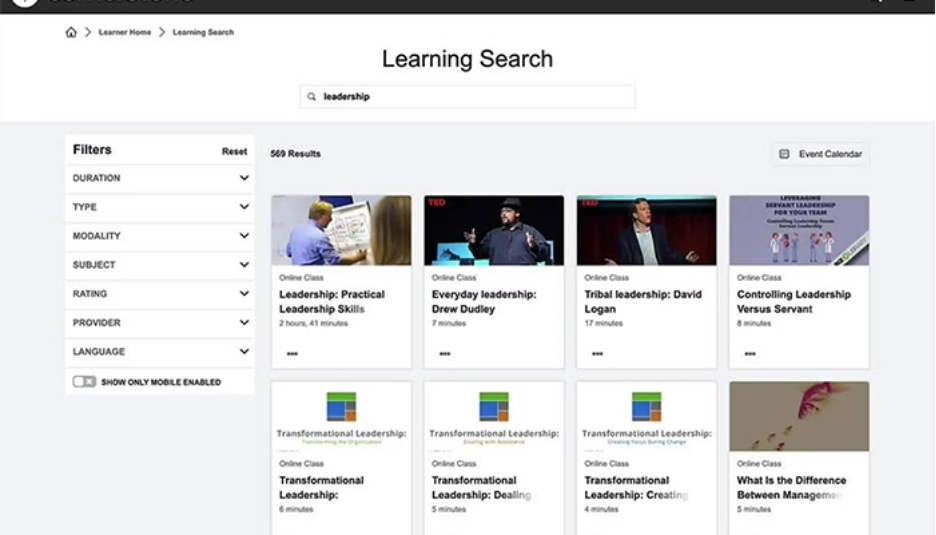
LearnUpon is an enterprise SaaS LMS built for employee, customer, and partner training. It focuses on structured delivery, reporting, and reliability rather than deep customization, and uses a multi-portal model.
It is often chosen by organizations that need a stable, predictable LMS for several audiences without heavy configuration.
Best For
Mid-to-large enterprises running structured, multi-audience programs.
Key Features
- Multi-portal training for employees, customers, and partners
- Reporting, certifications, and AI-assisted content tools
- Webinar, CRM, and HRIS integrations
Pros
- Stable and reliable platform
- Strong support for customer and partner training
- Clean reporting and certification features
Cons
- Limited customization depth
- Less flexible for complex or commercial training models
Pricing
Quote-based. Capterra lists plans starting at $18,000 per year, and most contracts land around $6 to $9 per active user per month, with a typical minimum near $15,000 to $25,000 annually. Access is through a demo, not a self-serve trial.
Ratings
4.5 on G2 from 253 reviews, and 4.6 on Capterra. Support quality is the most praised attribute.
Standout Strength
Structured training programs.
9. Cornerstone OnDemand
Platform Overview
Cornerstone OnDemand is a comprehensive talent management suite that includes LMS functionality as part of a broader HR platform. It is built mainly for large enterprises with complex HR and compliance needs.
It is powerful, but it can feel heavy for organizations that only need learning delivery, especially training providers and smaller academies.
Best For
Large enterprises with HR-driven learning and compliance.
Key Features
- LMS plus performance, succession, and recruiting
- Compliance training and a large content marketplace
- Galaxy AI for skills mapping and recommendations
Pros
- Deep enterprise and HR integration
- Strong compliance and reporting features
- Built for large-scale deployments
Cons
- Complex setup and administration
- Overkill for training companies and SMEs
Pricing
Custom and modular, priced per user across modules. Entry references start near $6 per user per month, but real LMS deals commonly run $60,000 or more per year at enterprise scale. Access is through a demo.
Ratings
4.1 on G2 from more than 500 reviews, and 4.1 on Capterra. Reviewers value the depth but cite a steep learning curve.
Standout Strength
HR and talent integration.
10. Zoho Learn
Platform Overview
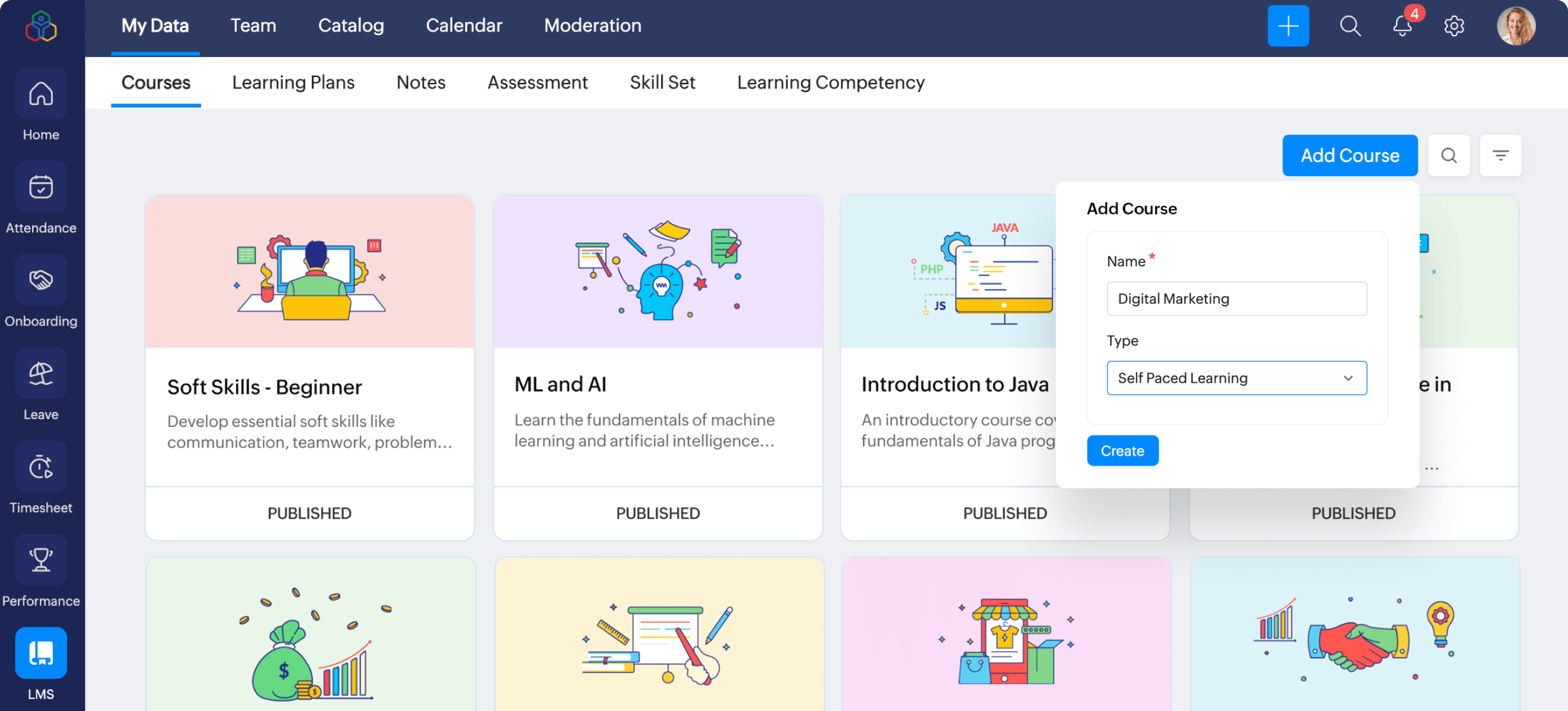
Zoho Learn is a lightweight LMS and knowledge management tool built inside the Zoho ecosystem. It is designed for small teams that want to organize internal knowledge and simple training content.
It works best alongside other Zoho products, but it lacks the depth needed for advanced programs or external training.
Best For
Small teams already using Zoho products.
Key Features
- Knowledge bases organized through Spaces and Manuals
- A drag-and-drop course builder, quizzes, and reporting
- Tight integration with other Zoho apps
Pros
- Very affordable pricing
- Seamless integration with Zoho apps
- Easy to use for small teams
Cons
- Limited LMS functionality
- Not suited to large-scale or professional training
Pricing
A free plan is available, and paid plans start at about $1 per user per month, billed annually.
Ratings
Zoho Learn has limited third-party reviews so far. Small samples on G2 and Capterra sit around 4.5, with reviewers praising simplicity and Zoho integration.
Standout Strength
Knowledge management for Zoho users.
Which SaaS LMS Is Best for Multilingual Training?
The best multilingual SaaS LMS delivers the full experience in each learner's language, from the interface to the final certificate, not just translated menus. Look for platform-wide language support, automated or AI-assisted content translation, and right-to-left support for languages like Arabic and Hebrew.
Among the platforms here, Docebo, Cypher Learning, 360Learning, and Blend-ed all support large language sets, and Blend-ed covers 50+ languages with Arabic and RTL delivery for Gulf audiences. If language coverage is central to your decision, compare options in our guide to the best multilingual LMS platforms.
What About Extended Enterprise and Multi-Audience Training?
Extended enterprise training means teaching audiences outside your own staff: customers, partners, resellers, franchisees, and external clients. It needs true multi-tenancy, where each audience gets its own branded portal with separated users, data, and reporting, managed from one platform.
Multiple portals alone are not the same as real multi-tenancy. LearnUpon and Docebo are common picks for customer and partner training, while Blend-ed is built for training companies running many client organizations at once. For the architecture details that matter, see our guide to the best multi-tenant LMS platforms.
Should You Choose an Integrated LMS and LXP Platform?
An integrated LMS and LXP platform combines structured course delivery (the LMS) with discovery, personalization, and skills-based learning (the LXP) in one system. The benefit is fewer disconnected tools and a single source of truth for progress, skills, and outcomes.
Disprz and 360Learning lean into the experience and skills layer, and Blend-ed unifies LMS, LXP, and AI authoring together. If you are weighing the trade-offs, our breakdown of LMS vs LXP vs all-in-one platforms explains when an integrated platform is the better call.
Which Platforms Offer White-Label E-Learning?
A white-label e-learning platform lets learners see only your brand across the domain, interface, emails, certificates, and mobile app, with no vendor logo in sight. This matters most for training companies and anyone selling courses, because the brand is part of the product.
A logo upload is not white-label. Blend-ed offers full white-label branding across web and mobile, and several enterprise platforms support branded portals at higher tiers. To compare branding depth properly, see our guide to the best white-label LMS platforms.
Do These Platforms Support Instructor-Led and Virtual Training?
Most modern SaaS LMS platforms support instructor-led training and virtual classrooms, but the depth varies. The features that matter are session scheduling, attendance tracking, cohort management, and native webinar integrations with tools like Zoom, Teams, or Google Meet.
Blend-ed, Disprz, and Cornerstone handle scheduled and blended sessions alongside digital content, while lighter tools cover the basics. If your delivery mixes live and self-paced learning, our guide to blended learning shows how to structure it.
SaaS LMS Basics, in Brief
If you are new to the category, here is the short version.
An LMS (learning management system) is software to create, deliver, manage, and track learning. SaaS means software as a service: the platform is hosted in the cloud, accessed in a browser, updated automatically, and paid for by subscription. A SaaS LMS, then, is a cloud-based LMS on a subscription, which launches faster, scales more easily, and needs far less IT support than a self-hosted system.
Self-hosted LMS platforms give you more infrastructure control, but they bring server management, security patching, and manual upgrades. Unless you have a dedicated engineering team and very specific needs, a SaaS LMS is usually the smarter long-term choice.
When you choose, the questions that matter most are simple: Who is the platform built for? Does it support your delivery model? Can it scale across audiences or clients? Does it track skills, not just completions? How flexible is branding? And what does pricing look like at scale?
Final Thoughts
There is no single SaaS LMS that works for everyone, and that is not a flaw of the market. It is a reflection of how different learning needs have become.
Some organizations need a reliable system for HR compliance and onboarding, and enterprise platforms with strong governance fit that well. Others want speed and simplicity, and lightweight tools do that job. The picture changes when learning stops being a support function and becomes a product: when learners are external, and cohorts, certifications, skills, and branding start to matter.
That is where platforms like Blend-ed stand out, because they are built around the reality of professional training operations. Skills-first design, multi-organization delivery, deep customization, and AI woven into content, delivery, and administration rather than added on.
The right LMS does more than host content. It adapts as your learning model evolves, supports growth without forcing workarounds, and gives you clarity instead of complexity as you scale. If your training is heading in that direction, book a Blend-ed demo and test your real workflow end to end.
Frequently Asked Questions
How much does a SaaS LMS cost in 2026?
A SaaS LMS in 2026 ranges from about $1 to $10 per user per month for published, self-serve plans, while enterprise platforms are quote-based and often start near $18,000 to $25,000 per year. Lightweight tools like Zoho Learn start around $1 per user per month and 360Learning at $8, while Docebo, LearnUpon, and Cornerstone sell custom contracts that scale with active users, features, and add-ons. Costs rise with white-labeling, advanced analytics, integrations, and multi-portal delivery.
Which SaaS LMS has the best free trial?
For a true self-serve trial, TalentLMS and Zoho Learn are the strongest options because both offer a free plan with no time limit, so you can build and test before paying. iSpring Learn offers a 30-day trial, and 360Learning offers a 30-day trial with no credit card required. Several enterprise platforms, including Docebo, LearnUpon, and Cornerstone, are demo-only rather than self-serve trials.
What is the best multilingual SaaS LMS?
The best multilingual SaaS LMS is one that localizes the whole experience, not just course content, and supports right-to-left languages. Docebo, Cypher Learning, and 360Learning all offer broad language coverage, and Blend-ed covers 50+ languages with full Arabic and RTL support for Gulf audiences. The right pick depends on how many languages you need and whether you require automated translation.
What is the best SaaS LMS for training companies and multi-tenant delivery?
For training companies and multi-tenant delivery, the best SaaS LMS provides true multi-tenancy, white-label branding, certification workflows, and built-in commerce in one system. Blend-ed is purpose-built for this model, with branded client portals, cohort management, and AI authoring, while LearnUpon and Docebo are common picks for customer and partner training at enterprise scale. See our deeper comparison of the best LMS for training companies.
What is the best SaaS LMS for customer education?
The best SaaS LMS for customer education supports public enrollment, multiple branded audiences, detailed engagement analytics, and a learner experience that does not require logins to feel native. LearnUpon and Docebo are established choices for customer training, and Blend-ed fits providers that need white-label portals and skills tracking across many clients. Many LMS platforms are built for internal staff first, so check that external delivery is a core capability, not an add-on. Our customer education use case covers what to look for.
What is the difference between a SaaS LMS and a traditional LMS?
A SaaS LMS is cloud-based and delivered by subscription, with automatic updates and easy scaling. A traditional LMS is usually self-hosted or on-premise and needs manual maintenance and upgrades. SaaS platforms deploy faster and scale more easily, while self-hosted platforms offer more infrastructure control for teams with the engineering resources to manage it.
Is a SaaS LMS secure for enterprise or regulated training?
Most modern SaaS LMS platforms include security features such as data encryption, role-based access, audit logs, and SSO. Security depth varies by vendor, so organizations with compliance requirements should review data protection, access controls, certification workflows, and reporting before choosing. For regulated training, also confirm audit-ready records and the ability to separate data cleanly across audiences.