
The move to cloud-based LMS platforms is no longer optional. It is already the default. The global LMS market is valued at $28.58 billion in 2025 and is projected to reach $123.78 billion by 2033, growing at over 20% CAGR. Nearly 88% of this growth is coming from cloud-based LMS solutions, not self-hosted systems.
Remote and hybrid work, faster adoption by small and mid-sized organizations, and AI-driven learning experiences are pushing this shift forward. Cloud platforms are easier to deploy, easier to scale, and better suited for continuous upskilling.
With so many options in the market, choosing the right cloud-based LMS has become the real challenge. This guide compares 10 of the best cloud-based LMS platforms in 2026, based on adoption ease, integrations, AI readiness, scalability, and total cost of ownership, to help you make a confident decision.
Key Takeaways
- Cloud-based LMS platforms now lead the market, accounting for nearly 88% of LMS growth, as organizations move away from self-hosted systems.
- The right LMS depends on your use case, whether that is enterprise training, customer education, professional academies, or hybrid classrooms.
- AI readiness is becoming essential, with platforms supporting AI-assisted authoring, personalized learning paths, and skill-focused insights gaining an edge.
- Scalability and pricing impact long-term success, as costs often rise with users, features, and multi-portal needs.
- Popularity matters less than fit, since adoption, integrations, and reporting ultimately determine LMS effectiveness.
If you are searching for the best cloud-based LMS, you are not casually browsing. You are comparing. You are worried about adoption. Reporting. Integrations. Scale. And yes, AI.
In 2026, a cloud-based LMS is no longer just a place to upload courses. It is expected to support upskilling, selling courses, employee onboarding, customer education, and performance tracking, often all at once. It needs to work across teams and regions without becoming a maintenance problem.
That is why choosing the right platform like Blend-ed matters. Not the one with the longest feature list, but the one that actually fits how learning is delivered and scaled today.
Cloud-Based LMS Platform Comparison (2026)
| Platform | Best For | Key Strength |
|---|---|---|
| Blend-ed | Training companies, academies, customer education, global organizations | Course Selling, competency-based learning, multi-tenant and white-label delivery |
| Docebo | Large enterprises and extended enterprise training | Enterprise scalability, AI recommendations, strong governance and reporting |
| 360Learning | Internal L&D teams focused on rapid upskilling | Collaborative learning and peer-driven content creation |
| Moodle (Cloud Hosted) | Education institutions and hybrid classrooms | Open-source flexibility, competency frameworks, blended learning support |
| iSpring Learn | SMBs and mid-sized corporate teams | Fast deployment, strong SCORM support, simple compliance training |
| WorkRamp | Sales, customer, and partner enablement teams | Structured onboarding and enablement workflows |
| Adobe Learning Manager | Large enterprises and compliance-heavy programs | Enterprise stability, reporting, and Adobe ecosystem integration |
| Tovuti | Mid-sized organizations focused on engagement | Interactive learning and gamification-driven experiences |
| Kallidus | Corporate learning, compliance training, and employee development | Learning, performance, and compliance management in a single platform |
| GoSkills LMS | SMBs looking for ready-made upskilling | Prebuilt professional skills content and simple administration |
Why Cloud-Based LMS Platforms Matter in 2026
Cloud-based LMS platforms matter because learning has become continuous. Not quarterly. Not "finish this course and forget."
In 2026, companies want:
- Faster onboarding
- Continuous upskilling
- Better compliance tracking
- Skills visibility across teams
- Personalization powered by AI, where possible
Cloud makes this easier because deployment, scaling, and updates are handled without heavy IT overhead.
What Is a Cloud-Based LMS?
A cloud-based LMS is a learning management system delivered online as a subscription service.
You access it through a browser or mobile app. The vendor handles hosting, updates, performance, and most security requirements. You focus on training outcomes.
Why Organizations Are Choosing Cloud-Based LMS Platforms
Learning today moves faster than traditional systems can handle. Teams are distributed, skills change quickly, and training can no longer wait for long setup cycles or manual updates.
Faster rollout and easier scaling
Cloud-based LMS platforms can be deployed in days instead of months. New users, teams, and regions can be added without infrastructure changes or IT bottlenecks.
Lower operational overhead
There is no server maintenance, no upgrade planning, and fewer internal dependencies. Costs are predictable, and platforms improve continuously in the background.
Built for modern integrations
Most cloud-based LMS platforms integrate easily with HR systems, CRMs, collaboration tools, and analytics platforms. Learning fits into existing workflows instead of sitting in isolation.
Supports continuous upskilling with AI
Modern platforms increasingly support AI-assisted content creation, personalized learning paths, and skill-focused insights. This helps organizations move beyond course completion to real capability building.
Designed to grow with the organization
As teams expand, roles evolve, and learning models change, cloud-based LMS platforms adapt. They scale without becoming a constraint.
Cloud-Based LMS vs On-Premise LMS
| Aspect | Cloud-Based LMS | On-Premise LMS |
|---|---|---|
| Deployment | Instant | Months |
| Maintenance | Vendor-managed | Internal IT |
| Scalability | Elastic | Limited |
| Updates | Automatic | Manual |
| Cost Model | Subscription | High upfront |
| Global Access | Built-in | Complex |
For most modern organizations, the choice is already made.
How to Evaluate a Cloud-Based LMS in 2026
When comparing the best cloud-based LMS platforms, it helps to look beyond feature lists and focus on how the system behaves as you scale.
Core capabilities
At a minimum, the platform should handle content delivery, assessments, certifications, and basic automation reliably. These are table stakes in 2026.
Integrations and ecosystem
A cloud-based LMS should integrate easily with HR systems, CRMs, video tools, and SSO providers. If learning lives in a silo, adoption suffers.
Scalability and structure
Look at how the platform handles growth. Users, regions, roles, and even multiple portals should scale without performance or admin complexity issues.
Supported learning models
The LMS should support self-paced courses, instructor-led training, and hybrid formats. Flexibility here determines how future-proof the platform is.
AI readiness
In 2026, AI is no longer optional. Look for AI-assisted authoring, tutoring, recommendations, and analytics that support upskilling and continuous learning, not just automation.
Pricing clarity
Understand how pricing changes as you grow. Hidden costs around users, features, or support can quickly turn a "good deal" into a constraint.
Choosing the Best Cloud-Based LMS for Your Organization
Not every cloud-based LMS is built for the same purpose. The right choice depends on who you are training and how learning is delivered.
For enterprises and global teams
Large organizations need scalability, compliance controls, and strong integrations. The LMS must handle multiple regions, roles, and reporting structures without slowing down performance or administration.
For training companies and professional academies
Branding, monetization, and multi-tenant delivery matter most. These organizations often need multiple portals, paid courses, certifications, and clean separation between clients or audiences.
For associations and member-based organizations
Certifications, renewals, and member management are key. The LMS should support recurring programs, credential tracking, and clear reporting for compliance or professional development.
For hybrid and blended classrooms
Support for instructor-led sessions, attendance tracking, assessments, and online plus in-person learning models is essential. Flexibility here determines long-term usability.
Cloud-Based LMS Pricing: What to Expect
Most cloud-based LMS platforms follow a small number of pricing models. Understanding these early prevents surprises later.
Common pricing models
- Per-user or monthly active user pricing
- Tiered subscription plans
- Enterprise or custom pricing based on scale and features
What usually increases cost
- Advanced analytics and reporting
- AI-powered features such as authoring, recommendations, or tutoring
- White-label branding and custom domains
- Multiple portals or multi-tenant delivery
How Long Does It Take to Implement a Cloud-Based LMS?
Implementation timelines vary based on organization size and setup complexity.
Typical timelines
- Small and mid-sized teams: 1 to 2 weeks
- Mid-market organizations: 3 to 6 weeks
- Enterprise or multi-tenant setups: 2 to 3 months
What really affects implementation speed
The biggest factors are content readiness and integrations. Even the best cloud-based LMS slows down if content is not prepared or systems are not aligned.
When a Cloud-Based LMS May Not Be the Right Fit
A cloud LMS may not suit you if:
- You operate in fully offline environments
- You need extreme legacy system customization
- You run one-time, very small training programs
For everyone else, cloud is the default.
10 Best Cloud-Based LMS Platforms in 2026
1. Blend-ed
Platform Overview
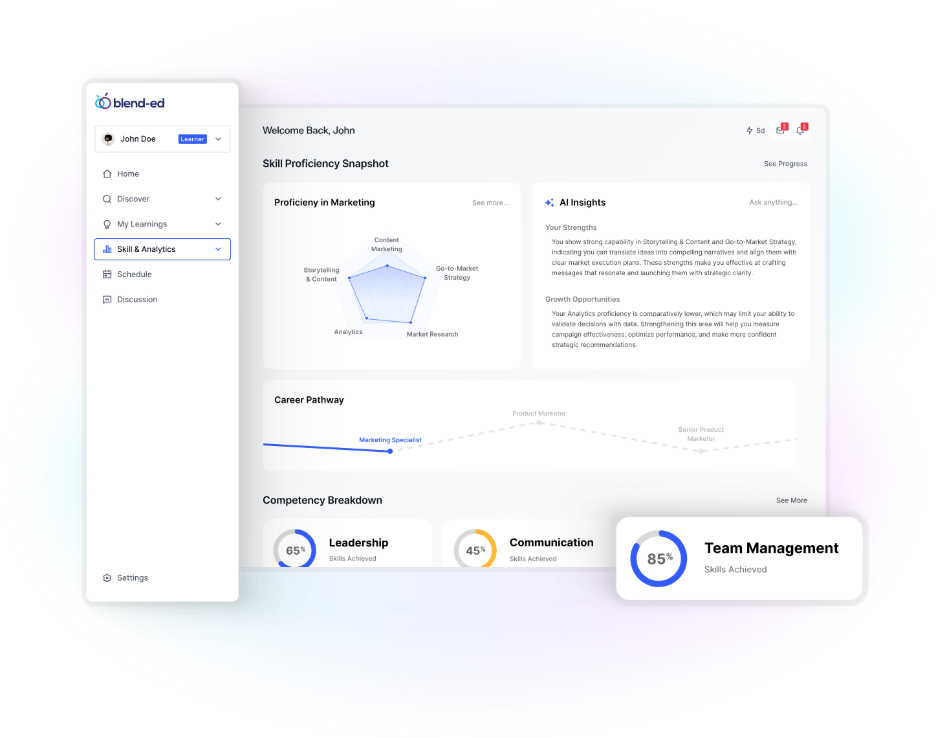
Blend-ed is a fully white-labeled, AI-first cloud-based LMS built for organizations that need more than course delivery. It is designed for employee onboarding, customer education, upskilling and reskilling, and professional training companies that want modern UX plus operational control. The platform supports multi-tenant delivery, branded portals, and role-based dashboards, which makes it suitable for global rollouts and multiple business units. Blend-ed also leans into competency-based learning, which is where most LMS platforms are still weak.
Best For
Training companies, professional academies, customer education, and organizations that want competency based education plus modern dashboards.
Key Features
- Full white-label branding across web and mobile apps
- AI Course Creator, AI Tutor, AI Knowledge Assistant
- Competency based education support, skill tracking, skill passport style progress
- Multi-organization and multi-portal support for different audiences
- SCORM, xAPI, LTI, SSO, API access
- Advanced analytics and learning progress reporting
- Built-in authoring workflows and reusable components
Pros
- Strong fit for multi-tenant academies and global deployments
- AI-assisted authoring reduces course creation time significantly
- Competency based learning is a core design layer, not an add-on
Cons
- Admin teams may need onboarding to fully use AI and competency workflows
Pricing
Custom pricing based on users, portals, features, and support scope.
2. Docebo
Platform Overview
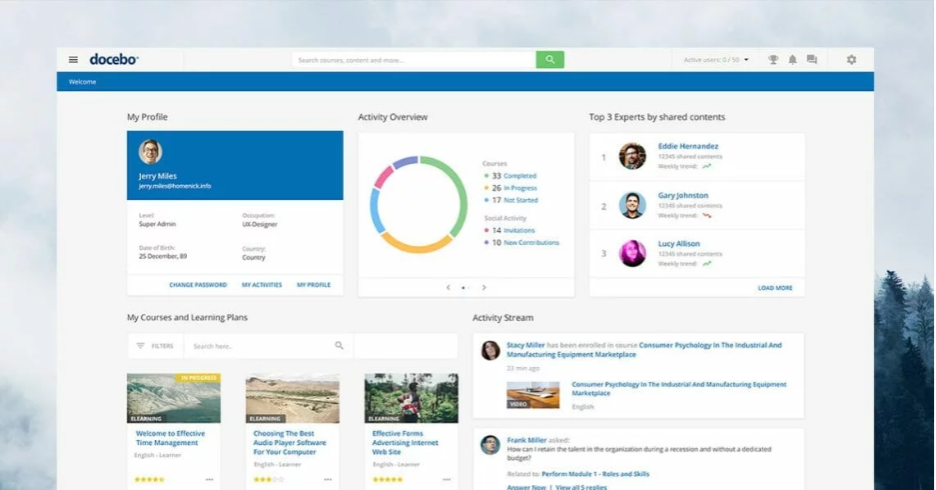
Docebo is one of the most recognized enterprise LMS vendors and a common shortlist option for large organizations. It is a cloud-based platform designed for corporate learning, extended enterprise training, and large scale reporting. Docebo is strong in automation, enterprise governance, and integrations, and it is known for AI-driven content recommendations and learning personalization features. If you want a polished enterprise ecosystem and have the budget, Docebo usually delivers.
Best For
Large enterprises, global teams, extended enterprise learning, customer and partner training at scale.
Key Features
- AI-powered content recommendations and personalized learning experiences
- Strong automation for enrollments, rules, and learning workflows
- Advanced reporting, dashboards, and admin governance
- Integrations with HRIS, CRM, identity providers, and collaboration tools
- Multi-domain support for separate audiences and business units
- Mobile learning with offline access options depending on setup
Pros
- Enterprise-grade governance, scalability, and reporting
- Mature integration ecosystem and workflow automation
- Good fit for structured corporate upskilling programs
Cons
- Pricing can be high and often requires an enterprise contract
- Customization flexibility is limited compared to platforms built for deep tailoring
Pricing
Enterprise custom pricing. Typically quote-based and depends on user counts and modules.
3. 360Learning
Platform Overview
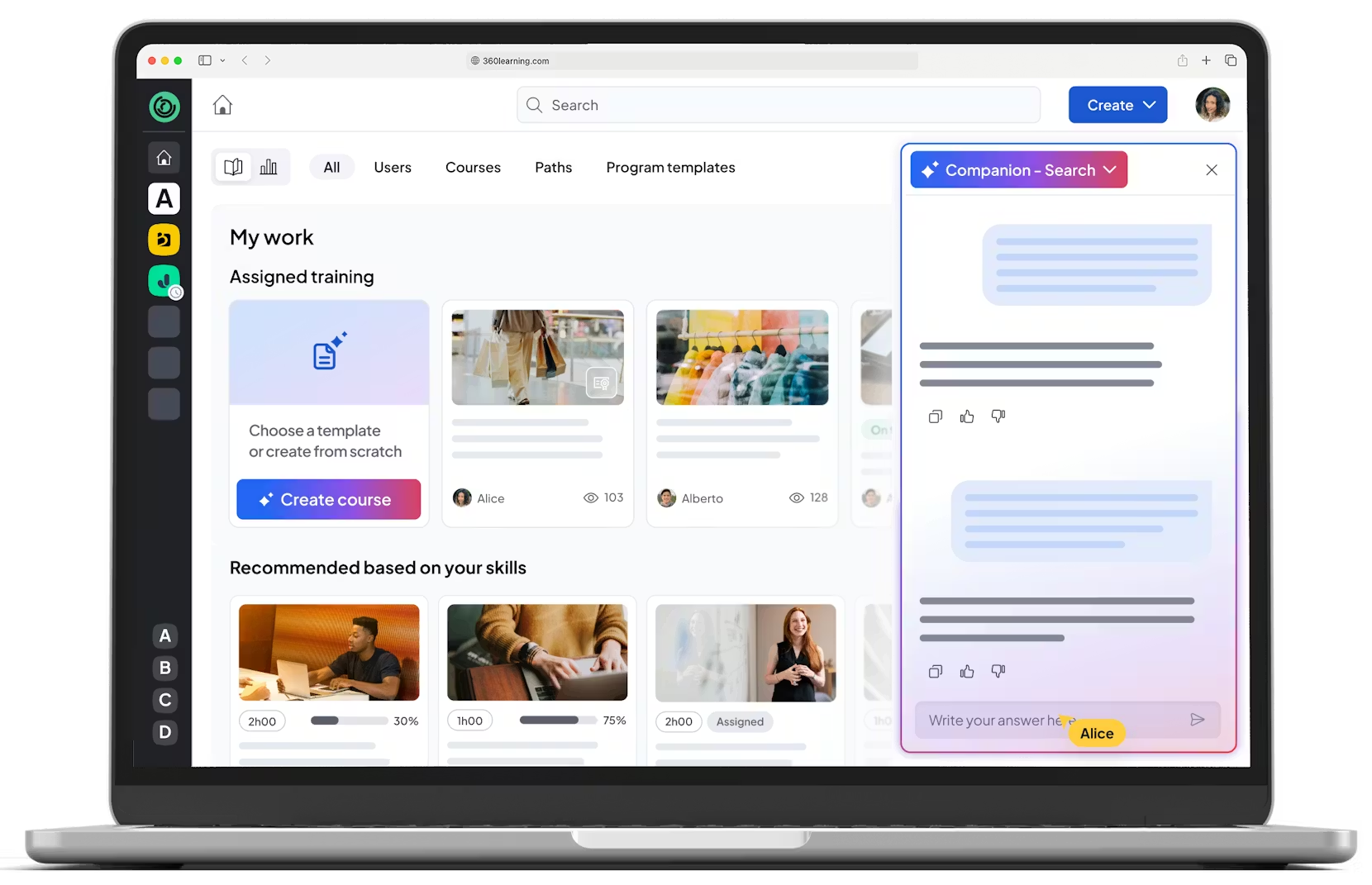
360Learning is positioned as a collaborative LMS built around internal knowledge sharing. It works well when your organization wants subject matter experts to create and maintain learning, instead of relying only on L&D teams. It is cloud-based, modern, and generally easier to drive adoption with compared to older enterprise systems. AI features vary by plan and region, but the bigger value is in the collaborative authoring model that keeps content current.
Best For
Internal enablement, knowledge sharing, fast upskilling driven by teams, not just instructors.
Key Features
- Collaborative authoring workflows with peer feedback loops
- Structured learning paths, cohorts, and assignments
- Engagement tools, reminders, and learning nudges
- Reporting on completion, engagement, and activity
- Integrations for SSO and common workplace tools
Pros
- Strong for rapid internal upskilling and knowledge sharing
- Authoring is practical for SMEs, not just instructional designers
- High engagement when rolled out with the right culture
Cons
- Less ideal for customer education commerce and public academies
- Skill gap analysis and competency frameworks are not typically the core strength
Pricing
Quote-based for business plans. Pricing depends on users and plan tier.
4. Moodle (Cloud Hosted)
Platform Overview
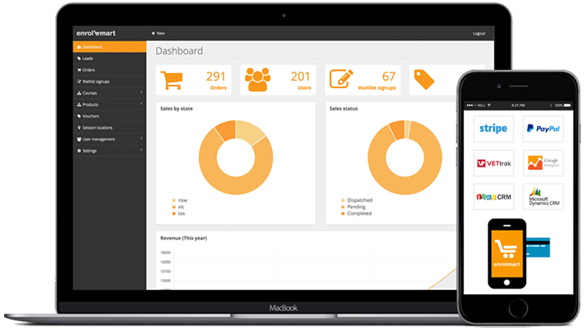
Moodle is the most widely used open-source LMS and remains a strong option when you need flexibility or academic learning workflows. In 2026, most organizations use Moodle through cloud hosting partners rather than self-hosting. Moodle is powerful, but the experience depends on how it is configured, themed, and supported. Competency frameworks exist in Moodle, but the AI layer usually comes through plugins, integrations, or external tooling.
Best For
Schools, universities, hybrid classrooms, organizations that want open-source control and extensibility.
Key Features
- Open-source core with a massive plugin ecosystem
- Blended learning support, quizzes, assignments, gradebook
- Competency frameworks and learning outcomes features
- Extensive roles and permissions
- Integrations depend on plugins and hosting partner capabilities
Pros
- Highly customizable, strong academic workflows
- Competency based education is possible with built-in features plus configuration
- No vendor lock-in if you control your hosting and plugins
Cons
- UX and performance can vary based on hosting and theme
- AI-driven upskilling is not typically native, it is often plugin-led
Pricing
Moodle core is free. Costs come from hosting, support, development, and plugins.
5. iSpring Learn
Platform Overview
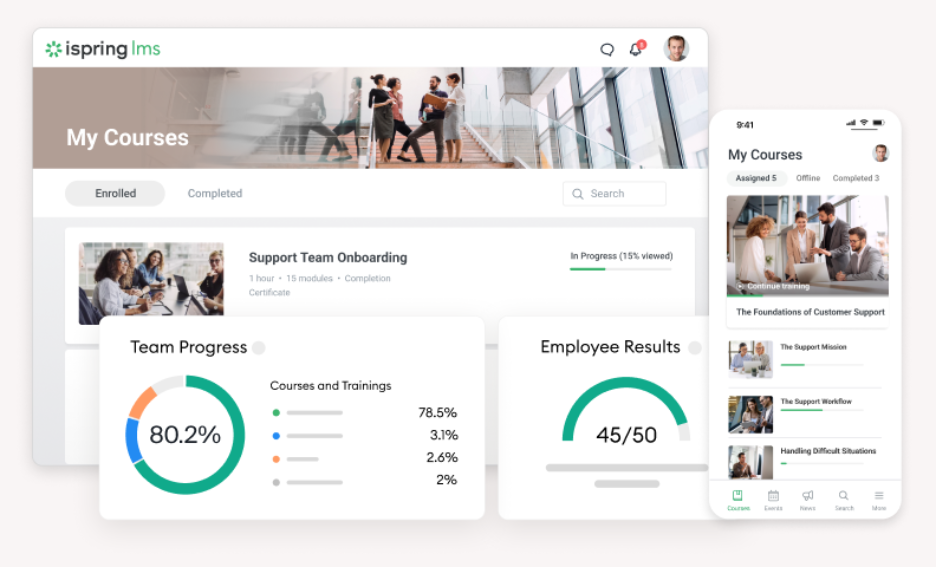
iSpring Learn is a cloud-based corporate LMS popular for quick deployment and simple administration. It is often chosen by teams that want to upload existing SCORM content, create content quickly with iSpring Suite, and track compliance without a complex system. It is not the deepest platform for AI upskilling or competency modeling, but it is reliable for structured corporate training. If your goal is to launch fast and keep it simple, iSpring is usually a safe pick.
Best For
SMBs and mid-sized companies running compliance, onboarding, and role training.
Key Features
- SCORM support and strong compatibility with iSpring authoring
- Mobile apps, offline access options depending on setup
- Automated enrollments, reminders, and completion tracking
- Reporting for compliance, progress, and certificates
- Simple user management and course delivery
Pros
- Fast setup and easy admin experience
- Strong SCORM and authoring workflow if you use iSpring Suite
- Good for compliance and onboarding programs
Cons
- Limited AI features compared to AI-first platforms
- Competency and skill gap analysis are not typically the primary strength
Pricing
Subscription pricing by user count. Public pricing is commonly tiered.
6. WorkRamp
Platform Overview
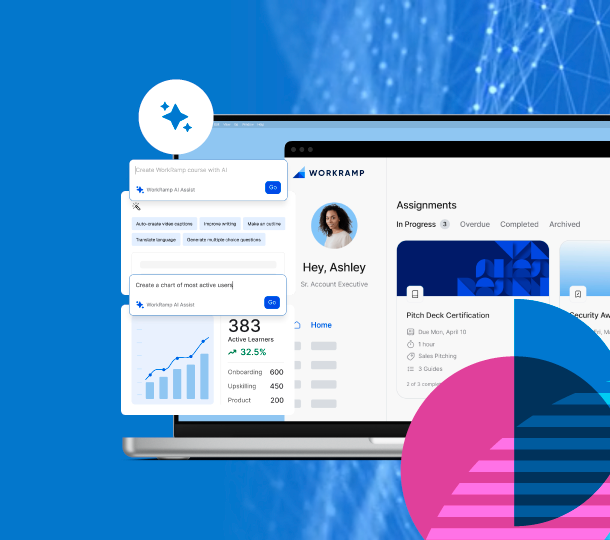
WorkRamp is a cloud-based LMS built around training enablement, especially for employee onboarding, customer education, and partner readiness. It is commonly used by SaaS companies and fast-growing teams that want structured learning paths tied to onboarding and performance outcomes. WorkRamp is strong in enablement workflows and certification style tracking. Skill gap analysis is often approached through structured programs and assessments rather than full competency engines.
Best For
Sales enablement, customer enablement, onboarding, partner training, SaaS companies.
Key Features
- Training programs for employees, customers, and partners
- Structured onboarding paths and certifications
- Integrations with tools like Salesforce and common systems
- Progress dashboards and enablement reporting
- Content organization designed for enablement teams
Pros
- Purpose-built for enablement and onboarding workflows
- Strong for certification and structured readiness programs
- Good fit for customer and partner training operations
Cons
- Less flexible for academic style learning or deep multi-tenant academies
- AI skill gap analysis is not typically positioned as the core engine
Pricing
Enterprise quote-based pricing.
7. Adobe Learning Manager
Platform Overview
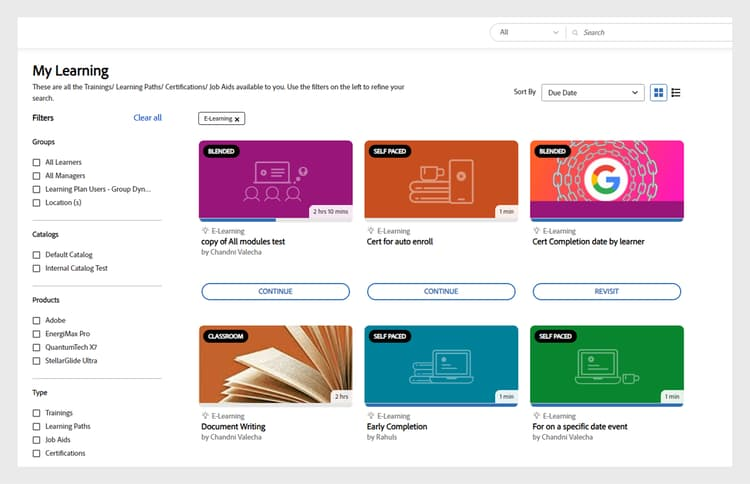
Adobe Learning Manager is Adobe's enterprise cloud LMS designed for corporate training, compliance, and customer education programs. It is often considered when organizations already use Adobe tools, or want strong content experiences plus enterprise reporting. It supports scale, roles, and structured learning delivery. AI is generally seen through recommendations and personalization features, but advanced competency based education depends on implementation approach.
Best For
Large enterprises, compliance heavy programs, organizations in Adobe ecosystems.
Key Features
- Enterprise learner management, enrollments, and compliance tracking
- Learning catalogs, paths, and certifications
- Reporting and dashboards for administrators and managers
- Integrations, SSO, and enterprise deployment support
- Recommendation and personalization capabilities depending on setup
Pros
- Enterprise readiness and stability
- Strong for compliance and structured learning delivery
- Good fit when paired with Adobe content ecosystems
Cons
- Customization flexibility can be limited compared to open platforms
- Pricing and implementation are usually enterprise-level
Pricing
Enterprise licensing, quote-based.
8. Tovuti
Platform Overview
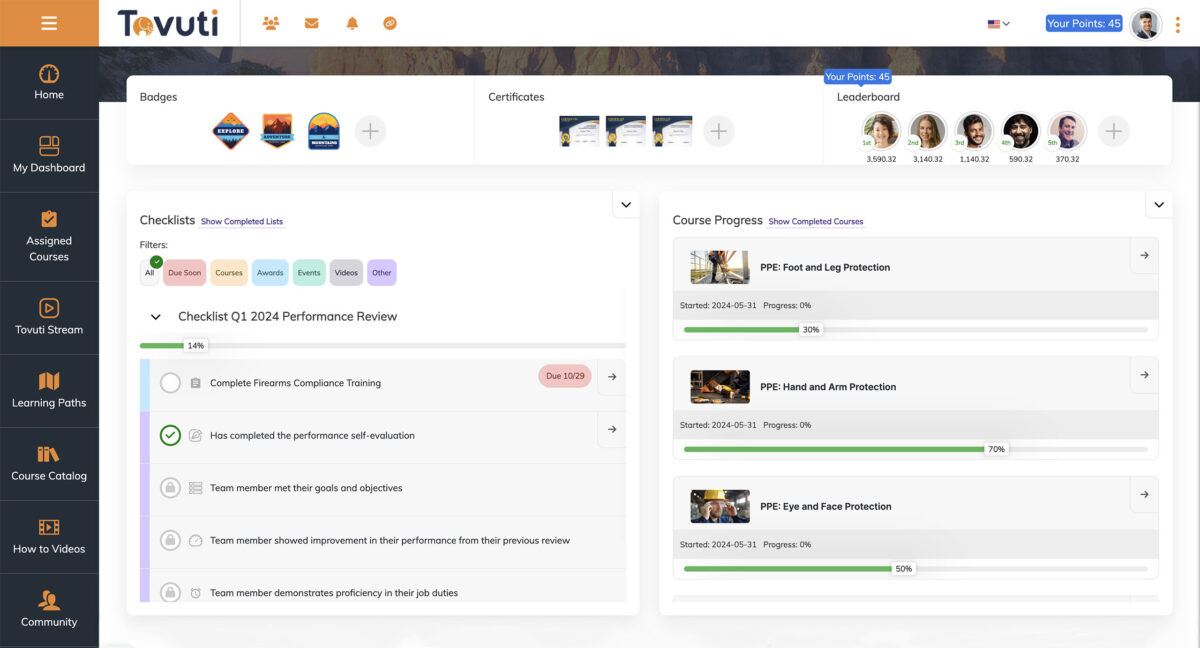
Tovuti is a cloud LMS known for interactive learning and engagement features like gamification and rich content experiences. It is used by mid-sized organizations that want learners to stay active, not just complete courses. It supports course creation, blended learning elements, and integrations. AI upskilling features are not typically the headline, but it can work well when combined with strong program design and interactive content.
Best For
Mid-sized organizations focused on engagement, interactive training, and blended learning programs.
Key Features
- Built-in authoring and interactive content tools
- Gamification and engagement elements
- Blended learning support and training management tools
- Reporting on learner progress and participation
- Integrations and SSO options depending on plan
Pros
- Strong engagement features and interactive learning options
- Useful for organizations needing built-in content tools
- Good learner experience when implemented well
Cons
- Pricing can scale up quickly as you add features and users
- Skill and competency engines are not usually the main differentiator
Pricing
Quote-based, varies by modules and user count.
9. Kallidus
Platform Overview
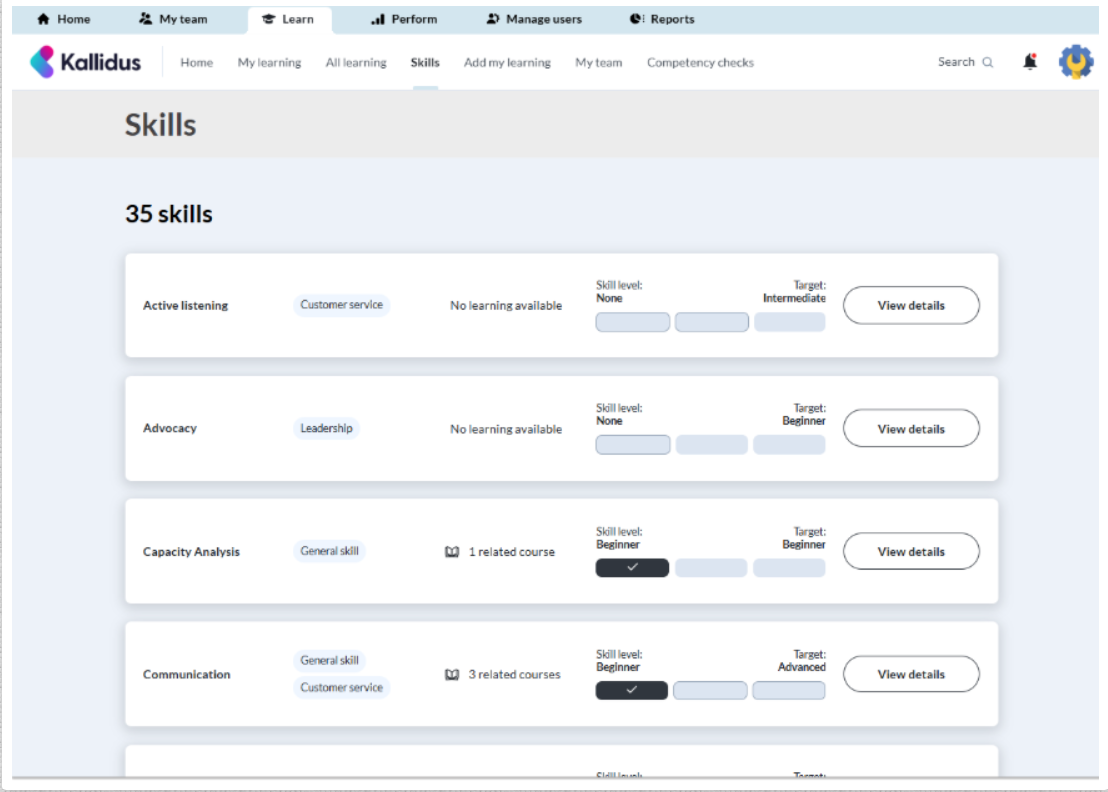
Kallidus is a cloud-based learning and talent development platform designed to help organizations deliver training, manage compliance, and support employee growth from a single ecosystem. The platform combines learning management, performance enablement, and skills development tools, making it particularly attractive for companies that want to connect training outcomes with employee performance. Its intuitive user experience and strong compliance capabilities make it a popular choice among mid-sized and enterprise organizations.
Best For
Corporate learning teams, compliance-driven industries, employee development programs, and organizations looking to combine learning and performance management.
Key Features
- Learning management with personalized learning paths
- Compliance training and certification tracking
- Skills development and performance enablement tools
- Automated learning assignments and reminders
- Detailed reporting and analytics dashboards
- Integrations with HR systems and workplace tools
Pros
- Strong balance between learning, compliance, and performance management
- User-friendly interface that encourages learner adoption
- Well-suited for regulated industries and ongoing employee development
Cons
- Advanced customization options may require additional configuration
- Some enterprise features are available only in higher-tier plans
Pricing
Custom pricing based on organization size, feature requirements, and implementation scope.
10. GoSkills
Platform Overview
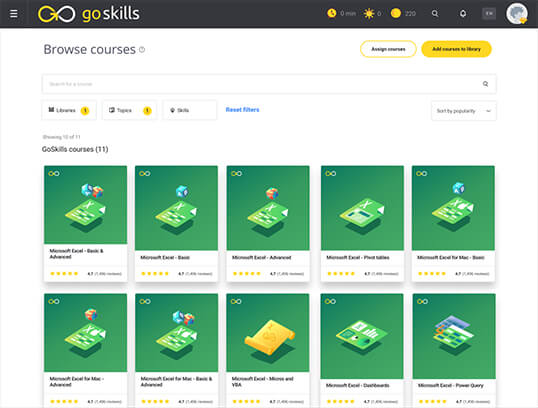
GoSkills is often chosen for its ready-made training library and simple training administration. It is less of a deeply customizable LMS and more of a structured training platform for upskilling teams quickly. It works well when a company wants immediate content for professional skills without building everything from scratch. AI skill gap analysis is usually handled by program design and reporting rather than native skill engines.
Best For
SMBs that want fast, content-ready upskilling and straightforward tracking.
Key Features
- Prebuilt course library for business and professional skills
- Simple assignment and tracking workflows
- Reporting on completion and progress
- Easy onboarding for learners and admins
- Practical internal upskilling use cases
Pros
- Quick value if you want content included
- Low operational complexity
- Easy for teams to adopt
Cons
- Limited branding and deep customization
- Not ideal for large scale multi-tenant academies
Pricing
Typically subscription-based, varies by plan and user count.
Wrapping It Up
Choosing a cloud-based LMS is not about finding the most impressive demo. It is about what still works once the excitement fades and learning becomes part of day-to-day operations.
The right platform should support real adoption, clear reporting, and continuous upskilling, not just course completion. It should handle growth without forcing you to rethink the system every year.
If your priority is modern learner experience, AI-supported learning workflows, competency-based education, and the ability to run training at scale across teams or audiences, then the shortlist becomes much smaller.
At that point, the decision is no longer confusing.
It is practical.
Common Questions Answered
What is the best cloud-based LMS in 2026?
The best choice depends on your use case. For multi-tenant academies and competency-based learning, Blend-ed is a strong fit. For traditional enterprise L&D, Docebo and Adobe Learning Manager are common picks.
Can a cloud-based LMS support AI-driven upskilling?
Some platforms support AI recommendations and personalization. True AI upskilling usually requires skills frameworks, assessments, and learning paths tied to competency gaps.
Which LMS supports competency based education?
Blend-ed is designed around competency and skills. Moodle also supports competency frameworks, but the experience depends heavily on configuration and plugins.
Do most LMS platforms offer AI skill gap analysis?
Not natively. Many offer reporting, not true skill gap engines. Skill gap analysis is often implemented through competencies, assessments, analytics, or external integrations.