Built on Open edX® Setup in minutes Trusted by Training Companies
The Challenge
The Challenge of Course Authoring
Course creation has been stuck in the past, with months of manual work, scattered SMEs, and content that's outdated before it ships. Here's what changes with Blend-ed.
Without Blend-ed
With Blend-ed
Weeks of manual authoring
Courses generated in minutes
Multiple SMEs, IDs, and rounds of revisions
SMEs upload documents; AI builds first draft
Static content that quickly becomes outdated
Instantly refresh courses with updated docs
Manual creation of quizzes and assessments
Quizzes and assessments auto-generated by AI
Limited reuse of existing knowledge
Pulls from PDFs, libraries, YouTube, AI-generated assets
Heavy design & formatting effort
Auto-generated course visuals and card images
Features & Benefits
The features and its benefits for your case when using Blend-ed
Sixteen capabilities, one continuous course-building loop, from raw documents to published, skill-tagged learning paths.
AI Course Creation from PDFs, Docs & Prompts
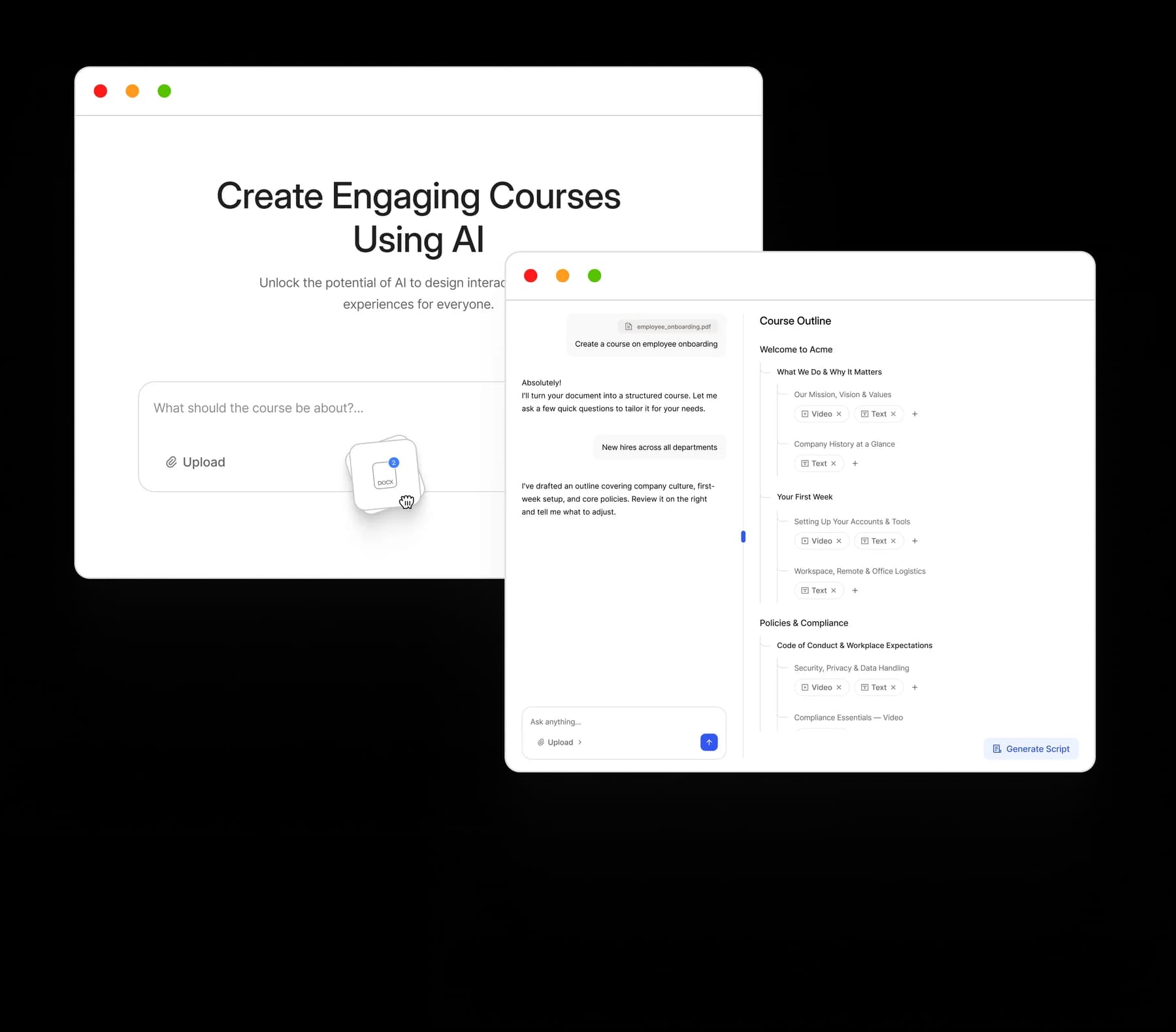
Upload documents, PDFs, presentations, or enter a prompt. AI instantly extracts key concepts, creates structured outlines, builds lessons, generates quizzes, and suggests visuals.
AI Course Plan Generator
Start with a topic or upload your existing materials. AI instantly creates a complete course outline, structuring all modules, lessons, and learning objectives. Review and refine every section before you build.
Script First Course Generation
AI drafts ready-to-use scripts for every course component, including videos, lessons, and narrations. Fine-tune the tone, adjust the flow, or rewrite sections until every word matches your standard.
Course Card Image Generation
Auto-generate clean, consistent course thumbnails using AI, no design skills required.
Choose What AI Builds For You
Select what AI should generate automatically: Images (from document or AI-generated), Videos (from library, YouTube, or custom sources), Quizzes & assessments (AI-generated based on content).
Built-In Authoring Studio
Review, edit, and customize all AI-generated content with full editorial control. Fine-tune text, reorder modules, or add additional components manually.
Drag-and-Drop Editor
Easily structure your course with intuitive drag-and-drop controls to manage lessons, units, and assessments.
Skill-Based Content Tagging
Tag course units with skills for personalized learning paths, analytics, and future AI adaptation.
SCORM, H5P, and LTI Compatible
Import, export, and integrate learning content using industry-standard formats.
Reusable Content Library
Easily store, organize, and reuse your learning assets including videos, quizzes, assessments, text blocks, images, documents, and third-party content.
30+ Interactive Course Components
Build rich, engaging courses using a wide variety of components like text, videos, images, interactive elements, simulations, and assessments.
Schedule & Release Management
Control when modules become available. Set schedules for course releases, drip content over time, and align learning with onboarding timelines or role transitions.
Grading & Progress Tracking
Built-in grading system with automated scoring for assessments, along with manual grading options.
Gating & Prerequisites
Enforce learning sequences by setting prerequisites. Ensure learners complete required modules before progressing to advanced content.
Collaborative Authoring
Assign multiple team members to collaborate on course creation.
Programs & Learning Paths
Bundle multiple courses into structured programs. Create learning journeys that guide learners through progressive stages of development.
The Workflow
Your Course, Built in Five Simple Steps
From a raw document to a published course in five steps, one continuous flow.
1
Upload PDF or prompt
Drop in any document, slide deck, or write a one-line brief.
2
AI generates course plan
Modules, lessons, and learning objectives drafted in seconds.
3
Lessons, quizzes, media auto-filled
Every component built from your source content.
4
Edit & customize
Refine tone, reorder modules, swap visuals, with full editorial control.
5
Publish instantly
Roll out to cohorts, teams, or whole organizations.
10x
Faster Course Creation
What used to take a team of SMEs, instructional designers, and editors weeks now happens in an afternoon, with the same editorial standard.
Manual
6 weeks
With Blend-ed
≈ 1 afternoon
“
I can quadruple or pentuple my time as an individual. I'm able to create training courses for whole client sets within a matter of a couple of days of active work, versus where that would have taken me maybe a week or two in time to accomplish the same kind of product.