

Build any interactive activity in Open edX, and grade it.
An open-source XBlock for Open edX. Build simulations, labs, coding challenges and scenarios by hand, or describe them to AI with your own API key. Every answer goes to the Open edX gradebook.

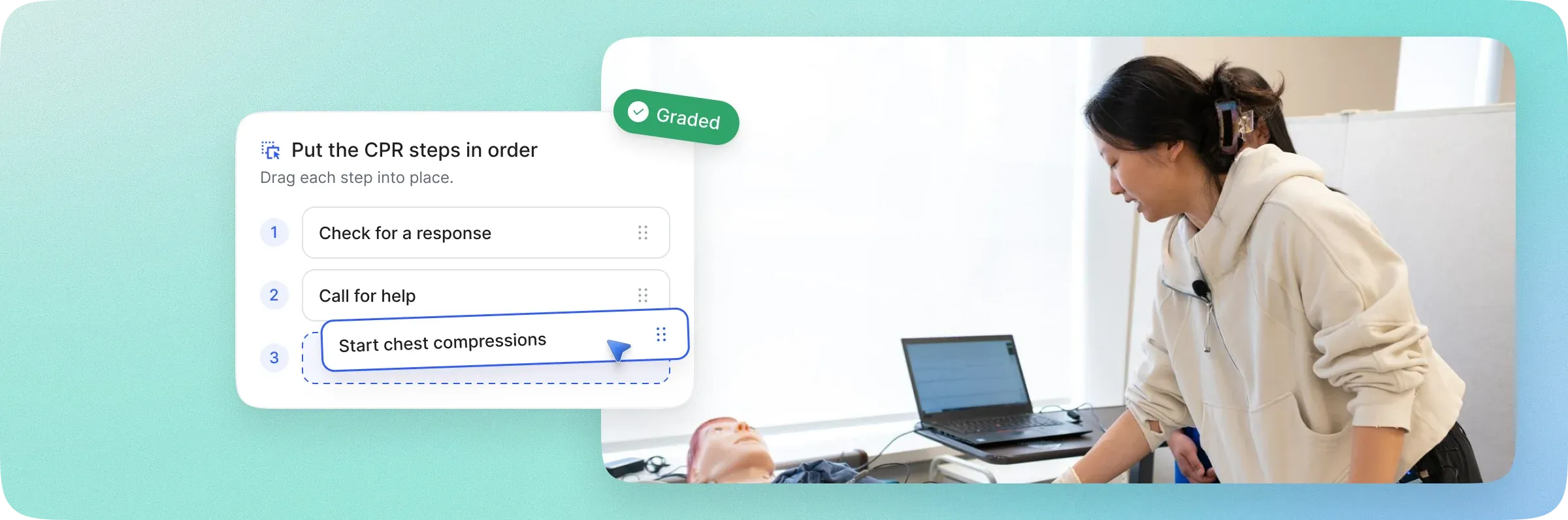


Demo · A clinical simulation · 5 min
Let learners practice, and record how they did.
A few examples from our sandbox course. Each one runs inside an Open edX unit and sends its score or completion to the gradebook, like any other problem.
Simulations
Learners act in a situation that changes as they go, and each decision is scored.
Clinical emergency with a live patient monitor
Safety system design lab
Market-abuse surveillance desk
VR and 3D models
Learners explore a model on a headset or a laptop, and name what they find.
Coronary anatomy on a VR headset
Elbow anatomy in 3D
Angiography views you can rotate
Coding challenges
Learners write and run code in the browser, and hidden tests score it on the server.
Python in the browser, with hidden tests
Partial credit for each test passed
Capstone projects
Learners work through a real brief in steps, with rule checks along the way.
A client brief worked through step by step
Final work sent to Open edX peer review
Camera and movement labs
The webcam scores how learners move. The video never leaves their device.
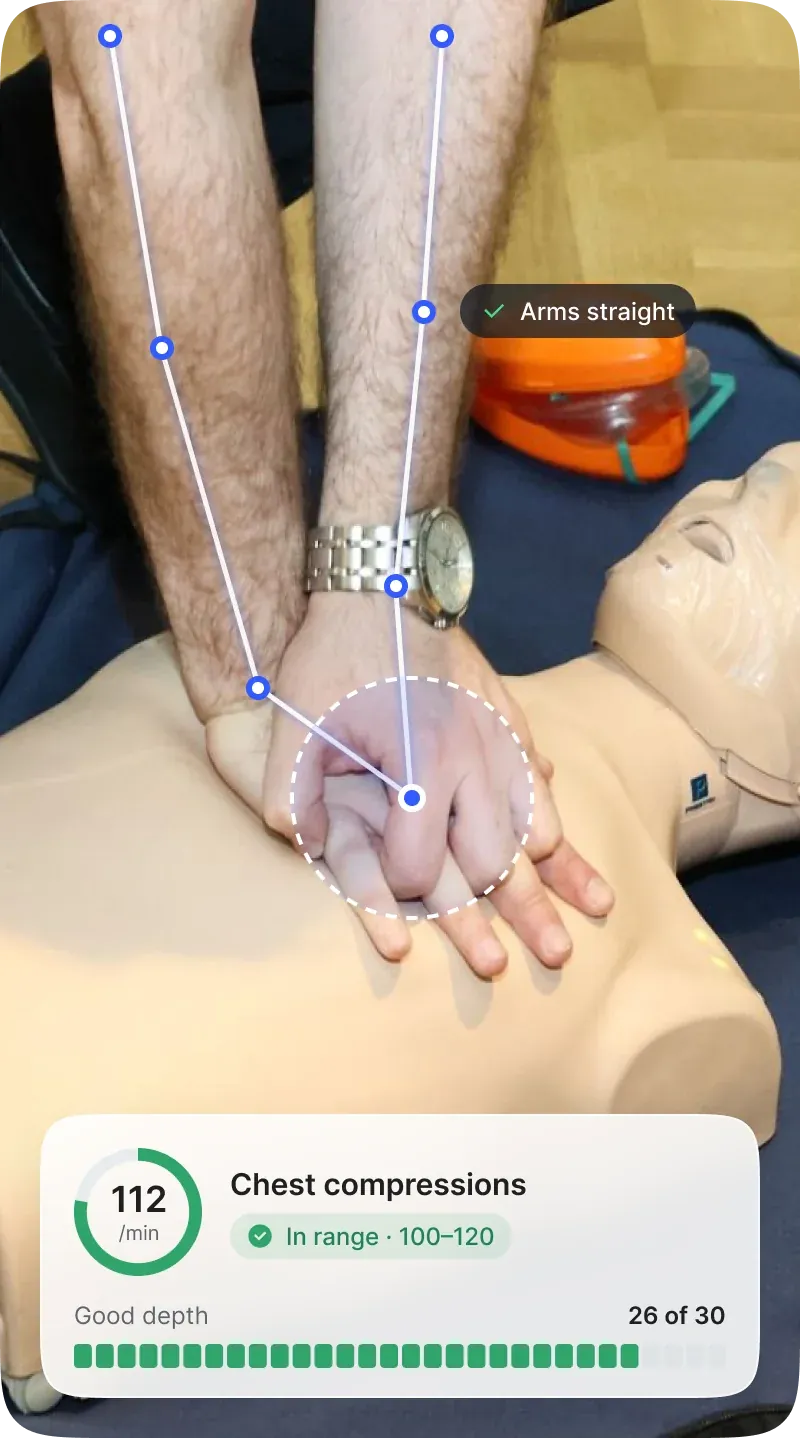
Safe lifting, scored with the webcam
CPR chest compressions
Roleplays and scenarios
Learners talk or choose their way through a conversation, and the outcome is graded.
Voice roleplay: brief the CEO
Bias audit of a hiring AI
Blood gas case interpretation
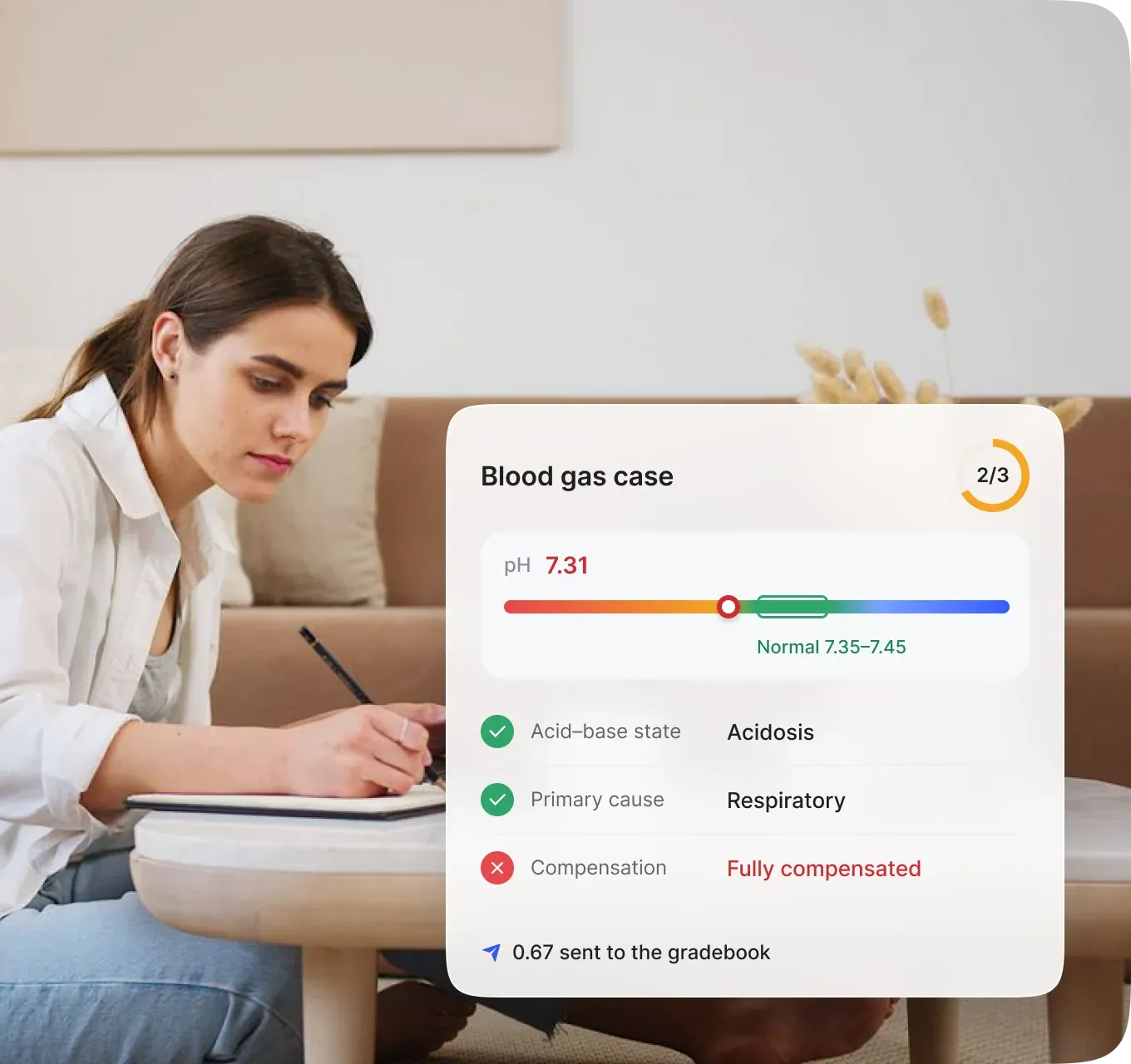
Every answer reaches the Open edX gradebook.
Your activity hands each answer to the XBlock with one function call. The XBlock grades it, stores it and reports the score and completion to Open edX, like any other problem.

Grade in your own code, or match answers on the server
Partial credit across several fields
Completion on submit, on view or when your code says so
Feedback, and the learner's previous answer when they return
Test grading in Studio before you publish
Bring your own key. AI generation stays off until you add your own key for any OpenAI-compatible service or AI gateway. The key stays on the server, and only course staff can generate.
Questions Open edX teams ask us.
Yes. It is released under the AGPL-3.0 license, so you can install, use and change it.
Redwood and above. On an older release? Reach out to us and we'll look at your platform with you.
No. Authors can describe the activity, review what AI writes, test the grading and save. Authors who know HTML, CSS and JavaScript can also write it themselves.
Only for AI generation inside Studio. Bring your own key for any OpenAI-compatible service or your own AI gateway. It stays on the server, and only course staff can generate.
Yes. Your AI assistant can create and update Interactive Content activities in your courses through the Open edX MCP server. The assistant writes the activity, so you don't need a separate API key for the XBlock.
Yes. Simulations, VR labs and coding challenges like the ones on this page all run in the XBlock. A specific description gives a better first result, and complex activities are worth a code review before they go live.
Your platform team adds the package to the Open edX image and rebuilds it. Course staff then turn it on in each course's advanced settings.
Blend‑ed, one of 12 official Open edX Partners. Report issues and send contributions on GitHub.

Want interactive activities built into your own courses?
We set up the XBlock on your platform and build the first activities with your course team.
On a release older than Redwood?
Reach out to us →
What we set up for you

Your activities
Simulations, VR labs, coding challenges and capstones, designed with your course team.
Your grading
Scoring, partial credit and completion rules that fit your grading policy.
Your AI setup
Generation in Studio with your own key or gateway, or through the Open edX MCP server.
Your course authors
Templates and training, so your team can build the next activities themselves.
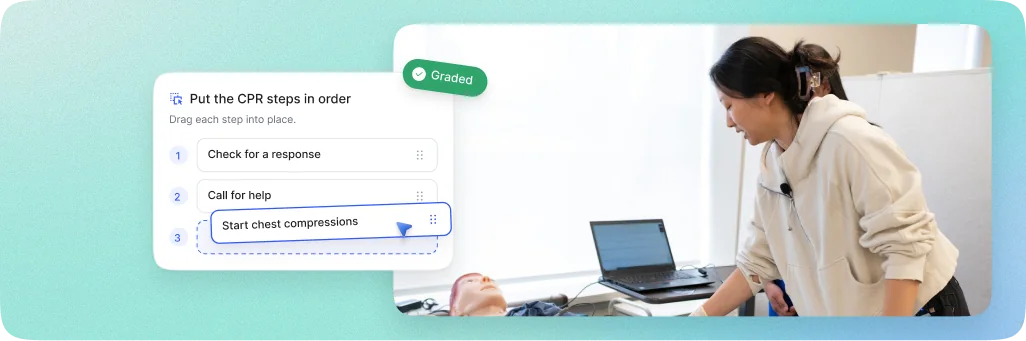
Build any interactive activity in Open edX, and grade it.
An open-source XBlock for Open edX. Build simulations, labs, coding challenges and scenarios by hand, or describe them to AI with your own API key. Every answer goes to the Open edX gradebook.


Demo · A clinical simulation · 5 min
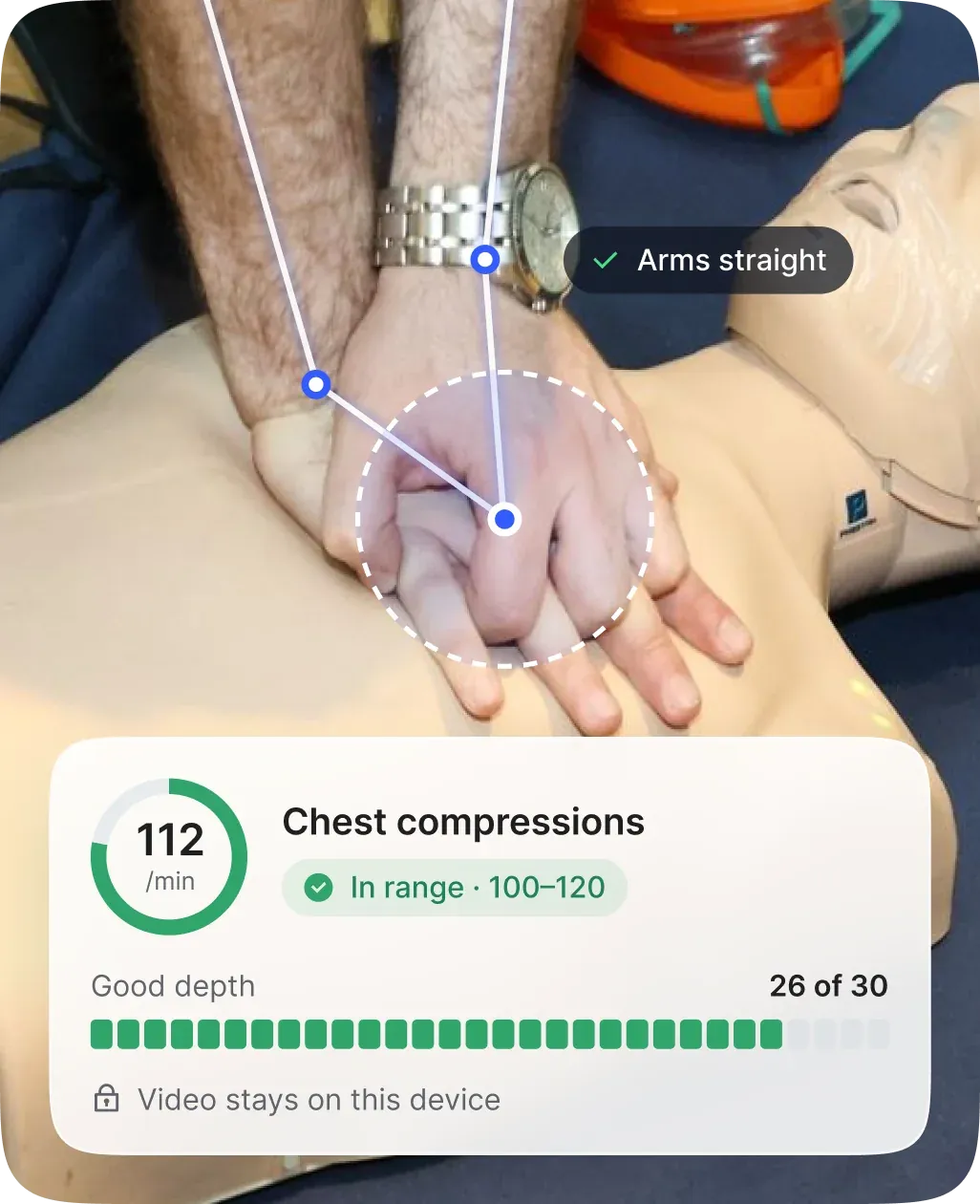
Let learners practice, and record how they did.
A few examples from our sandbox course. Each one runs inside an Open edX unit and sends its score or completion to the gradebook, like any other problem.
Simulations
Learners act in a situation that changes as they go, and each decision is scored.
Clinical emergency with a live patient monitor
Safety system design lab
Market-abuse surveillance desk
VR and 3D models
Learners explore a model on a headset or a laptop, and name what they find.
Coronary anatomy on a VR headset
Elbow anatomy in 3D
Angiography views you can rotate
Coding challenges
Learners write and run code in the browser, and hidden tests score it on the server.
Python in the browser, with hidden tests
Partial credit for each test passed
Capstone projects
Learners work through a real brief in steps, with rule checks along the way.
A client brief worked through step by step
Final work sent to Open edX peer review
Camera and movement labs
The webcam scores how learners move. The video never leaves their device.
Safe lifting, scored with the webcam
CPR chest compressions
Roleplays and scenarios
Learners talk or choose their way through a conversation, and the outcome is graded.
Voice roleplay: brief the CEO
Bias audit of a hiring AI
Blood gas case interpretation
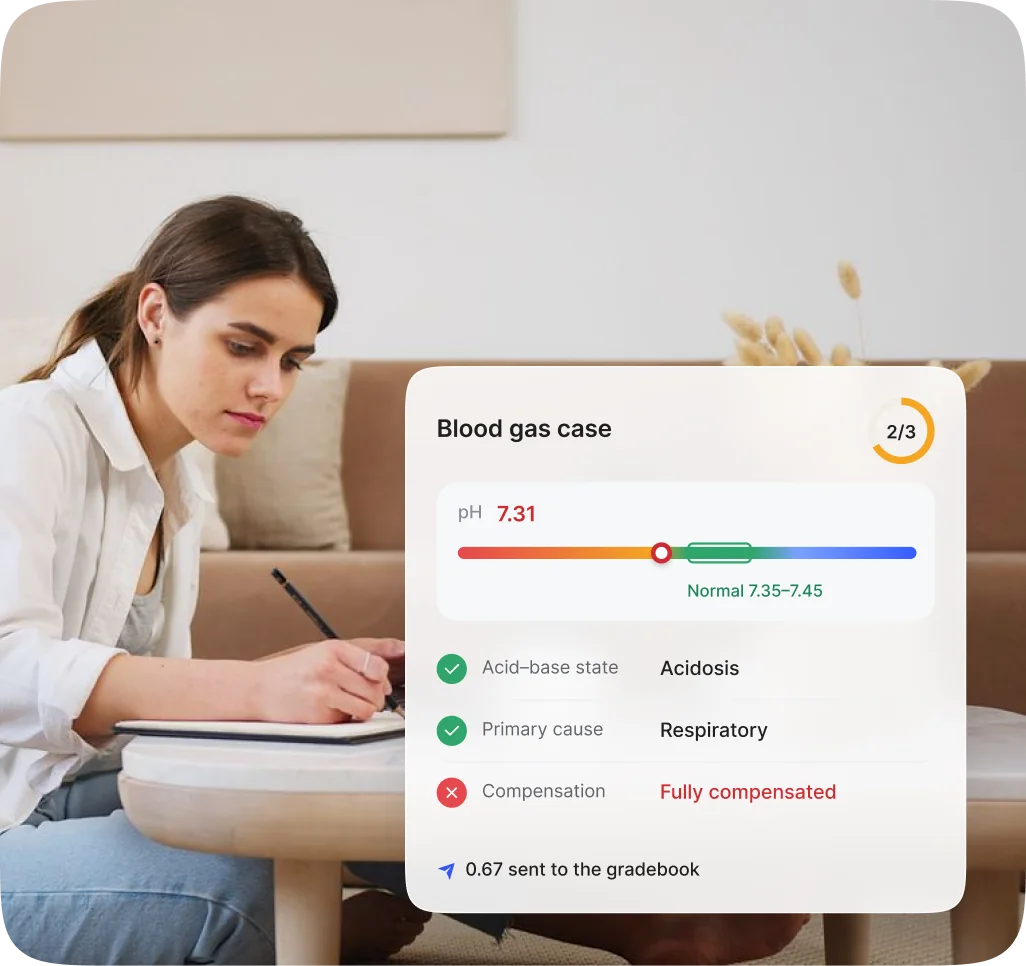
Every answer reaches the Open edX gradebook.
Your activity hands each answer to the XBlock with one function call. The XBlock grades it, stores it and reports the score and completion to Open edX, like any other problem.
Grade in your own code, or match answers on the server
Partial credit across several fields
Completion on submit, on view or when your code says so
Feedback, and the learner's previous answer when they return
Test grading in Studio before you publish
Bring your own key. AI generation stays off until you add your own key for any OpenAI-compatible service or AI gateway. The key stays on the server, and only course staff can generate.
Questions Open edX teams ask us.
Yes. It is released under the AGPL-3.0 license, so you can install, use and change it.
Redwood and above. On an older release? Reach out to us and we'll look at your platform with you.
No. Authors can describe the activity, review what AI writes, test the grading and save. Authors who know HTML, CSS and JavaScript can also write it themselves.
Only for AI generation inside Studio. Bring your own key for any OpenAI-compatible service or your own AI gateway. It stays on the server, and only course staff can generate.
Yes. Your AI assistant can create and update Interactive Content activities in your courses through the Open edX MCP server. The assistant writes the activity, so you don't need a separate API key for the XBlock.
Yes. Simulations, VR labs and coding challenges like the ones on this page all run in the XBlock. A specific description gives a better first result, and complex activities are worth a code review before they go live.
Your platform team adds the package to the Open edX image and rebuilds it. Course staff then turn it on in each course's advanced settings.
Blend‑ed, one of 12 official Open edX Partners. Report issues and send contributions on GitHub.

Want interactive activities built into your own courses?
We set up the XBlock on your platform and build the first activities with your course team.
On a release older than Redwood?
Reach out to us →
What we set up for you
Your activities
Simulations, VR labs, coding challenges and capstones, designed with your course team.
Your grading
Scoring, partial credit and completion rules that fit your grading policy.
Your AI setup
Generation in Studio with your own key or gateway, or through the Open edX MCP server.
Your course authors
Templates and training, so your team can build the next activities themselves.