
Run your Open edX platform from the AI assistant you already use.
An open-source MCP server for Open edX. Your staff ask Claude or another AI assistant to enroll learners, build courses, issue certificates and pull reports. Every request runs through Open edX's own permissions.



Demo · MCP in action · 2 min
Build courses, run admin and read the numbers, by asking.
Ask for a draft course, an enrollment or an answer about your learners. Combine it with your SIS, CRM, ERP and survey tool, and set the work to run on its own.
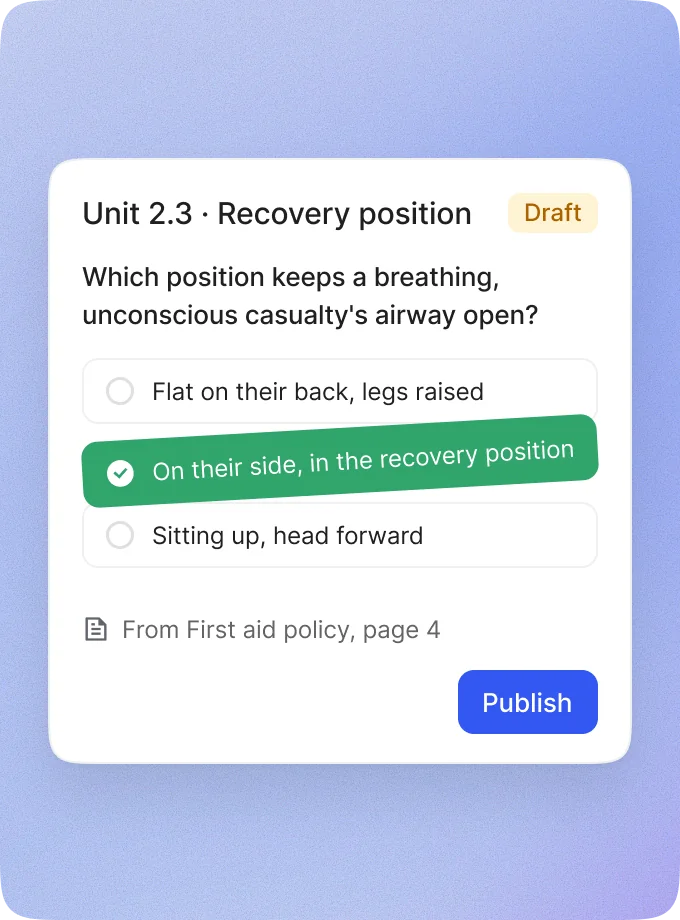
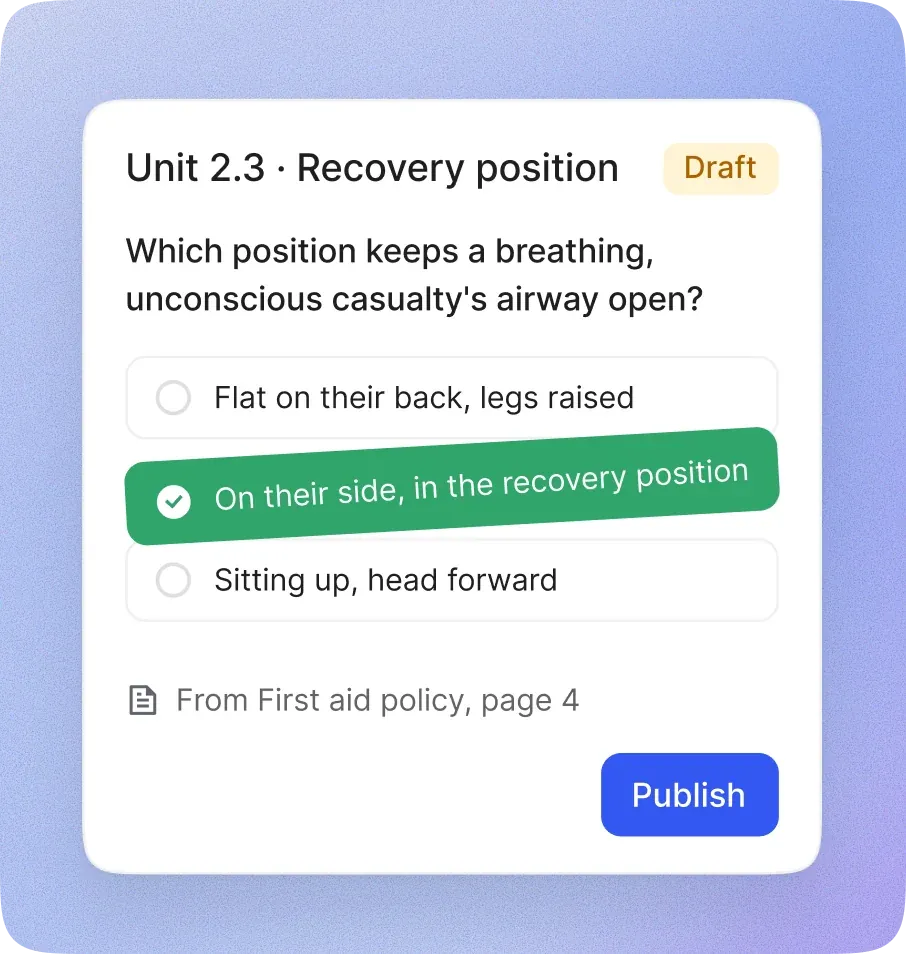
Turn a syllabus or a document into a draft course.
Share your syllabus, slides or policy document and ask for a course. The assistant builds the sections, units and quizzes in Studio as a draft for your team to review.

Sections, units and quizzes from your own material
Dates and grading set the way you ask
Saved as a draft until you choose to publish
See the authoring tools →
Hand routine admin to your AI assistant.
Enrollments, roles, certificates and attempt resets take one message instead of several screens. High-impact changes show a preview first, so nothing happens by surprise.
Enroll one learner or a whole list
Give staff the right course roles
Issue or regenerate certificates
See the admin tools →
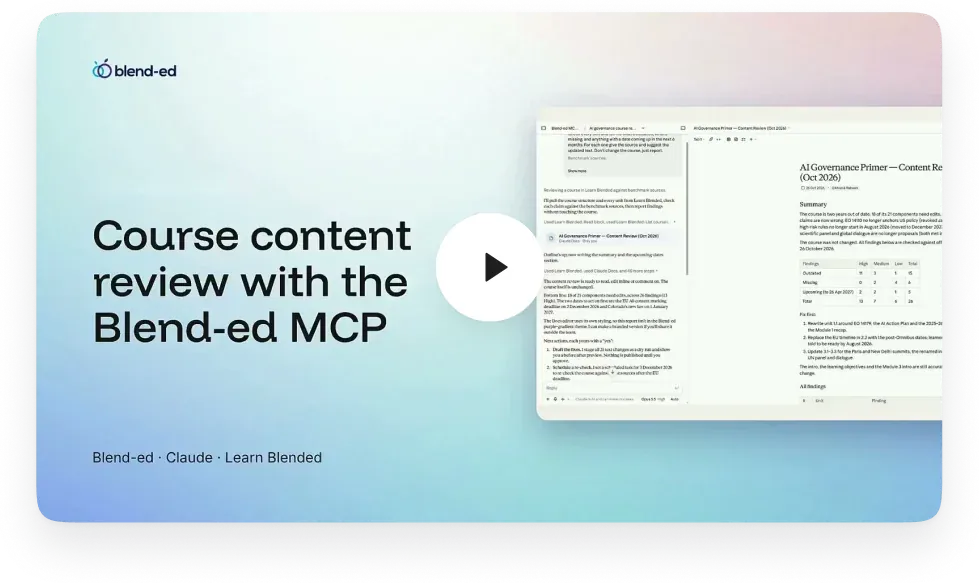
Review every course against your sources.
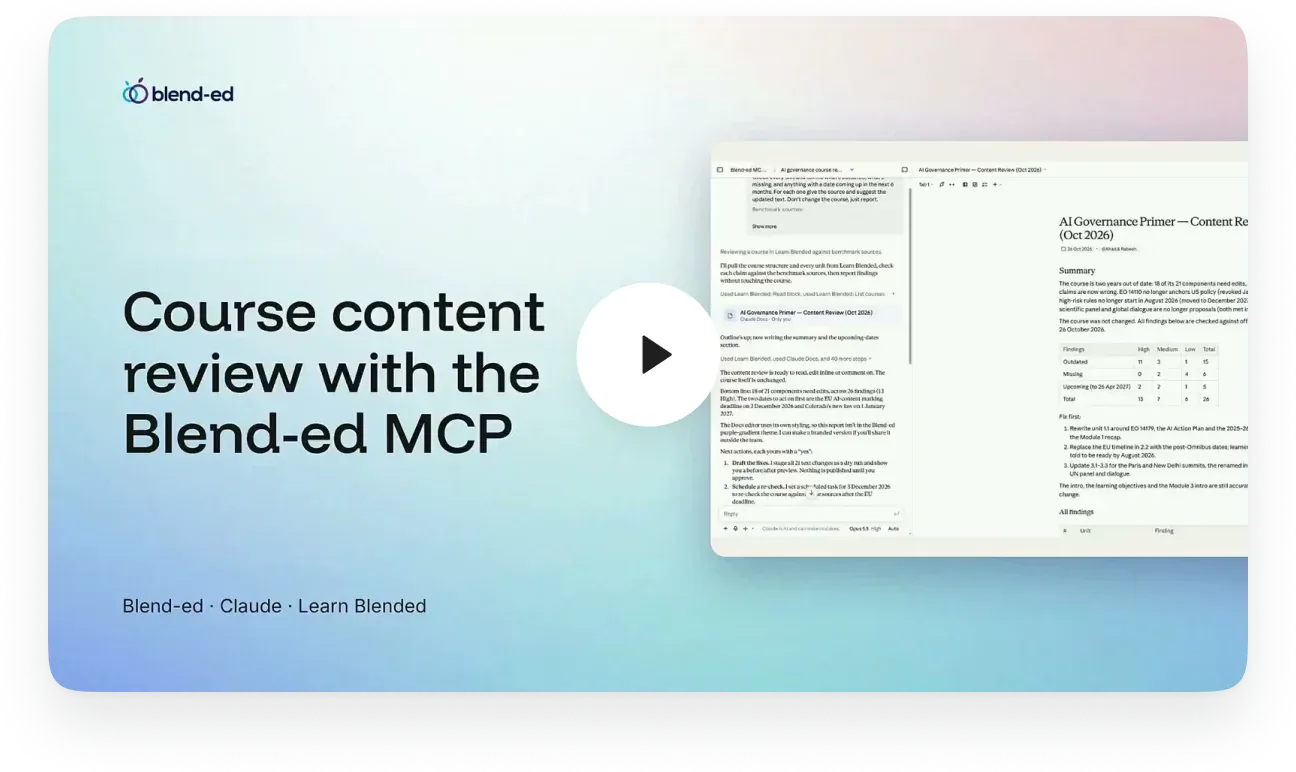
The assistant reads every unit and checks it against the sources you choose, such as official policy sites. It adds what learners said in your survey tool, and never changes the course.
Findings marked outdated, missing or coming up
Each finding with its source and a suggested fix
A report emailed to you every six months
Set up this workflow with us →
Ask how your courses are doing, in plain words.
Get enrollments, grades and completion without building a report. Turn the answer into a dashboard or a summary your leadership can read.
Enrollments and completion for each course
A learner's current grade
Grade and roster exports on request
See the reporting tools →
Connect Open edX to your SIS, CRM and ERP.
Your AI assistant can use the MCP server together with its other connectors. New registrations become enrollments, and finished cohorts update the systems that need the results.
Enrollments synced from your SIS or CRM
Certificates and completions sent to your CRM and ERP
Follow-ups sent through your email tool
Set up this workflow with us →
Set the work to run on its own.
Any of this can run on a schedule when your AI assistant supports scheduled tasks. The monthly report is ready on the 1st, and nobody has to remember to build it.
Weekly enrollment syncs
Monthly reports and decks for leadership
Course reviews every six months
Set up this workflow with us →
Teams also ask it to: "Reset Omar's attempts on the Unit 3 quiz" · "Move every due date by one week" · "Add a teaching assistant to all three course runs" · "Export the roster for the auditor" · "Who has a certificate in Food Safety?" · "Retire the accounts on this list"
Your AI assistant can never do more than the person using it.
Each key belongs to a staff user and only does the jobs you allow. Open edX checks it on every request, so courses and learner records stay under your control.
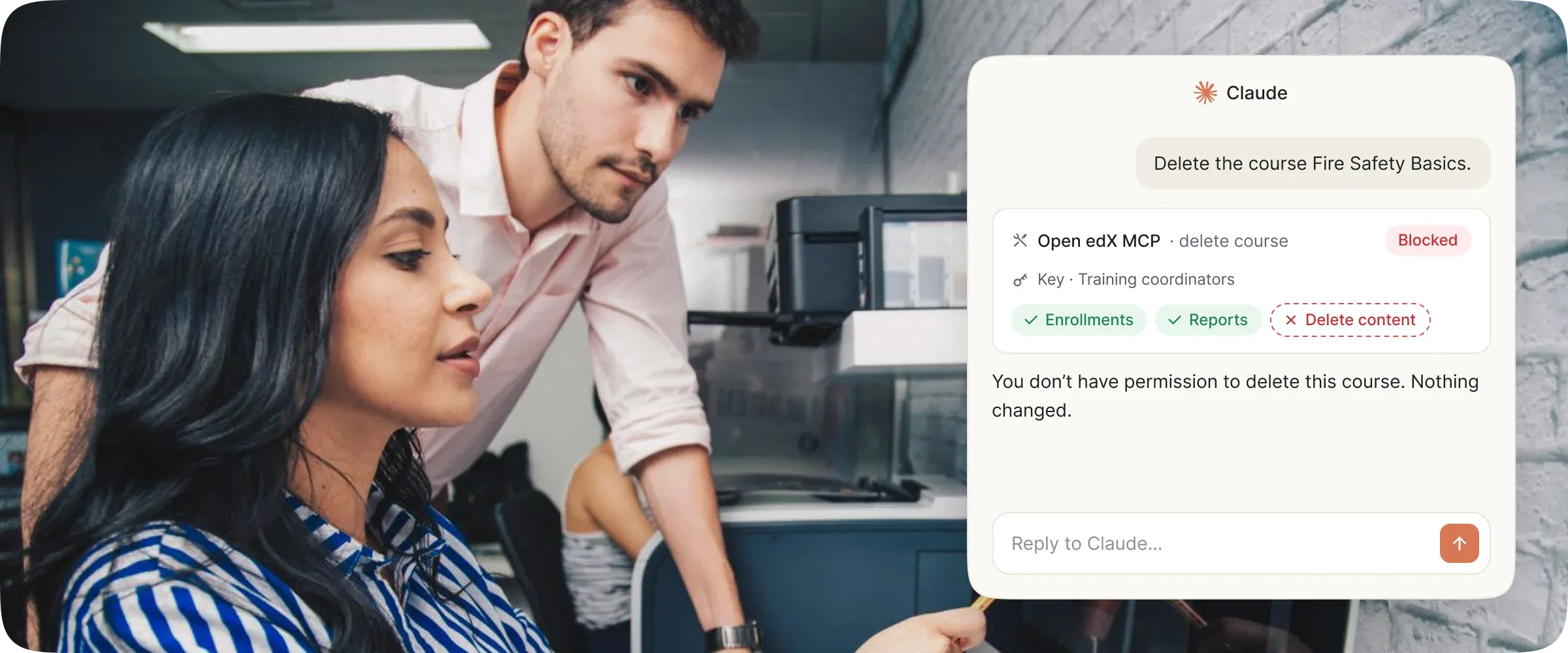

Staff status is checked live on every request, so removed staff lose access at once.
Nine scopes narrow each key, from read‑only to course authoring.
Deleting content and granting admin rights need their own scopes.
High-impact changes show a preview and wait for your confirmation.
Every change is written to an audit log, with who asked for it.
Rate limits stop runaway agents, and keys expire after 90 days.
Questions Open edX teams ask us.
Yes. It is released under the AGPL-3.0 license, so you can install, use and change it. You pay only for your own hosting and the AI assistant you connect.
It covers people and access, course authoring, certificates, reports and analytics. That means creating accounts and enrollments, setting course roles, building and editing course content, publishing, issuing certificates, and pulling grades and enrollment numbers.
Ulmo and above. It installs as a Tutor plugin, which adds two standard Open edX apps to the LMS and Studio and runs a small MCP server beside them. On another release? Reach out to us and we'll look at your platform with you.
Any AI assistant or agent that supports MCP over HTTP. The documentation shows how to connect Claude Code and Claude Desktop, and the same key works with other MCP clients.
Yes, through your AI assistant. When the assistant is also connected to those systems, one request or one scheduled task can read from them and act in Open edX. We can set up the connections and the workflows for you.
Yes, when your AI assistant supports scheduled tasks, as Claude does. A task can be read-only, like a twice-yearly course review, or make changes you have approved, like a weekly enrollment sync.
No. Every tool calls Open edX's own Python APIs through standard plugin entry points. There is no fork to maintain, so your upgrades stay simple.
Only what the key's scopes and the staff user allow, and only what a request asks for. Anything a tool returns, such as names or grades, goes to the AI assistant you connect, so use one your organization has approved for learner data.
The Open edX MCP server works with a standard Open edX platform. The Blend‑ed MCP server is for organizations using Blend‑ed's layer on top of Open edX, and adds tools for that layer, such as managing several organizations, course templates and notifications.
Blend‑ed, one of 12 official Open edX Partners. Report issues and send contributions on GitHub.

Want it working around your own Open edX workflows?
We set up the MCP server, connect your tools and build the workflows and scheduled tasks your team needs.
On a release older than Ulmo?
Reach out to us →
What we set up for you
Your use cases
The jobs your team wants to hand over, with keys and scopes to match each role.
Your workflows
Enrollments, course reviews, certificate runs and follow-ups, step by step.
Your tools
Connected with your SIS, CRM, ERP, survey tool and the other systems you use alongside Open edX.
Scheduled tasks
Weekly syncs, monthly reports and twice-yearly reviews that run on their own.



Demo · MCP in action · 2 min
Run your Open edX platform from the AI assistant you already use.
An open-source MCP server for Open edX. Your staff ask Claude or another AI assistant to enroll learners, build courses, issue certificates and pull reports. Every request runs through Open edX's own permissions.
Build courses, run admin and read the numbers, by asking.
Ask for a draft course, an enrollment or an answer about your learners. Combine it with your SIS, CRM, ERP and survey tool, and set the work to run on its own.
Turn a syllabus or a document into a draft course.
Share your syllabus, slides or policy document and ask for a course. The assistant builds the sections, units and quizzes in Studio as a draft for your team to review.
Sections, units and quizzes from your own material
Dates and grading set the way you ask
Saved as a draft until you choose to publish
See the authoring tools →
Hand routine admin to your AI assistant.
Enrollments, roles, certificates and attempt resets take one message instead of several screens. High-impact changes show a preview first, so nothing happens by surprise.
Enroll one learner or a whole list
Give staff the right course roles
Issue or regenerate certificates
See the admin tools →
Review every course against your sources.
The assistant reads every unit and checks it against the sources you choose, such as official policy sites. It adds what learners said in your survey tool, and never changes the course.
Findings marked outdated, missing or coming up
Each finding with its source and a suggested fix
A report emailed to you every six months
Set up this workflow with us →
Ask how your courses are doing, in plain words.
Get enrollments, grades and completion without building a report. Turn the answer into a dashboard or a summary your leadership can read.
Enrollments and completion for each course
A learner's current grade
Grade and roster exports on request
See the reporting tools →
Connect Open edX to your SIS, CRM and ERP.
Your AI assistant can use the MCP server together with its other connectors. New registrations become enrollments, and finished cohorts update the systems that need the results.
Enrollments synced from your SIS or CRM
Certificates and completions sent to your CRM and ERP
Follow-ups sent through your email tool
Set up this workflow with us →
Set the work to run on its own.
Any of this can run on a schedule when your AI assistant supports scheduled tasks. The monthly report is ready on the 1st, and nobody has to remember to build it.
Weekly enrollment syncs
Monthly reports and decks for leadership
Course reviews every six months
Set up this workflow with us →
Teams also ask it to: "Reset Omar's attempts on the Unit 3 quiz" · "Move every due date by one week" · "Add a teaching assistant to all three course runs" · "Export the roster for the auditor" · "Who has a certificate in Food Safety?" · "Retire the accounts on this list"
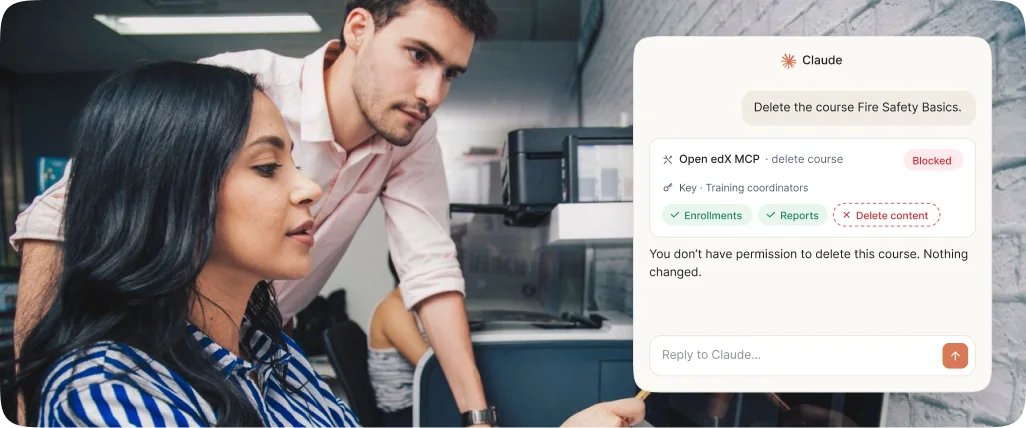
Your AI assistant can never do more than the person using it.
Each key belongs to a staff user and only does the jobs you allow. Open edX checks it on every request, so courses and learner records stay under your control.
Staff status is checked live on every request, so removed staff lose access at once.
Nine scopes narrow each key, from read‑only to course authoring.
Deleting content and granting admin rights need their own scopes.
High-impact changes show a preview and wait for your confirmation.
Every change is written to an audit log, with who asked for it.
Rate limits stop runaway agents, and keys expire after 90 days.
Questions Open edX teams ask us.
Yes. It is released under the AGPL-3.0 license, so you can install, use and change it. You pay only for your own hosting and the AI assistant you connect.
It covers people and access, course authoring, certificates, reports and analytics. That means creating accounts and enrollments, setting course roles, building and editing course content, publishing, issuing certificates, and pulling grades and enrollment numbers.
Ulmo and above. It installs as a Tutor plugin, which adds two standard Open edX apps to the LMS and Studio and runs a small MCP server beside them. On another release? Reach out to us and we'll look at your platform with you.
Any AI assistant or agent that supports MCP over HTTP. The documentation shows how to connect Claude Code and Claude Desktop, and the same key works with other MCP clients.
Yes, through your AI assistant. When the assistant is also connected to those systems, one request or one scheduled task can read from them and act in Open edX. We can set up the connections and the workflows for you.
Yes, when your AI assistant supports scheduled tasks, as Claude does. A task can be read-only, like a twice-yearly course review, or make changes you have approved, like a weekly enrollment sync.
No. Every tool calls Open edX's own Python APIs through standard plugin entry points. There is no fork to maintain, so your upgrades stay simple.
Only what the key's scopes and the staff user allow, and only what a request asks for. Anything a tool returns, such as names or grades, goes to the AI assistant you connect, so use one your organization has approved for learner data.
The Open edX MCP server works with a standard Open edX platform. The Blend‑ed MCP server is for organizations using Blend‑ed's layer on top of Open edX, and adds tools for that layer, such as managing several organizations, course templates and notifications.
Blend‑ed, one of 12 official Open edX Partners. Report issues and send contributions on GitHub.

Want it working around your own Open edX workflows?
We set up the MCP server, connect your tools and build the workflows and scheduled tasks your team needs.
On a release older than Ulmo?
Reach out to us →
What we set up for you
Your use cases
The jobs your team wants to hand over, with keys and scopes to match each role.
Your workflows
Enrollments, course reviews, certificate runs and follow-ups, step by step.
Your tools
Connected with your SIS, CRM, ERP, survey tool and the other systems you use alongside Open edX.
Scheduled tasks
Weekly syncs, monthly reports and twice-yearly reviews that run on their own.