Communication and notifications

Keep learners informed with automated course updates and reminders.

Blend‑ed LMS sends enrollment confirmations, session details, course reminders and certificate notifications to your learners, by email, in the app and as push notifications. Your team controls the wording and which messages are sent.

Send the right messages throughout a course.

From enrollment to certification, Blend‑ed sends notifications based on learner activity and scheduled training dates. Nobody on your team has to remember to send them.

Enrollment and course access. Learners get a confirmation when they enroll, with the link to their course. If they bought as a guest, the email has a link to finish setting up their account.

Session bookings and reminders. When learners book a classroom or live online session, they get the date and the venue, room and map, or how to join online. A reminder before the session helps them prepare.

Booking changes. Learners are told when a session date changes, and when a seat frees up and they’re booked from the waitlist.

Progress and grades. Learners flagged as falling behind get a nudge to get back on track, and every learner is told when an assignment has been graded.

Discussion replies. Learners are notified when someone replies to their post or answers their question.

Certificates and renewals. Learners are notified when they earn a certificate, with a link to download it. They’re reminded before it expires, and told when it does, with a link back to the course.

Failed payments. When a subscription payment fails, the learner gets an email with the plan, the amount and a link to update their card.

Write emails in your own words.

Rewrite the wording of 16 system emails, from the welcome to the certificate expiry notice. Blend‑ed fills in the learner’s name, the course details and the right link for you. Write the wording once, and it’s used across all your courses.

Reach learners on the channels they choose.

Every message can go by email, in the app and as a push notification.

Email. Confirmations, updates and reminders go to the learner’s registered email address. Every email carries a one-click unsubscribe that works for 90 days without signing in.

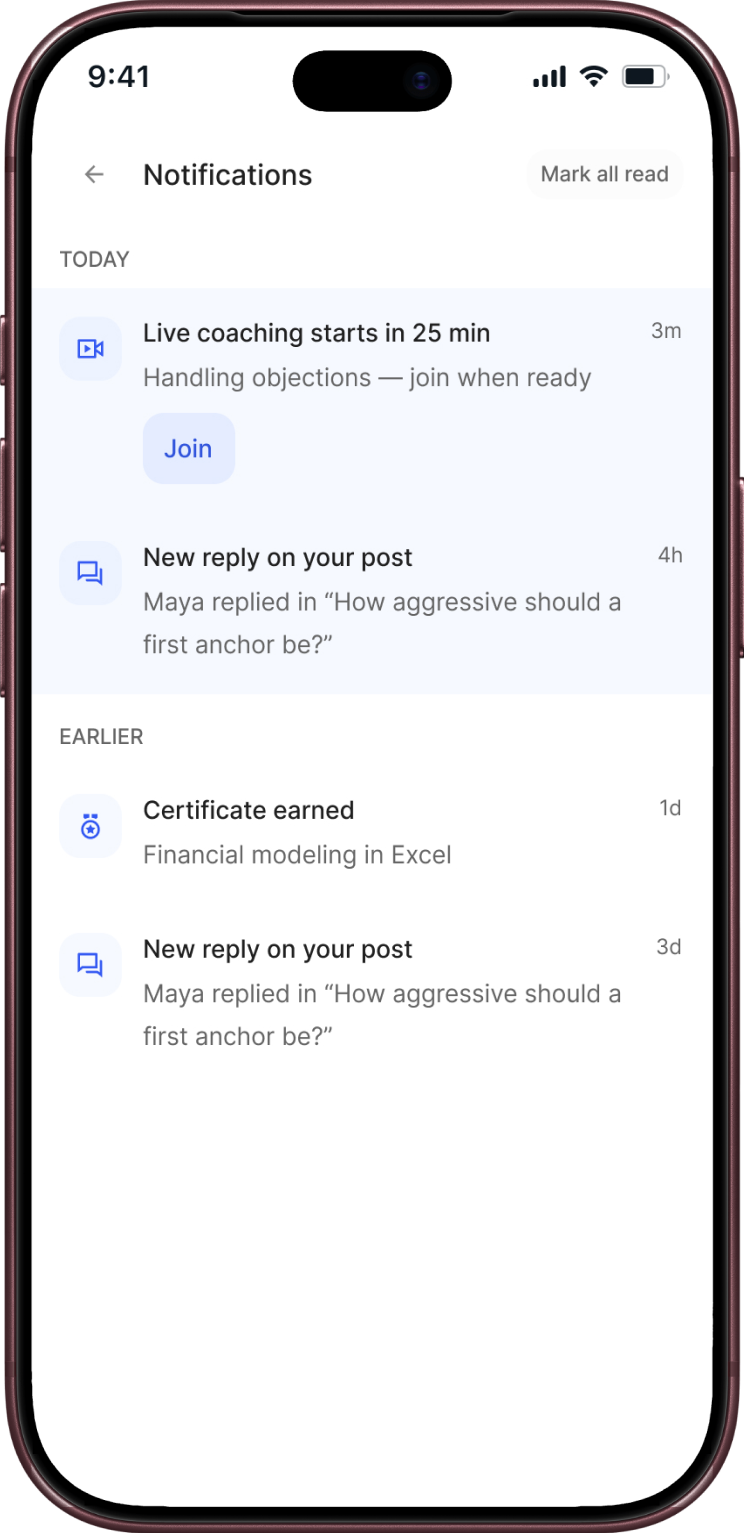
Notification center. Every message also lands in the learner’s notification center in Blend‑ed, so nothing is lost in a spam folder.

Push notifications. Learners using your branded mobile app get a push notification on their phone.

Calendar invites. A booked session comes with a calendar invite holding the date and the venue, or how to join online.

Learners choose their channels for each kind of message, except the required ones, such as a password change. Your organization decides which messages are sent at all.

Send announcements to your learners.

Send an announcement to everyone, to one course or to one batch, now or at a scheduled time. Email the learners on a course from the course itself, without exporting their contact details into another email tool.

Manage learner questions through a support desk.

Learners raise a support ticket from their Blend‑ed dashboard when they need help. Your team assigns tickets, answers questions and tracks their status. The assigned staff member is alerted when a ticket is raised, reassigned, updated or answered, and the learner hears back at each step.

Related features.

See how Blend‑ed handles your learner communications.

Show us the emails and reminders your training team sends by hand today. We’ll show you which ones Blend‑ed sends for you, in your own wording.