Ask for any number in plain language.
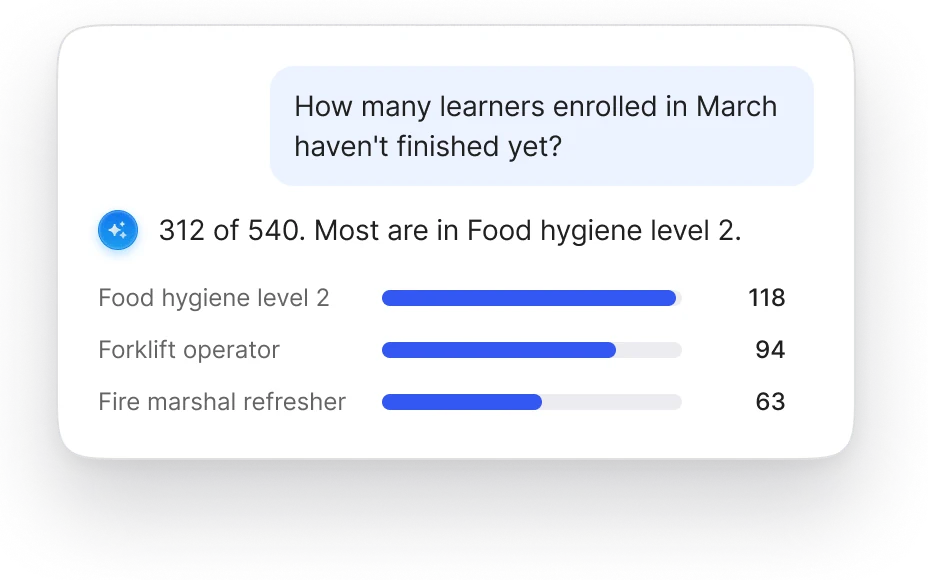
AI analytics answers questions about your learners, courses, assessment results and revenue from your own data, and shows the figures behind each answer.


Three ways to get a number.
Reports
AI analytics
Your own AI assistant
Best for
Figures you check every week
A one-off question
Blend‑ed figures beside your other work
How
Open a report, then search and filter
Type the question in Blend‑ed
Ask in Claude, ChatGPT or Gemini, connected through the MCP server
What comes back
The full report, down to one learner
The figures, with a chart where it helps
The figures, in your conversation
What every answer rests on.
Defined metrics
AI analytics reads your data through a catalog of defined metrics, revenue among them. It doesn't write its own database queries.
Your organization only
Every request is limited to the organization you're working in.
Your role
It checks what the person asking is allowed to see before it answers.
Saved conversations
Rename a conversation and come back to it, or delete it.
AI credits
Each question uses AI credits, shown month by month on your billing page.
Related.
Part of Analytics and reporting: every report in Blend‑ed.
Analytics overview: the whole academy on one screen.
AI administrator: the same plain language for routine admin.

Bring the question your team answers by hand.
We'll ask it in AI analytics with you, on sample data, and show where the figures come from.