Attendance from every live online session, counted by one rule.
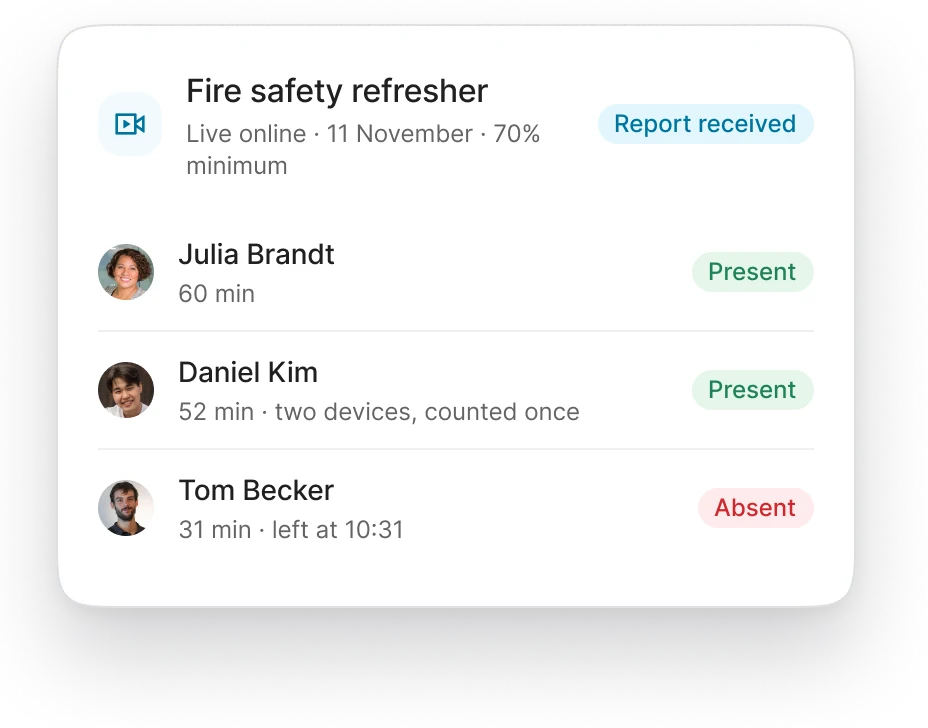
After each session date, Blend‑ed reads the meeting report, matches it to the learners booked on that date and works out who attended. Nobody types up a register.

What the report shows, and what counts.
In the meeting report
What Blend‑ed counts
Joined before the start
Time from the scheduled start only.
Stayed after the end
Time up to the scheduled end only.
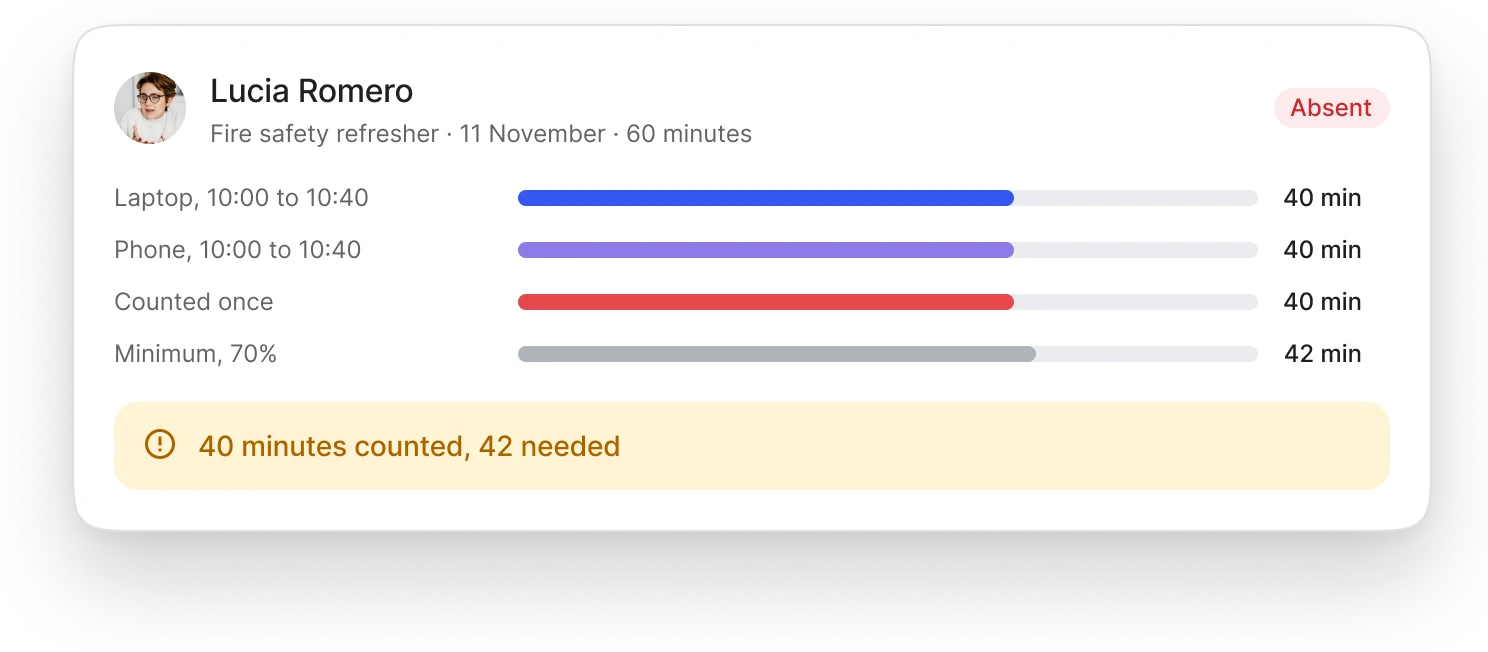
On a laptop and a phone at once
The overlapping minutes once, not twice.
Dropped out and came back
Both stretches, added together.
The session ended early
The minimum is worked out from the shorter of the scheduled time and the time the session actually ran.
A learner is present on a date when their counted time reaches the minimum you set for the session, as a percentage. On a session that runs over several days, each day is counted on its own.

How the record is kept.
The report is the record
Attendance comes from the full report after the date ends, and the same report never counts twice.
Matched to the booking
Learners join from Blend‑ed, so each line of the report is matched to the learner's own record.
The source is kept
Each day's record shows that it came from the meeting report, with the minutes counted.
Learners can't change it
Blend‑ed writes the result itself, so no learner can mark themselves present.
Trainers can correct it
A trainer's change is kept beside the automatic result, with the reason, who made it and when. Trainer registers and sign-off →
Related.
Part of Attendance tracking: every source of attendance, and the reports.
Learning hours: contact hours from these minutes.
Attendance-based completion and certificates: how the result counts toward the certificate.
Session: the live online dates attendance is taken for.

Show us how you count live attendance today.
Bring the rule your awarding body sets, and we'll show you the same rule applied to a live session in Blend‑ed.