Every certificate has a unique number, and a page anyone can check.
The certificate's own page shows its number, its issue date and whether it's still valid. Learners share that link, so an employer or a regulator checks the real record, not a copy.

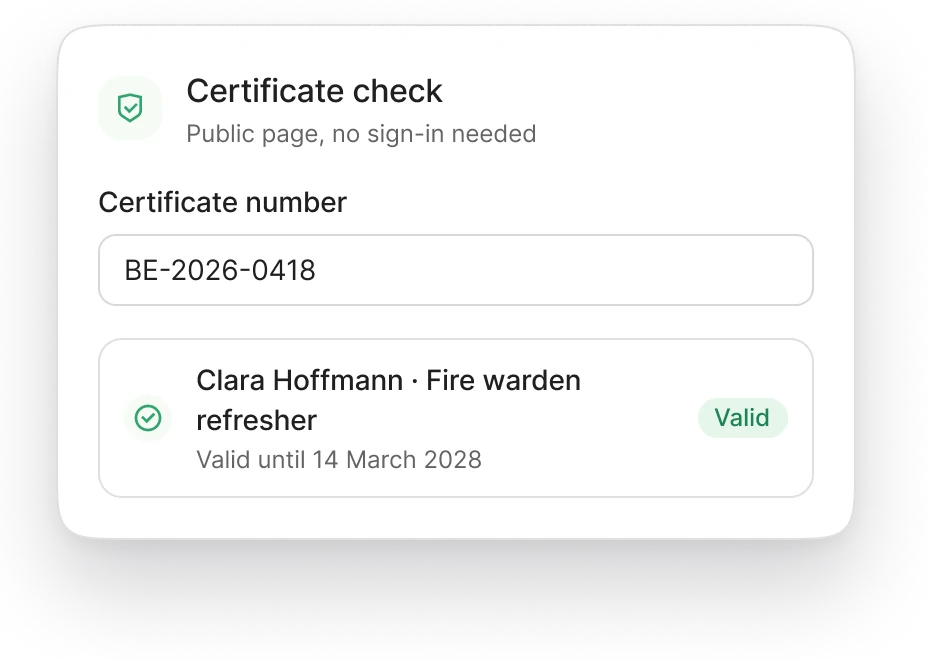
What the certificate page shows.
1
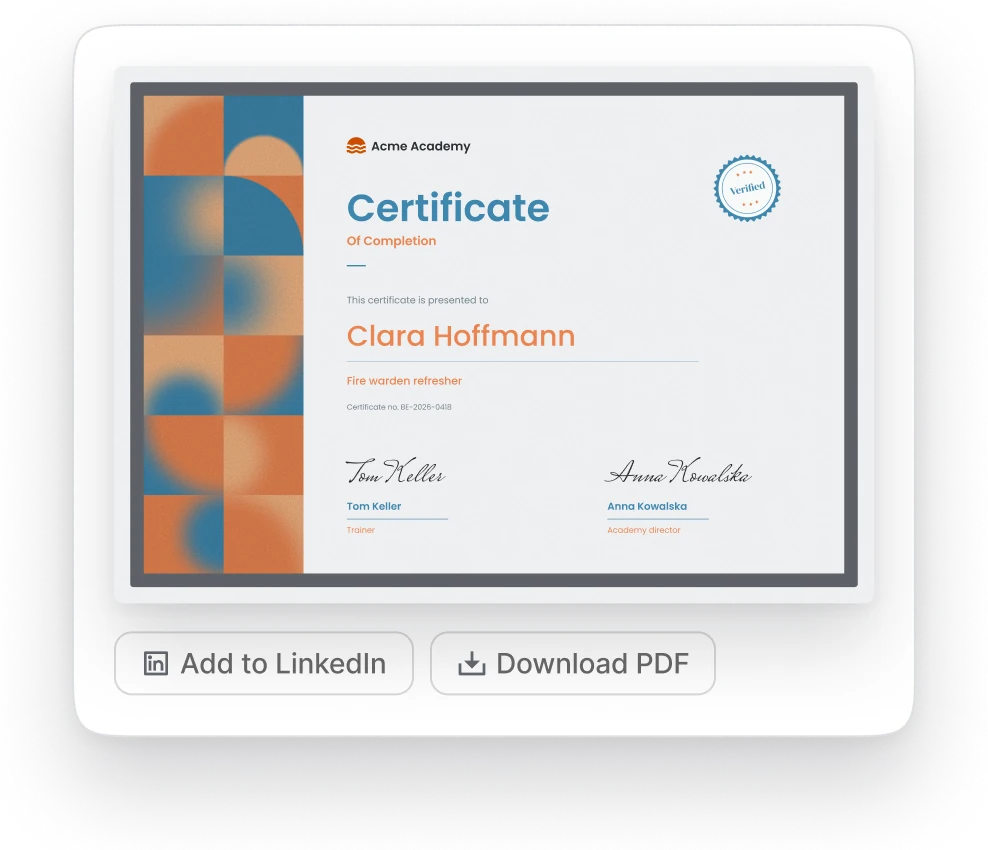
The certificate, in your design, with the learner's name, the course and the signatories.
2
Certificate ID number: the unique code for this certificate.
3
Issued on: 14 March 2026.
4
Validity: "Valid until 14 March 2028", or "Does not expire".
5
Share: Add to LinkedIn, share on X, and Download PDF.
Three ways to check a certificate.
The certificate link
The learner shares the page link. Anyone who opens it sees the number, the issue date and the validity. A downloaded PDF can't show whether a certificate is still valid. The page can.
The certificate number
Anyone can look up a certificate by its number.
A digital wallet
Learners add the certificate to a digital wallet as a verifiable credential, signed so it can't be altered. Anyone can check the signature, and whether it has expired or been revoked, without contacting you.
When a certificate changes.
Expired or revoked: the certificate no longer shows as valid.
Renewed: the learner gets a new certificate with a new validity window. The earlier certificate's link still works, with its own dates.
Related.
Part of Certificates
Certificate designer: the design shown on the page.
Digital badges: badges, which their badge platform verifies.

Show us how your certificates are checked today.
We'll issue a sample certificate in the demo and check it the way an employer would.