Give each client the training records of its own people.
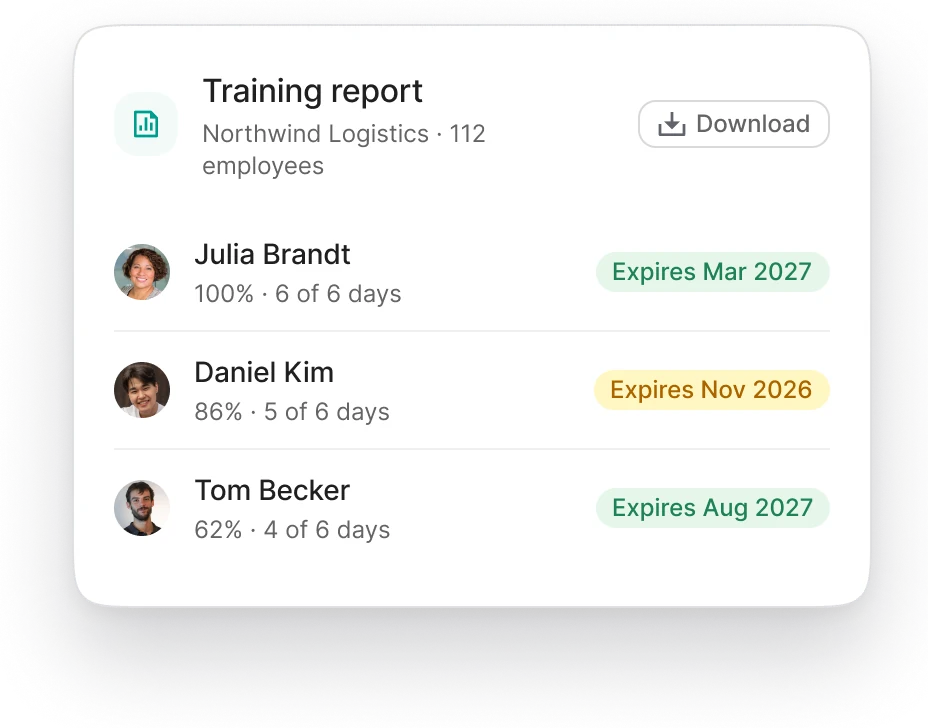
Client administrators check their employees' progress and download compliance reports from their portal, without asking your team.

What clients ask about their reports.
For each employee it sponsors: enrollments and completion, attendance on each session date and learning hours, assessment results, certificates with their expiry dates, and the training matrix and skill gaps. Every report downloads as a file.
No. Reports and downloads cover only the employees the client sponsors. Other clients' people, orders and seats never appear.
It shows, labeled as earlier progress, so the client sees the whole record without mistaking it for training it paid for.
The client keeps the report as it stood that day. Training the person does later doesn't appear in it.
The administrator keeps read-only reports and downloads. A blocked client loses them.
Yes. A line manager sees their own team's progress.
Yes, for every client, side by side.
Related.
Part of Corporate clients: everything for training corporate clients.
Training matrix: every employee against the training their role requires.
Learning hours: the hours in each employee's record.
Analytics and reporting: your own reports across every client.
Compliance and audit: the records behind each report.

Show us the report a client asked for last.
We'll find the same records in Blend‑ed and show you what that client would see in its portal.