See every employee against the training their role requires.
The training matrix is one grid in the client's portal: employees down the side, required training across the top, and the state of each one where they meet.

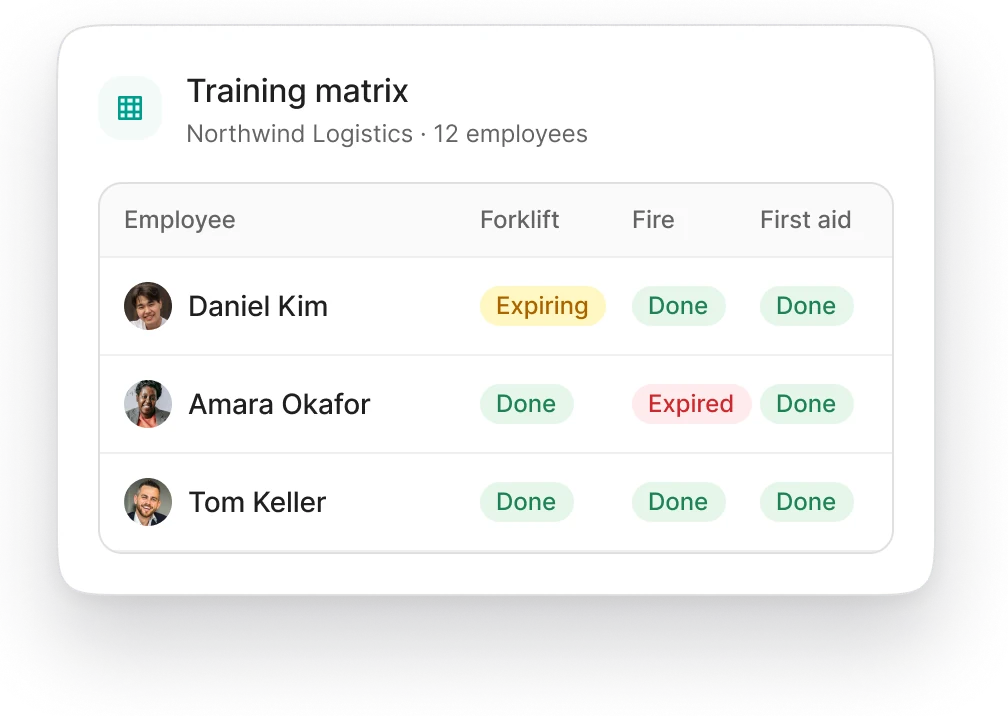

How to read it.
Rows: the client's employees, grouped by role or team.
Columns: the training each role requires, such as a course, a program, a classroom session or a certificate.
Cells: one of four states.
State
What it means
Done
Completed, with a valid certificate where there is one.
Due
Not done yet, with its deadline.
Expiring
A certificate that runs out soon.
Expired
A certificate that has lapsed, so the training is needed again.
Where the requirements come from.
You, or the client's administrator, list the training each role requires. The matrix fills itself from the records already in Blend‑ed: completions, deadlines and certificate expiry dates. When an expiring certificate is renewed, its cell turns back to done.
Who sees it.
The client's administrator sees the matrix in their portal. Your team sees it for every client. Next to it, skill gap analysis shows the skills each role still lacks, so the client sees both the training and the skills.
Skill gap analysis →Related.
Part of Corporate clients: everything for training corporate clients.
Client reporting and compliance visibility: the rest of a client's reports.
Expiry and renewal automation: the expiry dates behind each cell.
Skills and competencies: role profiles and a client's whole training plan.

Bring a client's training matrix.
Show us the spreadsheet you keep for a client today, and we'll show you the same matrix in Blend‑ed.