Keep each lesson once, and use it in as many courses as you need.
The content library holds your organization's lessons, questions, videos and whole modules outside any one course. Courses use them by reference, so a change is made once.

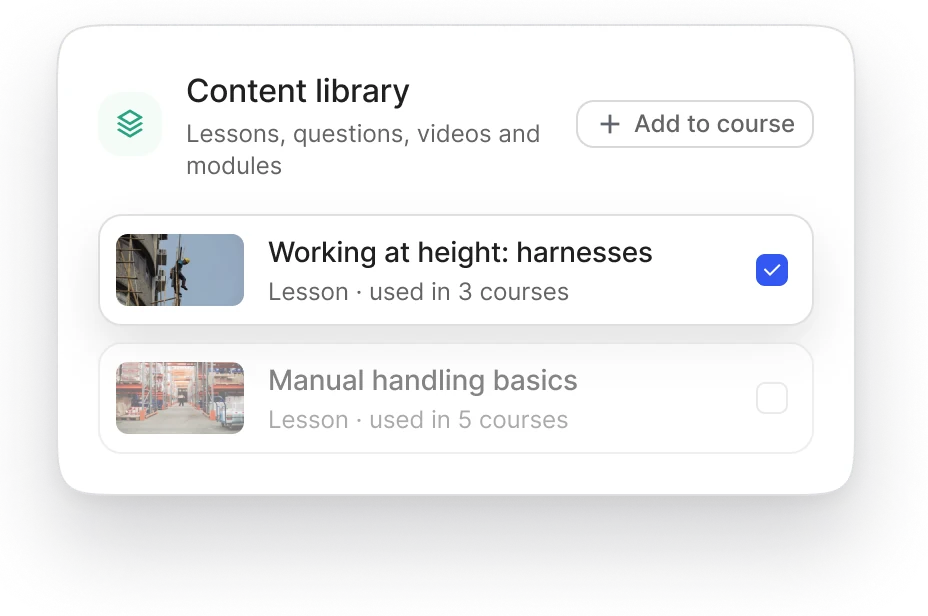
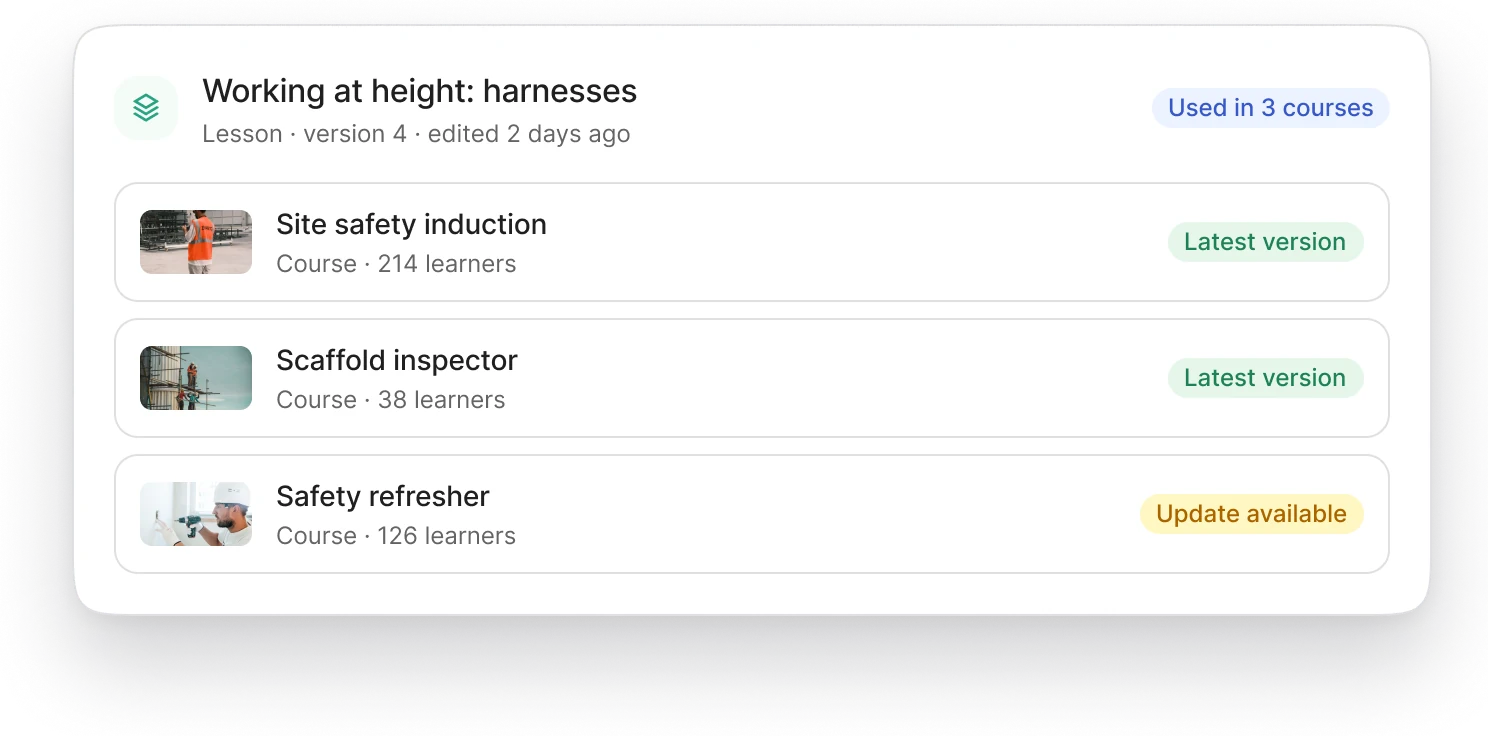
One lesson in three courses.

Your safety team changes the harness standard in the lesson. When they save, Blend‑ed asks one question.
Update everywhere
The lesson gets a new version. Courses set to Always use latest take it at once. The others show Update available, and each course's author chooses when to take it, after a preview of what changes.
Only in this course
The edit becomes a new lesson for this course alone, with a note of where it came from. The other two courses keep the original.
If no other course uses the lesson, the edit simply makes a new version.
What the library holds.
Pieces
Text, videos, questions, written assignments and drag-and-drop activities.
Groups
Lessons, modules and parts, versioned as one thing. One lesson can sit in several modules without being copied.
Collections
Related content kept together, such as everything on one standard.
Question banks
A pool of questions. Each learner gets the number you choose, drawn from the pool.
Random content
Each learner sees a different version of a piece.
Everything new
A video or question added inside a course, and everything the AI course creator builds, lands in the library too.
Publishing
Library content reaches courses only after it's published.
Your other academies
Content managed centrally and shared to each organization, updated once for all of them.
Related.
Part of Courses and sessions: where library content is used.
Course studio: add a piece or a whole module from the library.
AI course creator: everything it builds lands in the library.
Quizzes and exams: question banks in quizzes and exams.
Multi-organization management: content across your academies.

Bring a lesson you keep in several courses.
We'll put it in the library with you and show one change reaching every course.