Build a course of any size in the course studio.
The course studio is Blend‑ed's own course editor. A course can be one video or a full qualification, and every course gets enrollment, progress, completion and an optional certificate.

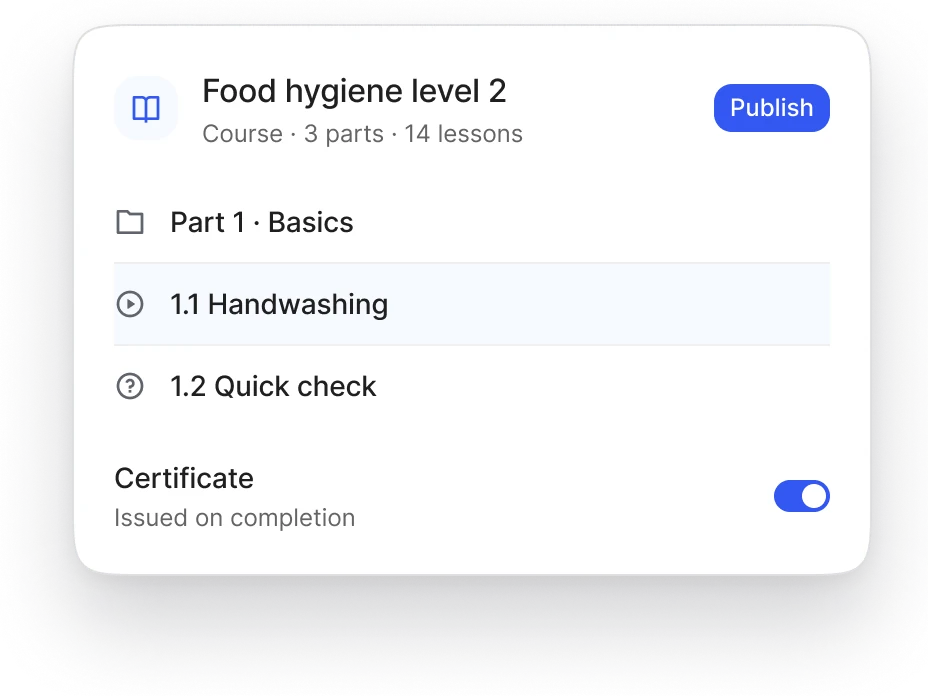
Five ways to start a course.
1
Start with one thing
A piece, a session or an item from the library, ready to publish as it is. Add more, and a heading turns the list into chapters.
2
Type or paste an outline
Headings become modules, and each line becomes a placeholder piece.
3
Generate from your material
The AI course creator drafts the course from your documents or slides. Course from your documents →
5
Duplicate a course or start from a template
What a course has.
Part
What you set
Structure
Parts, modules and lessons, renamed for each course, such as Week and Day. A lesson shows on one page or one piece per step.
Components
30+, from text, video and quizzes to polls, charts, code and drag and drop, plus SCORM packages, H5P content and outside tools through LTI.
Pacing
Self-paced (the default) or scheduled. Guided paths, scheduled release and prerequisites →
Completion
Finish everything, pass the quizzes, attend the sessions, or a weighted grade with a pass mark.
Certificate
Off by default, and available for a course of any size. Certificates →
Drafts
Every change stays a draft until you publish. Copy a lesson or module and paste it into another course.
Also in the studio.
The AI course assistant, a preview as any learner, insights on questions and videos, course export and import, topic and skill tags, content for one cohort, and a role for each person on the course team.
Related.
Part of Courses and sessions: everything for building courses and sessions.
Session: a live online or classroom session inside a course.
Video and document library: the videos and documents you add to lessons.
Program builder: courses and sessions in one program.

Build your first course with us.
Bring an outline or a slide deck, and we'll build it in the course studio together.