Describe an activity, and AI builds it into your lesson.
The interactive content generator turns a few sentences into a working activity: a drag-and-drop exercise, a matching game or an animation that explains a process. You choose how it counts as done and how it's graded.

Describe it, check it, save it.
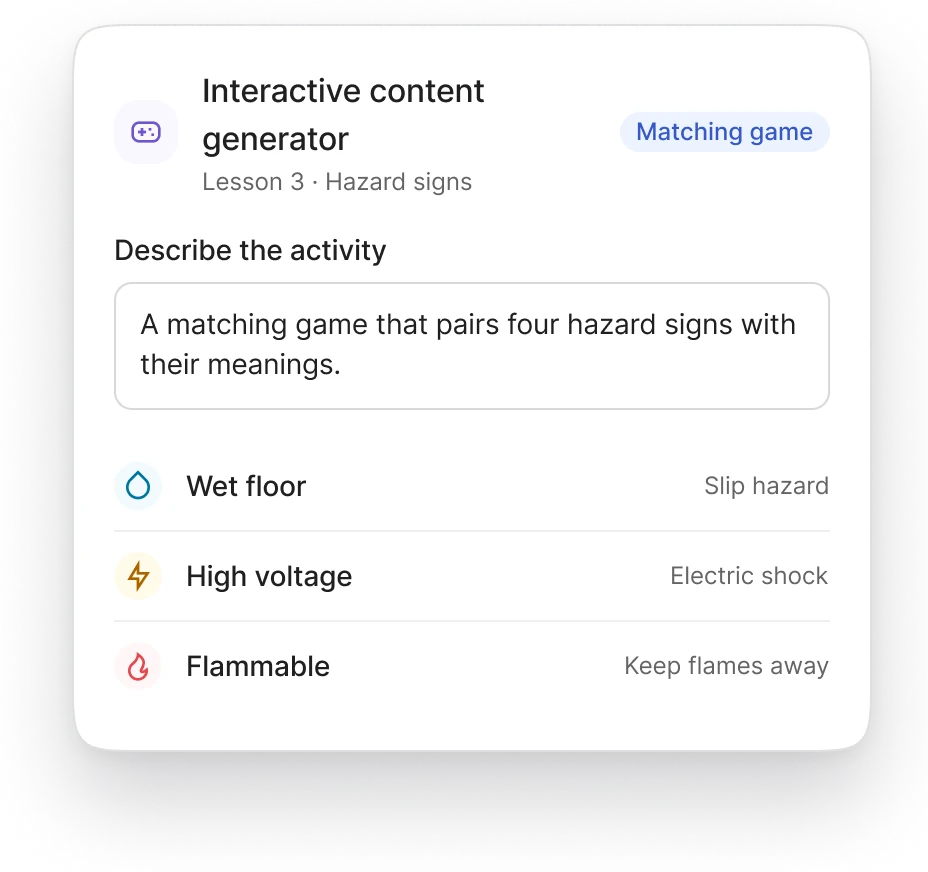
Describe one activity
in your own words, up to 8,000 characters. For example: a matching game that pairs six hazard signs with their meanings.
The generator builds it,
with a title and the answers it's graded against.
Check it in the editor
and test the grading. Nothing is saved until you save it.
Change it later
by describing what should change. The generator refines the activity you already have.
Only staff who can edit the course can use the generator.
When an activity counts as done.
Setting
The activity is done when
On submit (the default)
The learner submits an answer.
On view
At least half of it has been on screen for a set time, 3 seconds by default.
Manual
The activity marks itself done, for example at the end of an animation.
On view and manual never publish a grade.
How it's graded.
Switch grading on and set the weight: the most the activity can score. Then choose how answers are checked:
By the activity: it decides right or wrong, and a right answer earns the full weight.
One answer: the learner's answer is matched with yours, ignoring capital letters and extra spaces.
Several fields: each matching field earns an equal share of the weight, so a partly right answer still scores.
Write your own feedback for right and wrong answers, show it after each try, and show learners their last answer when they come back. Activities the generator builds have grading switched on.
Related.
Part of AI course creator
Courses and sessions: place the activity in any lesson.
Course studio: the other components a lesson can hold.
Assessments and grading: how activity scores count toward the course grade.

Build an activity from a sentence in the demo.
Tell us one thing your learners find hard to picture. We'll build an activity for it with you.