Edit, check and improve any lesson by asking the AI course assistant.
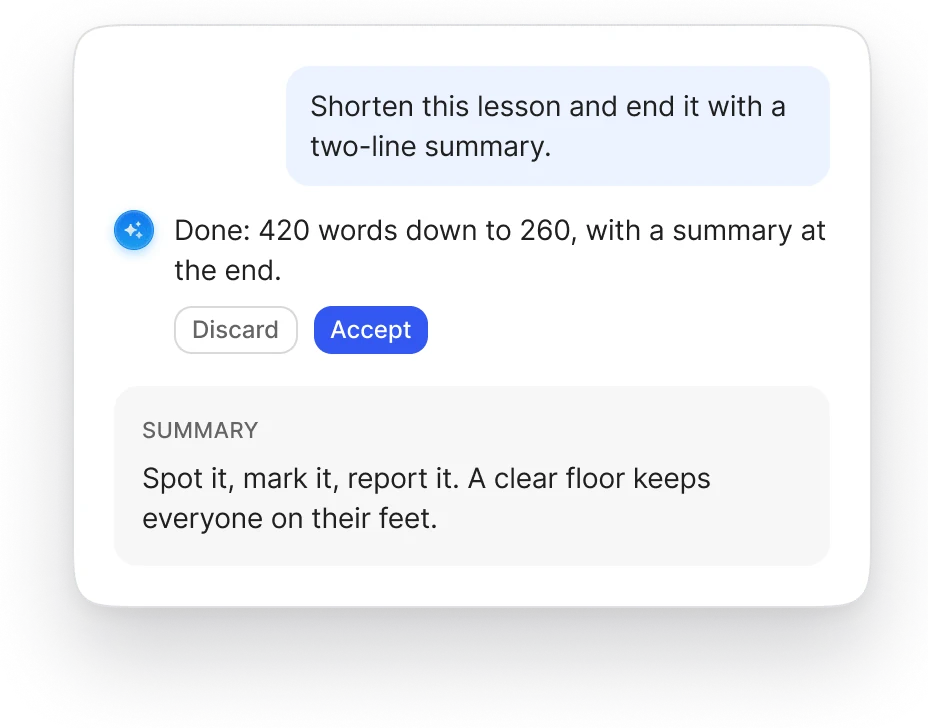
The assistant sits in the course editor. Ask for a change in the chat, or run one of its actions on the piece you're editing. You review what it writes before it goes into the course.

Everything the assistant does.
Action
What you get back
Chat about the course
A change made from a plain-language request, on the course you have open.
Write text
A new text piece on the topic you give it.
Improve text
An improved version of text you wrote.
Write a question
A question with its answer and the explanation learners see.
Improve a question
Better wording, options or explanation for an existing question.
Check a question
Problems found in a question before learners see it.
Build an assessment
A set of questions on the lesson's content.
Analyze content
A review of the lesson, with suggested changes.
Check accessibility
Fixes that make a piece easier to use for every learner.
Course description
A short and a long description, drafted from the course title and its content.
Cover image
An image drafted from the course title and description.
How it works.
It works only in the course you have open, and only for people who can edit that course.
What it writes is a draft. Accept it, change it or discard it, and nothing reaches learners until you publish.
Every request uses AI credits, shown month by month on your billing page.
Related.
Part of Courses and sessions: the editor the assistant works in.
Course studio: everything a course is built from.
AI course creator: drafts the whole course before you edit it.
AI question generation: question sets from your own files, for the question bank.
Accessibility: how learners use courses with a screen reader or the keyboard.

Improve one of your lessons in the demo.
Bring a lesson that needs work, and we'll edit it with the assistant together.