Learners can use Blend‑ed with a screen reader, the keyboard or captions.
Pages are built to the HTML5 and WAI-ARIA standards that assistive technology relies on, and they work with the text-to-speech and magnification built into each device.

What buyers ask about accessibility.
Yes. Screens are built to the HTML5 and WAI-ARIA standards, so screen readers can read pages, lessons and controls aloud.
Yes. Learners move through pages and lessons with the keyboard. In a video, the arrow keys move the playback position and Esc leaves full screen.
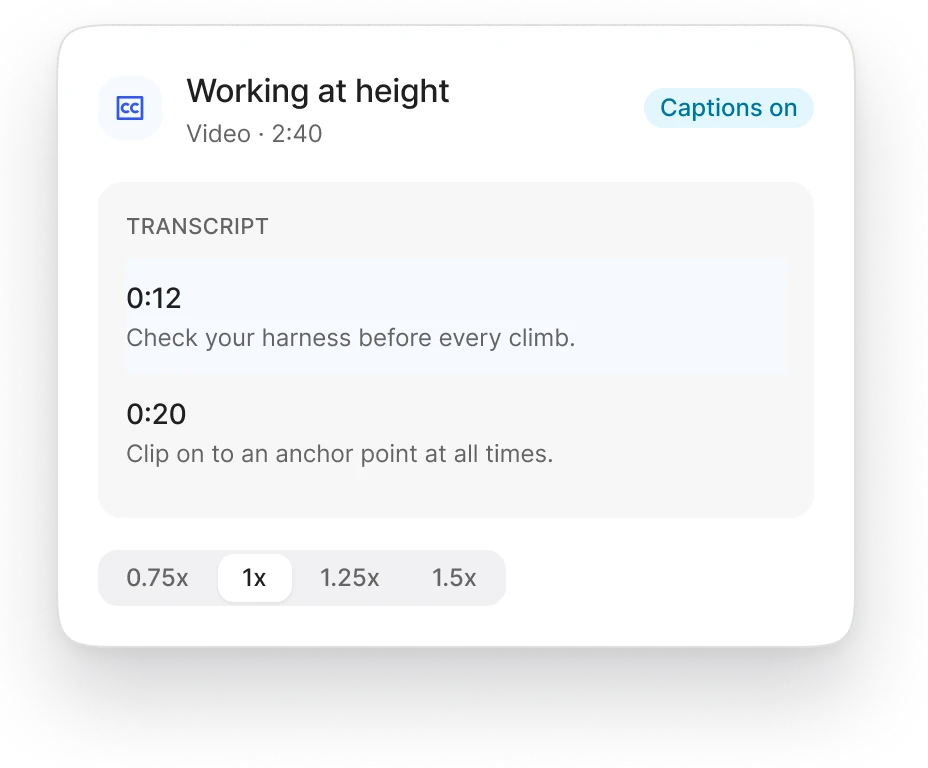
Captions that learners turn on and drag anywhere on the screen. A transcript beside the video, where selecting any line jumps to that point. Transcripts to download as a text file or a subtitle file. And a choice of playback speed.
Yes. Give a learner extra minutes on a timed exam, or a multiple of its length, without changing it for anyone else.
Your courses need the same care: captions and transcripts on your videos, and text descriptions on your images. The AI course assistant checks a course's accessibility for you.
[WCAG level: proof needed]
Related.
Part of Learner experience: the dashboard and the learning screen.
Multilingual and right-to-left: the platform in each learner's language.
Video and document library: where your videos and their transcripts live.
Quizzes and exams: timed exams.
AI course assistant: the accessibility check.

Test Blend‑ed against your own accessibility checklist.
Bring the checklist your clients or your awarding body use. We'll go through it with you on the platform.