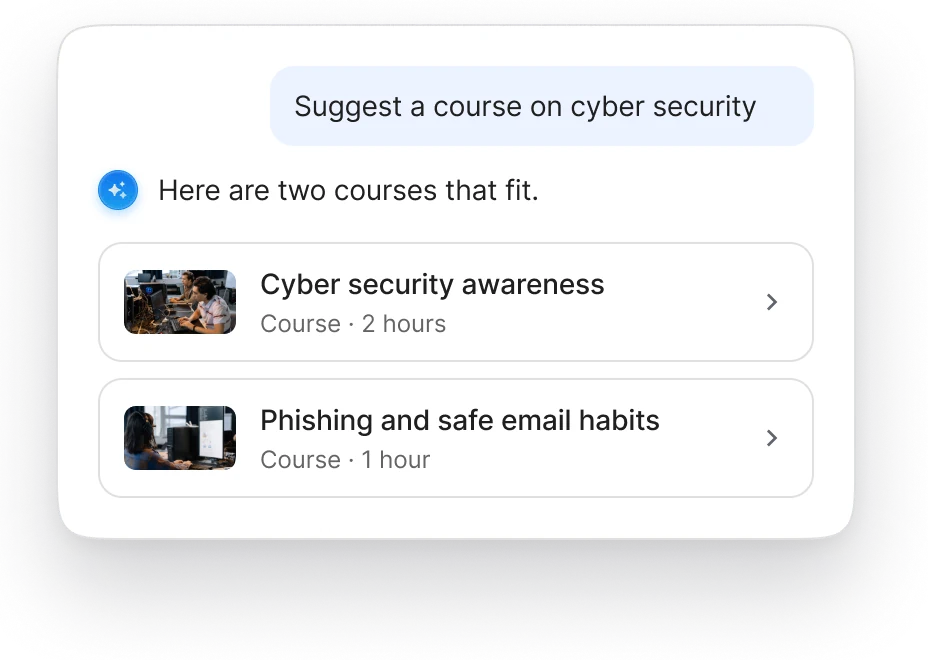
Learners ask in plain words, and Ask AI search finds the course they need.
The assistant sits in the top bar of every page. It answers questions about a learner's training, finds courses, suggests what to take next and explains what a course covers.

Ask AI search or the AI tutor?
Ask AI search
AI tutor
Where learners find it
"Ask or learn anything with AI" in the top bar, on every page
Inside each lesson, and on the home page
What it's for
Finding courses, what to take next, what a course covers
Questions about a lesson and the topics in a course
What a reply holds
An answer, with course cards that open each recommended course
An explanation from your course content, with links to the unit that covers it
Chats
Saved
Saved
Every chat is saved.
Learners start a new chat for each question, search their earlier chats, or reopen one from a list grouped by date. They can hide the list to give the chat more room.
Answers come from AI and can be wrong, so learners should check important information before acting on it.
Related.
Part of AI tutor: explanations inside every lesson.
Storefront and catalog: the courses learners can enroll in.
Learner dashboard: the top bar and the learner's home.

Ask it about your own catalog.
We'll load a few of your courses in the demo and ask the assistant what a learner should take next.