Turn an approved script into a presenter video, without filming.
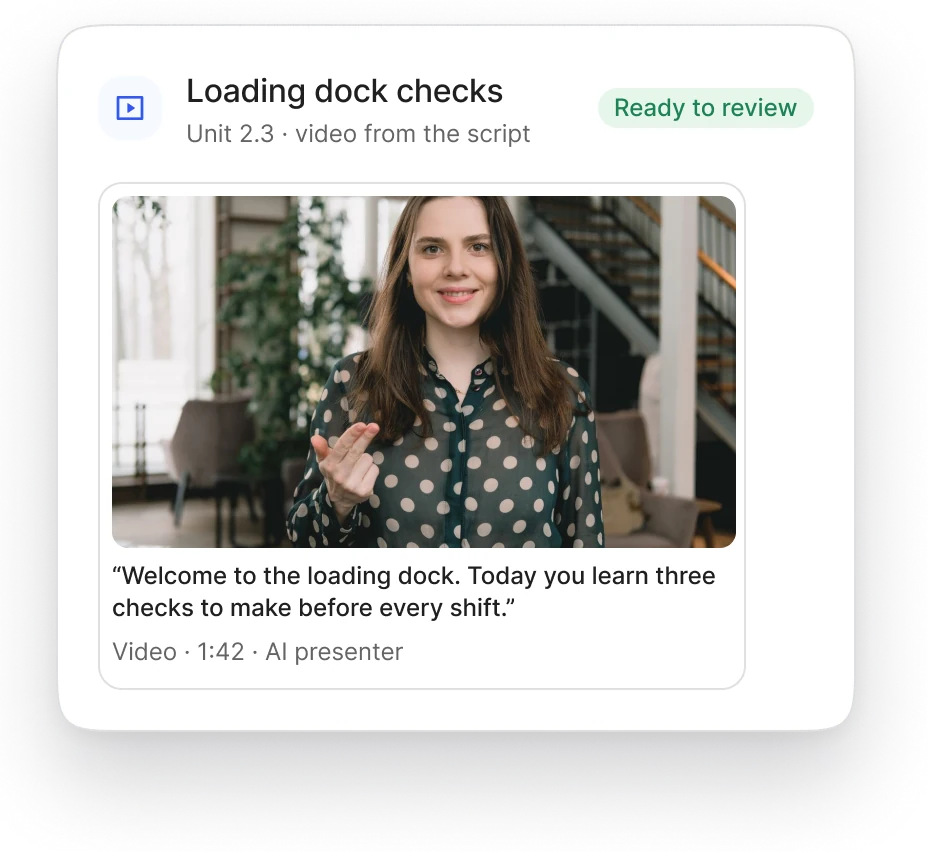
Avatar video generation makes a video with an AI presenter from a script your team has checked. It runs inside the AI course creator, so each video lands in its lesson.
From script to lesson, in four steps.
1
Add a video to a unit
In the course outline, add a video to any unit, or keep the ones the AI course creator suggests.
2
Check the script
The AI course creator drafts the video script with the rest of the unit. Your experts read it and edit it by hand or in the chat. Nothing renders until you build.
3
Build
When you build the course, each video renders in the background with an AI presenter, and the build progress shows how many videos are still rendering.
4
Find it in the lesson
The finished video is hosted in your organization's video library and placed in its unit, ready to review with the rest of the draft.
Good to know.
Your own videos first
A unit can use a video already in your library, or one from YouTube, instead of a new avatar video.
If a video can't finish
The unit keeps a placeholder, and you replace it with another video.
After the build
The video is an ordinary lesson video: reuse it in another course from your library, or swap it for a new one.
AI credits
Generation runs on AI credits, like every AI feature in Blend‑ed.
Related.
Part of AI course creator: the course build the videos come from.
Course from your documents: the brief, outline and scripts before the build.
Video and document library: where every video is hosted.
Courses and sessions: edit the lesson after the build.

See a presenter video made from your script.
Bring a page of your training material. We'll draft the script and render the video with you in the demo.