Upload videos and documents once, and use them in every course.
The library is your organization's store of videos and documents. Add one to any lesson, and Blend‑ed hosts it, streams it and keeps it protected.

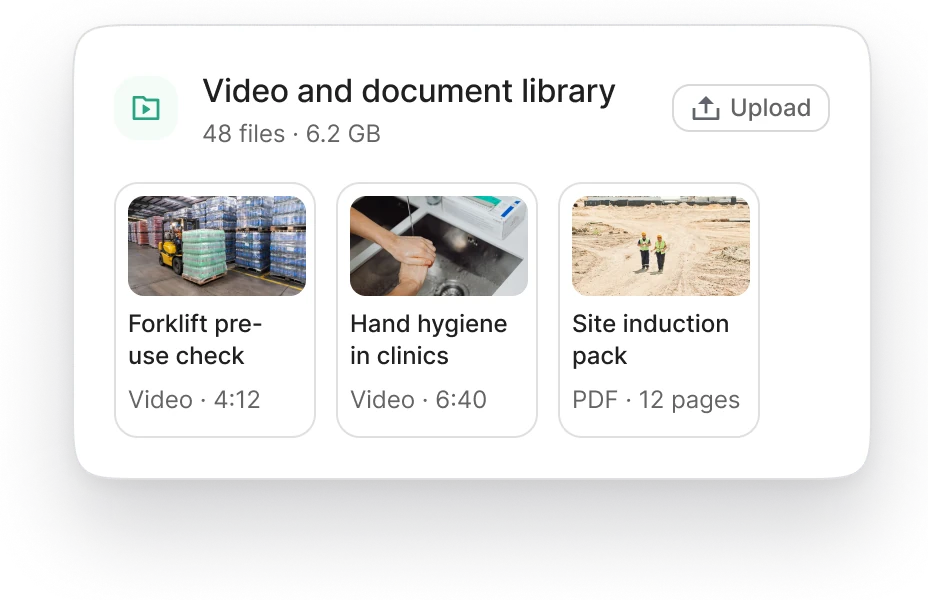
Videos and documents, side by side.
Videos
Formats: MP4, MOV and MPEG.
Delivery: hosted and streamed by Blend‑ed, with a file link and a streaming link for each video.
Transcripts: created after upload, or upload your own subtitle file.
In a lesson: pick from the library or paste a link. Play only part of a video with a start and end time, and choose whether learners can download it.
Documents
Formats: PDF, Word, PowerPoint and Excel.
Protected: a document in a lesson opens only for signed-in members of your organization, and its link keeps working.
Team access: choose which teams can see each document.
AI tutor: switch on Add to knowledge base, and the AI tutor answers learners from the document.
In a lesson: add it as a PDF piece or a textbook chapter.
Recordings go straight to the course.
Record a live online session, and the recording is saved to the library and added to the lesson you chose for that session, as soon as it has finished processing. Learners who missed the session watch it there.
Related.
Part of Courses and sessions: where videos and documents go into lessons.
Content library: reusable lessons, questions and modules.
Knowledge base: the documents the AI tutor answers from.
Session: the live online sessions whose recordings land here.

Bring a training video and a manual.
We'll upload both with you and put them in a lesson.