Turn your PDFs, Word files and slide decks into a draft course.
Upload your material, describe the course you want, or both. The AI course creator asks a few questions, shows you the outline and every script, and builds only when you say so.

What you start from.
Source
What to give it
Documents
PDF, Word (DOCX) or PowerPoint (PPTX) files, such as manuals, procedures and slide decks.
A description
The topic and what the course is for, in your own words.
Both
A description and a reference document together give the most accurate draft.
Recordings and web links
Also accepted as source material.
The brief it proposes.
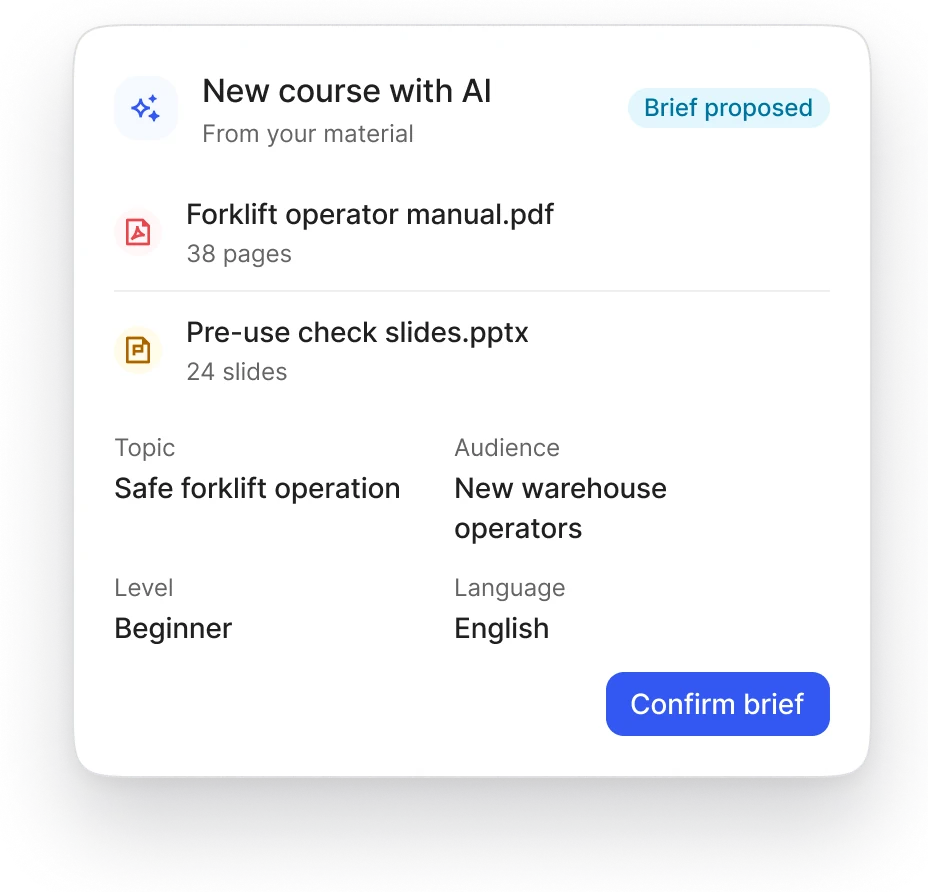
The AI course creator reads your material and proposes a brief. Confirm it, or change any part:
Topic
Target audience
Proficiency, such as Beginner
Language
Tone, such as Technical training
The questions it asks.
Question
Your options
Teaching approach
Explain then practice, problem first, or a narrative scenario
Components
Text, video and the other components the course should use
Question types
Multiple choice, multiple select, short answer, dropdown and numerical, or none
Visual style
The default style, or your own
Course size
Recommended, or your own: 2 to 6 sections, 2 to 5 subsections in each, 2 to 4 units in each
What you can change before it builds.
The outline. Rename any section, subsection or unit, add units and subsections, and add or remove components: images, videos, interactive activities and the five question types.
The scripts. Each component shows its status as its script is written. Read every script and edit it before you build.
The build. Choose Create course, and the draft opens in the course editor, where you add a certificate, set up grading and publish.
Related.
Part of AI course creator: the whole build, with your experts approving each step.
Avatar video generation: presenter videos from the approved scripts.
Interactive content generator: activities inside the units.
AI question generation: more questions from the same files.
Course studio: where the draft opens.

Turn one of your documents into a course in the demo.
Bring a manual or a slide deck. We'll go from the brief to a built draft with you.