Charge monthly or yearly for a course or a program of courses.
Learners subscribe at checkout through Stripe or Razorpay. Access follows the payments: it stays while they pay and ends when the subscription does.

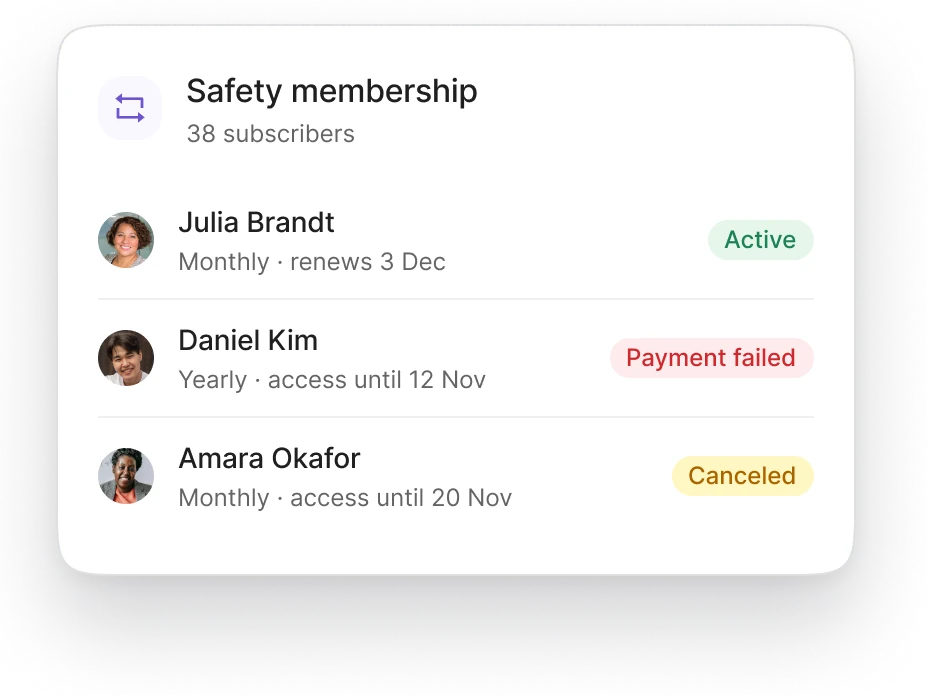
What each state means for access.
State
What happens
Active
The learner has the course or program. Each charge is recorded in your revenue report.
Payment failed
The learner gets an email with the plan, the amount and a link to update their card, and keeps access until the end of the period they paid for.
Canceled
Access runs to the end of the period already paid, then ends.
Ended
Blend‑ed checks every hour and removes access from any subscription that has lapsed.
Set it up.
Switch on payments and subscriptions in your feature settings.
Give the course or program a paid plan, then add a monthly or yearly price.
Blend‑ed creates the matching plan in your Stripe or Razorpay account. There's nothing to build in their dashboards.
Switch a subscription off to stop new subscribers. Existing subscribers keep theirs.
Invite-only courses can't be bought by subscription.
A membership is a program sold by subscription. Put the courses a membership covers into one program, and learners who subscribe get every course in it.
Multiple plans per course →What learners see.
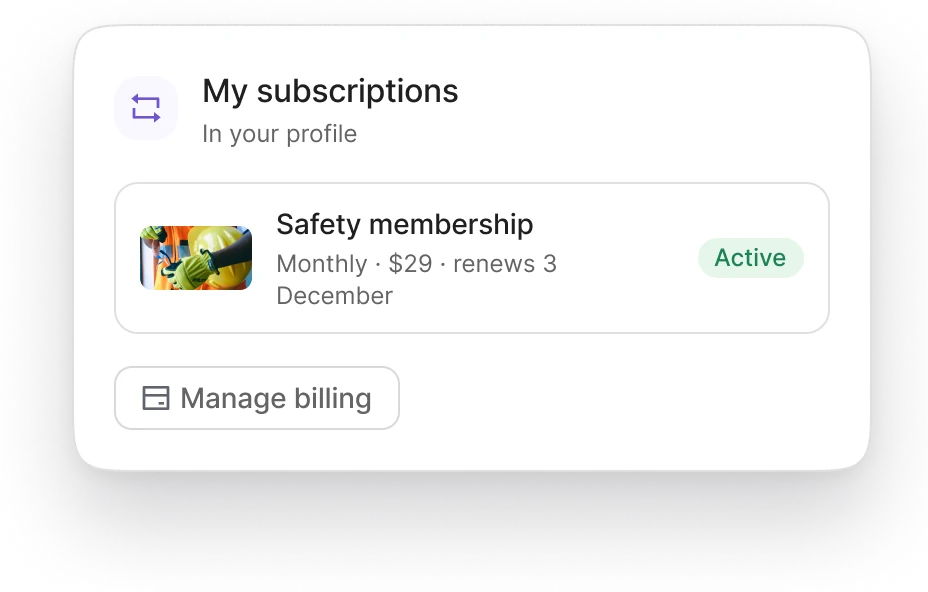
Learners find every subscription under My subscriptions in their profile. On Stripe, Manage billing opens Stripe's own billing page for their card and payments. On Razorpay, they cancel from Blend‑ed.

Related.
Part of Selling and e-commerce: every way you sell training.
Checkout and payment gateways: the checkout a subscription starts from.
Programs and learning paths: the programs a membership is built from.
Revenue reporting: every charge, renewals included.

Plan your recurring revenue with us.
Tell us what learners would subscribe to, and we'll set up the subscription with you in the demo.