Give each person exactly the access their work needs, and no more.
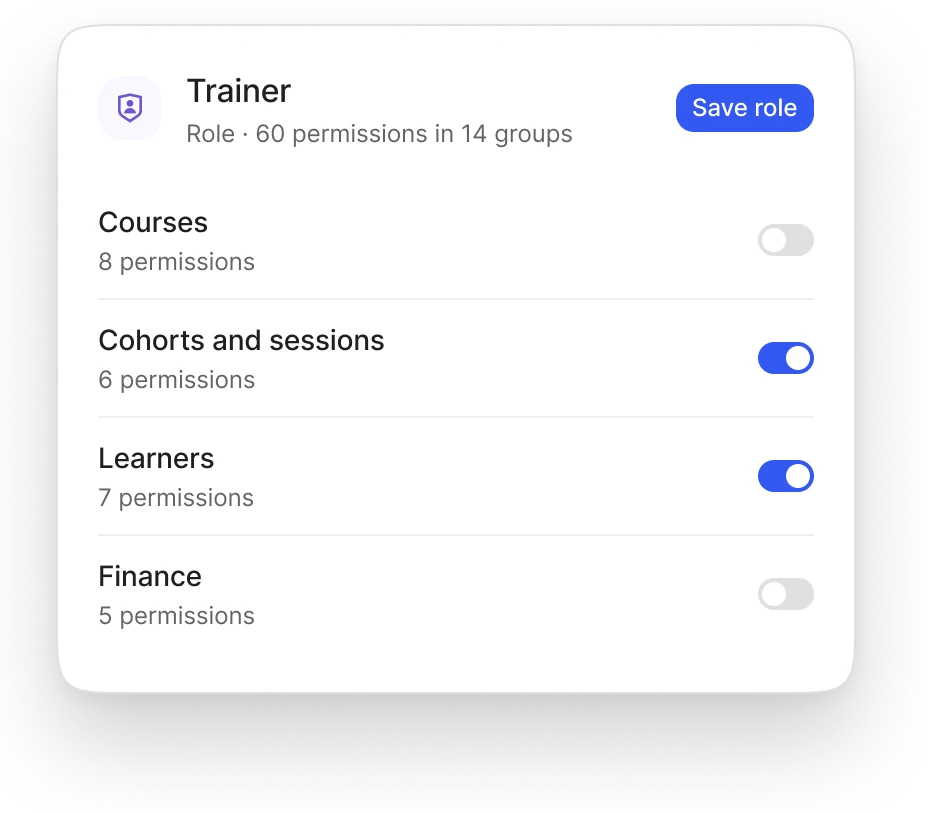
A role is a set of permissions, chosen from 60 permissions in 14 groups. Each person's role applies only where you give it: the whole organization, or chosen courses, programs, cohorts or sessions.

Where each role can be given.
Role
Given for
Platform Manager
The whole organization
Staff
The whole organization, or chosen courses or programs
Program Manager
Chosen courses, programs or cohorts, or the whole organization
Trainer or Instructor
Chosen cohorts or sessions
Auditor
The whole organization, or chosen courses or programs
Tenant Manager
Their own client organization
Learner
Themselves
Each assignment records who gave it and when, and can have an end date. A person can hold several roles, each working only within its own scope. A trainer named on a session date gets its learners automatically, and loses them when taken off.
Change a role, or build your own.
Default roles: rename them, change what they can do, or reset them to default. They can't be archived.
Custom roles: copy a role or start empty, for your own staff or for a client's staff, such as a finance role or a client billing contact. Choose where each can be given.
Roles in use: before a change applies, Blend‑ed shows who holds the role and asks you to confirm. The change is logged with the permissions before and after.
Archiving: an archived custom role can't be given again, and the people who hold it keep it.
Safeguards.
The Platform Manager role always keeps the permissions to manage roles and people.
Someone must always be able to manage and assign roles.
Nobody can widen a role they hold or give themselves a role.
Client roles can never take your own staff's permissions.
Signing in with single sign-on, or accepting an invitation, never gives anyone a staff role.
Related.
Part of Administration: the seven ready-made roles and what each can do.
Auditor access: read-only access for an awarding body.
Client administrators: the Tenant Manager role from the client's side.
Audit trail: the record of every role change.

Show us who does what in your team.
We'll map your people to roles in the demo, including any custom role you need.