Let each client's administrator run their company's training, within limits you set.
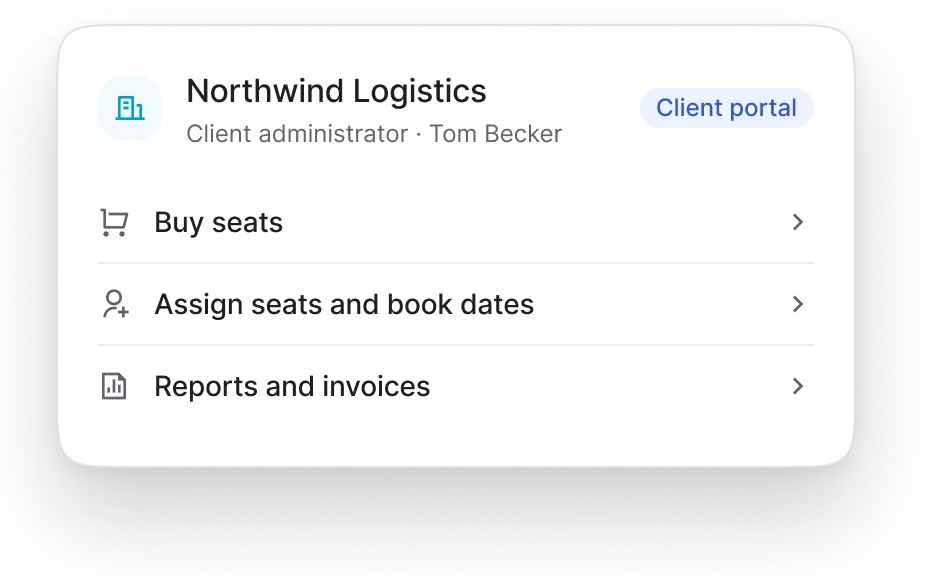
The client administrator works in their company's portal only. They buy, assign and book for their own people, and see nothing of your other clients.

What the role allows.
A client administrator can
Buy seats on your batches, and more later.
Invite learners up to the client's learner limit, and deactivate them.
Assign seats to learners, and release them.
Book learners onto session dates and change bookings before the cutoff, or leave booking to the learners.
Choose whether their learners also see your public catalog.
See reports and exports about the learners they sponsor, and the client's invoices and payment status.
Build or change courses for their own staff, if you switch that on.
A client administrator can't
See another client, or any learner their company doesn't sponsor.
Create or change roles. Only your team does that.
Use one of the client's learner places.
See or change your courses, unless you give them course authoring.
Before you activate the client.
An administrator invited after a first order signs in straight away. They see the purchase, the seat counts and billing, with the message "Waiting for [your academy] to activate your organization". Assigning seats and booking open once you activate the client.
Other roles at the client.
Your team can create custom client roles for other people at the company, such as a billing contact who sees only invoices and payments, or a line manager who sees their own team's progress. Client roles can hold only client permissions, and each person holds client roles in one client only.
Roles and permissions →Related.
Part of Corporate clients: everything for training corporate clients.
Client organizations and portals: the portal the administrator works in.
Seat purchase and assignment: buying and giving out seats.
Booking sessions for employees: booking learners onto dates.

Decide what your clients can do.
Tell us how your corporate clients work with you today, and we'll set up their administrator role with you in the demo.