Show every visitor the price for their region, in their own currency.
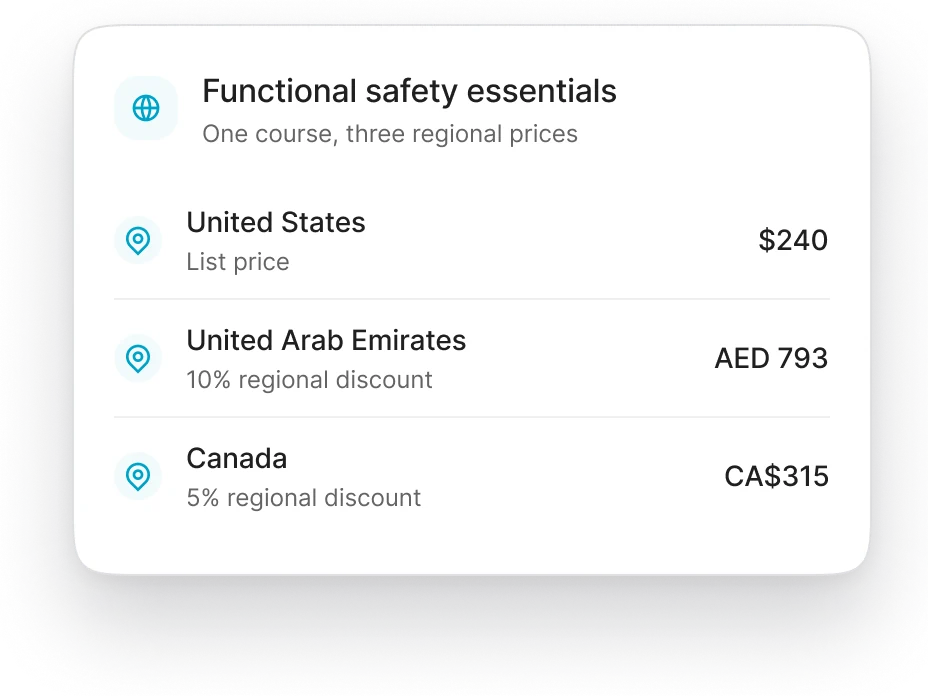
Set a regional price once for each region you sell to. Blend‑ed shows it wherever your courses are listed and charges that amount at checkout.

Questions about regional pricing.
Choose the regions you sell to and set a regional discount on your list price for each one. Visitors from any other region see the list price. Changing the settings needs organization management rights.
Their own. Prices are converted at exchange rates that Blend‑ed refreshes every day, and rounded to a whole unit.
The price they saw, in that currency, through your payment provider. The same amount and currency are recorded with the sale.
On your storefront, on every course and program page, at checkout, and on your own website through the API.
No. Blend‑ed works it out on its own servers for each visitor, so a price can't be changed on the way to checkout.
Related.
Part of Selling and e-commerce: every way you sell training.
Storefront and catalog: where visitors see your prices first.
Checkout and payment gateways: how the price is charged.
Headless storefront: the same prices on your own website.

Price your courses for each market.
Tell us the countries you sell to, and we'll show you your regional prices in Blend‑ed.