Mark against your rubric, criterion by criterion, and sign off the result.
Assessors choose one option for each criterion, add feedback and sign off. The marks, the comments and the sign-off stay on the learner's record.

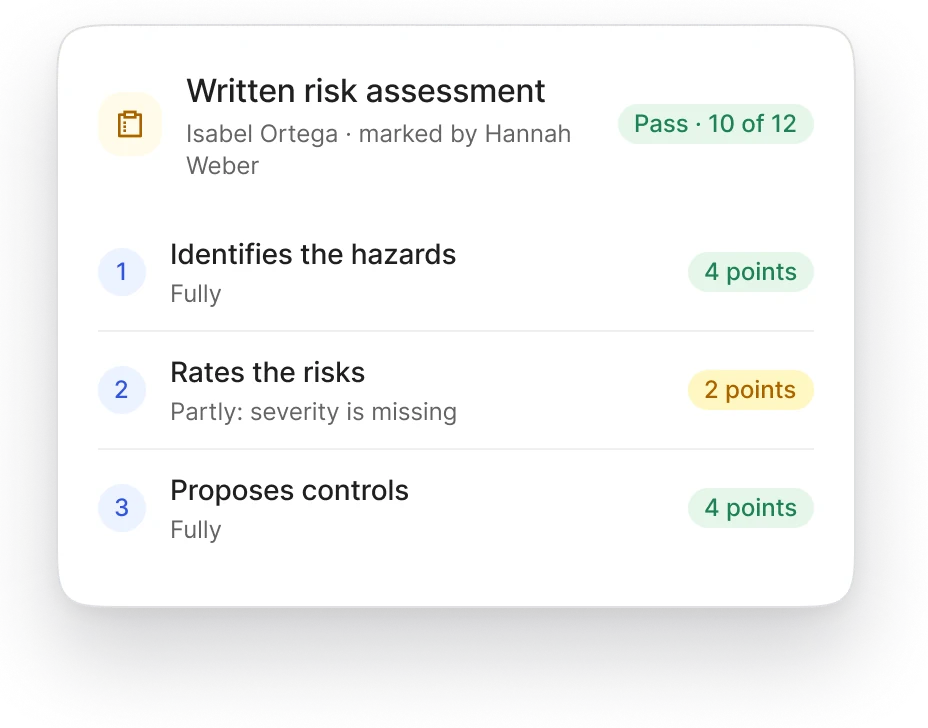
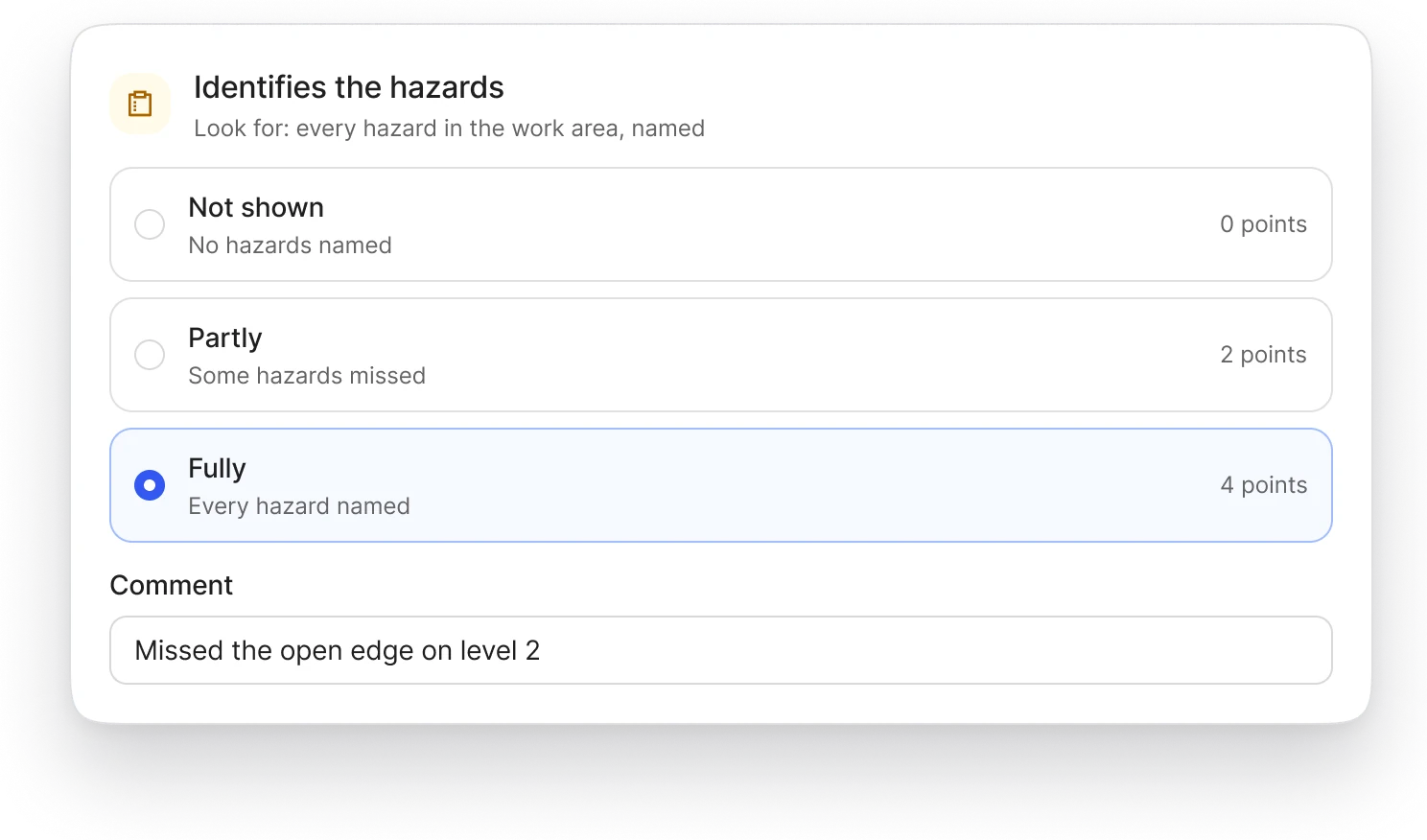
The parts of a rubric.


1
Criterion: "Identifies the hazards", with a prompt telling the assessor what to look for.
2
Options: "Not shown", "Partly" and "Fully", each with a short explanation and its points.
3
Comments: a comment box for this criterion.
4
Comments-only criterion: "What would you do differently?", with no points.
5
Overall feedback: one comment on the whole piece of work.
6
Sign-off: the assessor's name, the date and the result.
Criteria can have different numbers of options. A criterion's name can't change once learners have started, so earlier marks always match the rubric they were given against.
Where a rubric applies.
A whole course or program: set rubric-based grading once, and it covers every assessment in it, graded automatically or marked by hand.
Written assignments: one rubric marks every prompt, whether the assessor, a peer or the learner marks it. Assignments and open-response assessments →
Practical work: the trainer marks the observation against the rubric on the day. Practical observation →
What a sign-off keeps.
Who marked the work, and when.
The option chosen for each criterion, and the comments.
The result the assessor signed off.
Any later change, with the value before and after.
The internal verifier and your auditors see the same record. Internal verification and moderation →
Related.
Part of Assessments and grading
Audit trail: every change to a result, recorded.
Auditor access: read-only access for your awarding body.

Bring your marking criteria to the demo.
We'll turn one of your rubrics into a Blend‑ed rubric and mark a sample answer with it.