Save your venues and rooms once, and pick one for every classroom date.
Each venue is saved with its address, room, capacity and time zone. Every classroom and hybrid date picks from that list, and learners get the details with their booking.

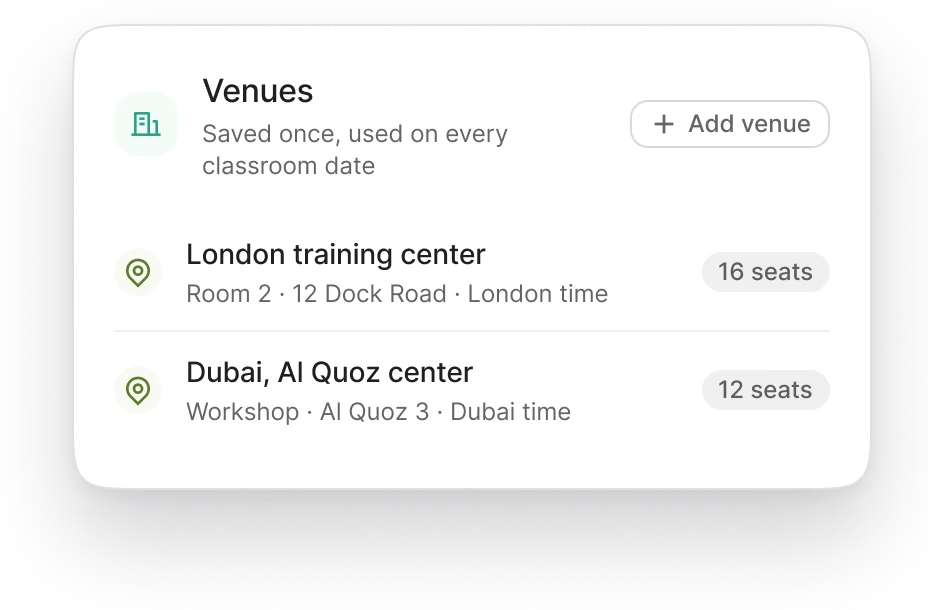
What a venue holds.
Field
What it's for
Name
How your team finds it in the list.
Address
Sent to learners with every booking, with a map.
Room
The room inside the venue. Save each room you use.
Capacity
How many people the room seats.
Time zone
The venue's local time, so a date starts when you mean. Learners see it in their own time zone.
Equipment
What the room has, such as a projector or practice equipment.
On each classroom date.
Pick the venue and room, then set the seats for that date.
On a hybrid date, the room and the online session each have their own seat limit.
Change the venue for one date without touching the others.
Learners get the address, the room and a map with their booking, and a calendar invite that holds the venue.
Clash warnings.
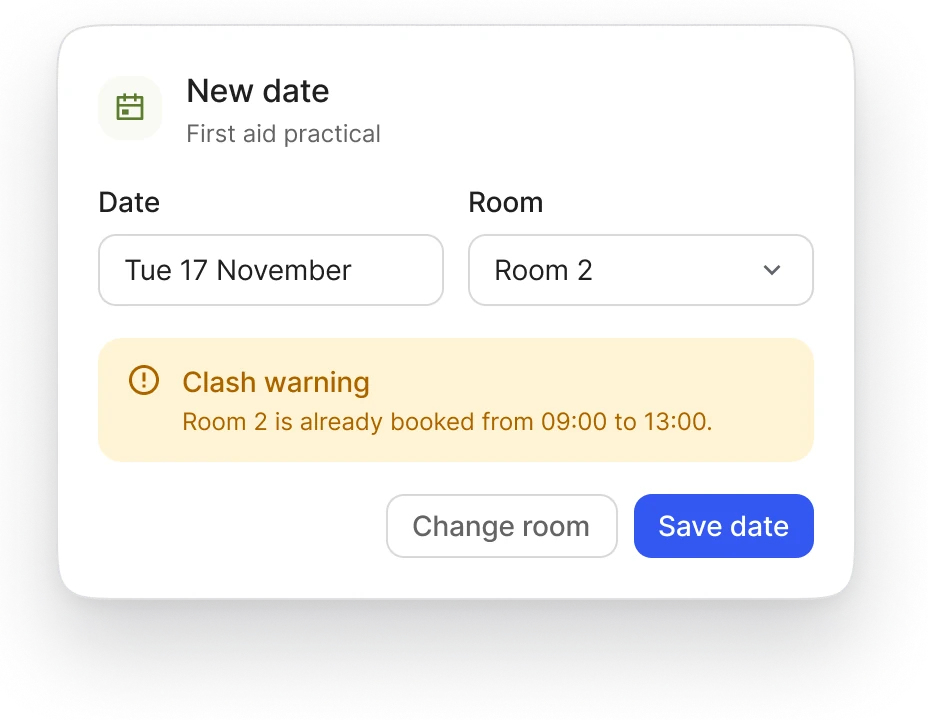
When you schedule a date in a room that's already booked at that time, or with a trainer who is, Blend‑ed warns you. It's a warning, not a block, so your team decides what to change. Equipment booked twice gets the same warning.

Related.
Part of Scheduling and booking: every date in one training calendar.
Session: each date's venue, trainer and seats.
Training calendar: rooms and trainers across the week.
Hybrid training: room and online seats on the same date.
Classroom training: running classroom courses on Blend‑ed.

Bring your venue list.
We'll add two of your venues in the demo and schedule a classroom date in each.