Translate a finished course into another language, as a draft to review.
AI course translation reads your course and writes it in the language you choose. It runs in the background, and nothing changes for learners until your team checks the translation and publishes it.

Three ways to offer a course in another language.
You want
Use
How it works
A new course in another language
Set the language in the course brief, and the course is drafted in it from the start.
A course you already run, in a second language
AI course translation
Translate the finished course, then check the draft and publish it.
Each learner reading in their own language
Learners use the interface in their language and read a lesson in another language themselves.
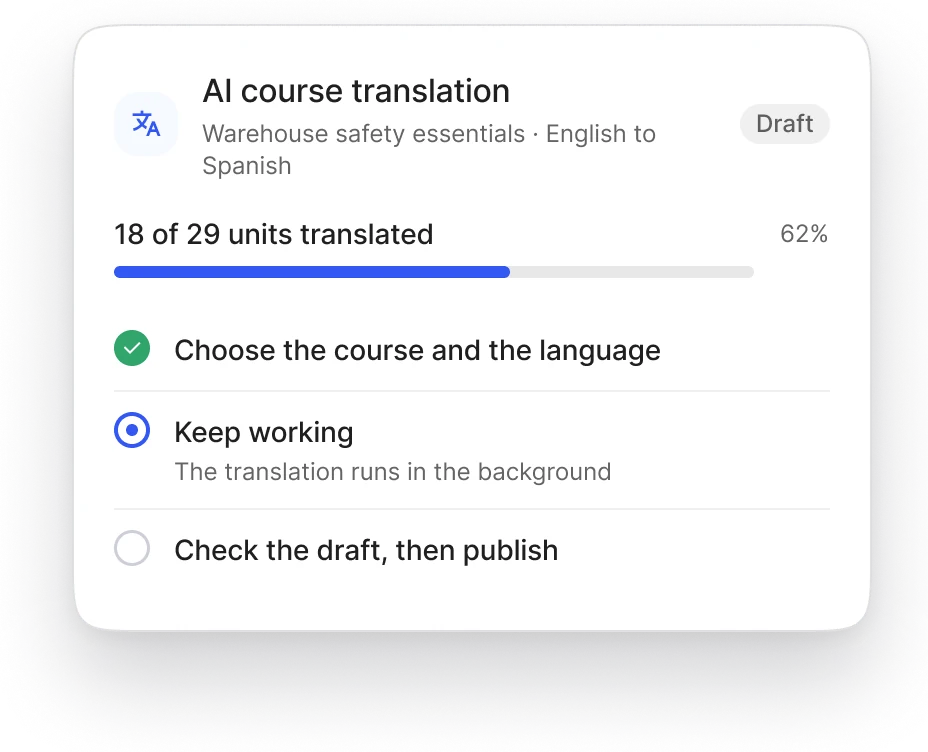
How a translation runs.
1
Choose the course and the language
Anyone who can edit the course can start a translation.
2
Keep working
The translation runs in the background, and its progress shows until it's done.
3
Check the draft
The translated content is saved as a draft. Your experts check terms and wording, and edit it in the course editor like any other content.
4
Publish
Learners see the translation only after you publish it.
Translation uses AI credits, like every AI feature in Blend‑ed.
Related.
Part of AI course creator
Course studio: where the translated draft is edited.
AI course assistant: change the draft's wording by chat.
Multilingual and right-to-left: the interface in each learner's language, with Arabic right to left.

Show us the course you want in another language.
We'll show you how a translation runs and how your team checks it before learners see it.