Give each corporate client its own organization and portal.
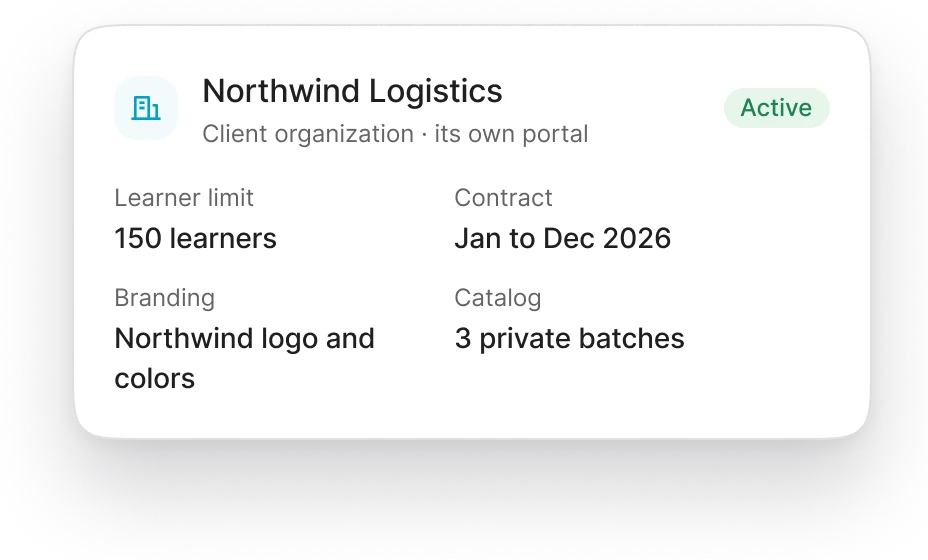
A client organization sits under yours. It holds the client's people, the seats it bought and its access, kept apart from every other client.

How a client starts.
From its first order
A company buys seats on your storefront. Blend‑ed creates its client organization and invites the buyer as its administrator.
Or set up by your team,
for a client you sign directly.
Either way, you activate the client: you set its learner limit, its contract dates and what its learners keep after the contract ends. Until then, its administrator can see the purchase but can't assign seats or book dates.
What each client organization holds.
Setting
What it holds
Portal branding
The client's own logo and colors, or yours.
Learner limit
How many active learners the client can have. Administrators don't count toward it.
Contract dates
When the client's access starts and ends.
After the contract
Whether learners can still view the content they had. On by default.
Catalog
Courses only this client sees, its private batches, and whether its learners also see your public catalog.
People
The client's administrators, its learners and any custom client roles.
Every state of a client account.
State
What it allows
Pending
Paid and waiting for you to activate it. The administrator sees the purchase and billing only.
Active
Learners learn, and the administrator assigns seats and books dates.
Payment suspended
Set by your team for an overdue balance. Learning through this client stops at once; seats, history and earned certificates are kept.
Contract expired
No new assessments, attendance or certificates. Learners view what they had if you allow it, and the administrator keeps read-only reports.
Blocked
All access through the client ends, including billing and reports.
When a client renews, its learners carry on with the same records. If it renews with fewer places, its administrator chooses who stays. A learner sponsored by two clients has one learning record, and each client sees only its own part.
Related.
Part of Corporate clients: everything for training corporate clients.
Client administrators: who runs the portal on the client's side.
Seat purchase and assignment: the seats a client buys and gives out.
Client reporting and compliance visibility: what a client sees about its people.
Multi-organization management: several academies, each with its own clients.

Set up a portal for one of your clients.
Tell us about one corporate client, and we'll set up its portal with you in the demo.