A batch is one run of a course, program or session, with its own dates, seats and learners.
Every enrollment goes through a batch. The course stays the same, and each batch has its own dates, seat limit, deadlines and trainer, with its own marking and reports.
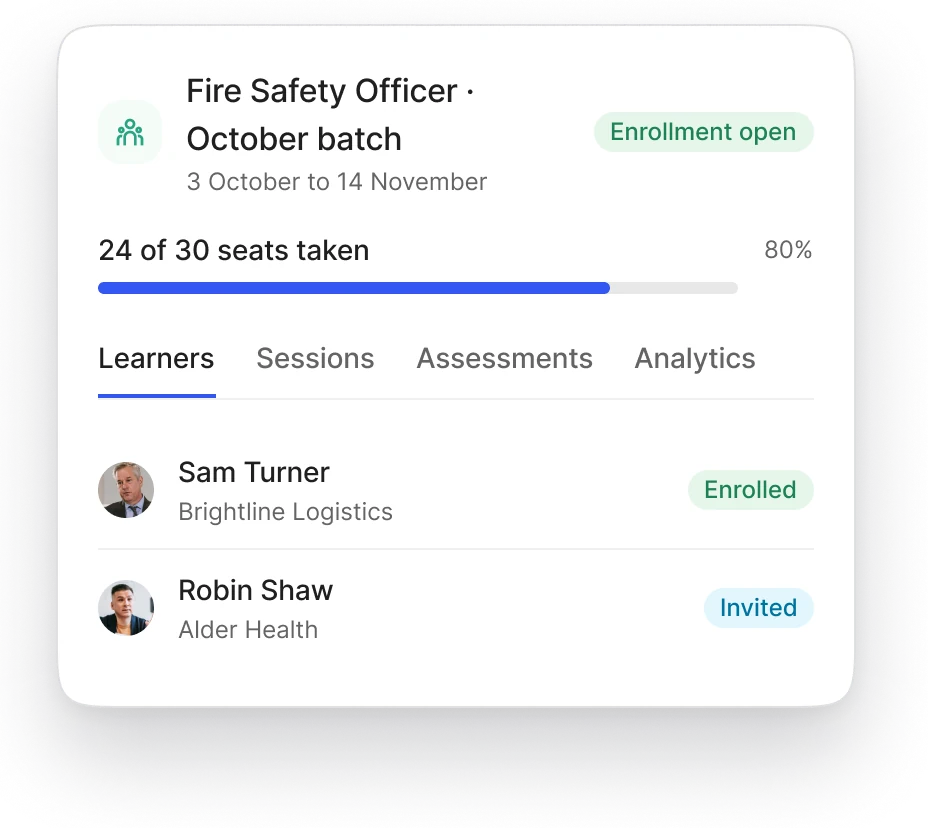
What a batch has.
Property
What you set
What it runs
One course, one program or one session, set before you publish. A draft can be saved without one. Certificates come from what the batch runs.
Kind
Dated: one start and end date for everyone. Always open: each learner's own access period from the day they join, such as 90 days.
Default batch
Every course and program has one for ordinary purchases. It follows the course dates and has no seat limit.
Enrollment window
When enrollment opens and closes.
Seat limit
The number of places. Seats and capacity →
Who can join
Anyone, or only the people you invite.
Upgrade cutoff
The last day a learner can move up to another plan.
Deadlines
Counted from the batch start date or from each learner's join date.
Session dates
The dates offered to the batch for each live online or classroom session, open to others or reserved for it. Session →
Trainer
A trainer for the whole batch, with access to all its learners. Trainer availability and assignment →
Rules while a batch runs.
Dates and the seat limit can change after you publish, and every change is recorded. The limit never drops below the places already taken.
A learner can't be in two active batches of the same course or program at once.
Publish a change to a program, and its batches get it automatically, at no charge to learners already enrolled. Completed work and earned certificates stay as they are.
After the end date, the batch is read-only: learners see their work but can't submit, post or join.
What each batch keeps.
Marking: the batch's own submissions to mark and feedback to give.
Analytics: progress, results and attendance for the batch.
History: every learner's attempts. A retake is a new attempt, and the dates, results and certificates of earlier attempts stay on record.
Related.
Part of Cohorts and enrollment: every way learners get in.
Scheduling and booking: batch dates in the training calendar.
Bulk enrollment: add a list of learners to a batch.
Program builder: the programs a batch can run.

Show us how you run your intakes.
We'll set up one course with two dated batches and an always-open one, and show you each batch's learners, seats and reports.