Enroll a whole list of learners from one spreadsheet.
Upload the list, check every row before anything changes, then confirm. People who don't have an account yet get an invitation and are enrolled when they register.

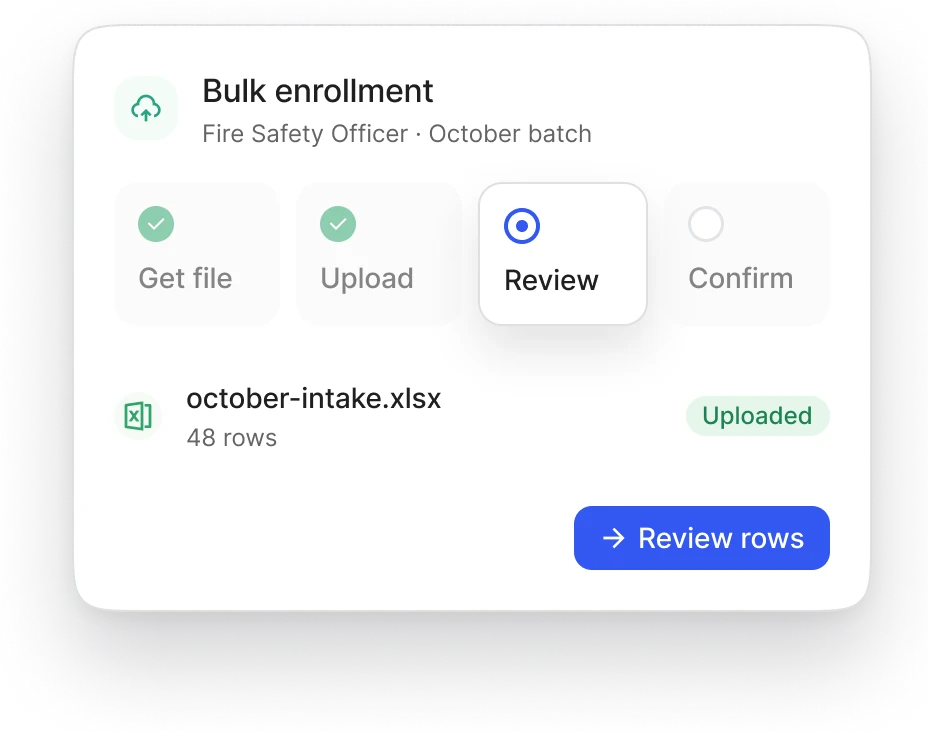
From a spreadsheet to enrolled learners, in four steps.
1
Download the template
One row for each learner, with their email address and the plan they get. The plan can change from row to row, so one upload can put some learners on a free plan and others on a paid one.
2
Upload and match the columns
Tell Blend‑ed which column holds the email, the plan and the cohort each learner joins.
3
Review before you confirm
See who will be enrolled, who will get an invitation, and every row that can't be added, with the reason.
4
Confirm
Learners with an account are enrolled straight away. Everyone else gets an invitation by email and is enrolled once they register with that address.

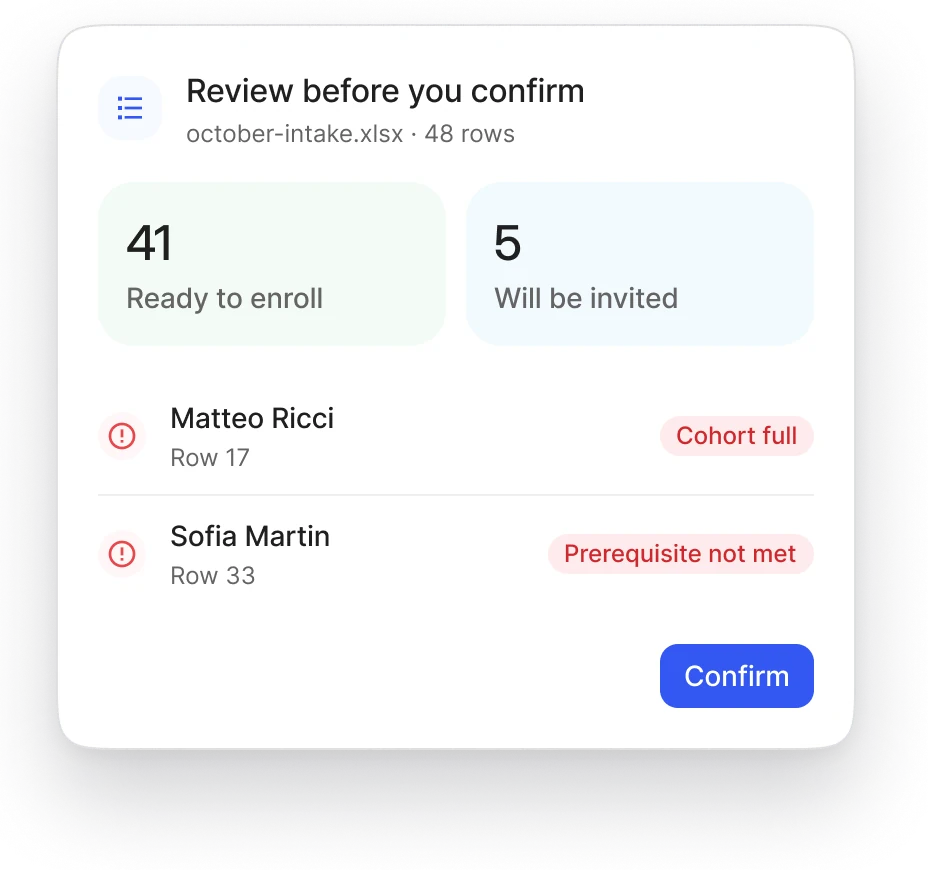
Every row is checked.
Seats: once the cohort is full, further rows are refused, so no seat is sold twice. Seats and capacity →
Prerequisites: a learner who hasn't met the course's prerequisites isn't enrolled, and the review shows why.
Dates: rows are enrolled only while the cohort's enrollment window is open.
Sessions: a row is refused when a required live or classroom session has no date with room left for that learner.
Free places: a complimentary seat needs a reason, is recorded, and still counts toward the seat limit.
Two more ways to add many people.
Pick from your users: search and tick several people who already have accounts, choose their plan, and enroll them in one go.
Import users without enrolling them: upload a list of email addresses, up to 4.77 MB, with one role for everyone in the file. Each person shows as "Invited" until they accept.
Related.
Part of Cohorts and enrollment: every way learners get into a cohort.
Cohorts and batches: the dates, seats and window of the cohort each row joins.
Teams and groups: enroll a whole team, and new members too.
Run administration through your AI assistant: enroll a list by asking your AI assistant.
Corporate clients: when the list comes from a client.

Bring the last list a client sent you.
We'll enroll it with you in the demo, from the upload to the review to the confirmation.