Download the training evidence an auditor or client asks for.
Each export is a file of records for a course, a session date or a client, and it holds only what your role can see.

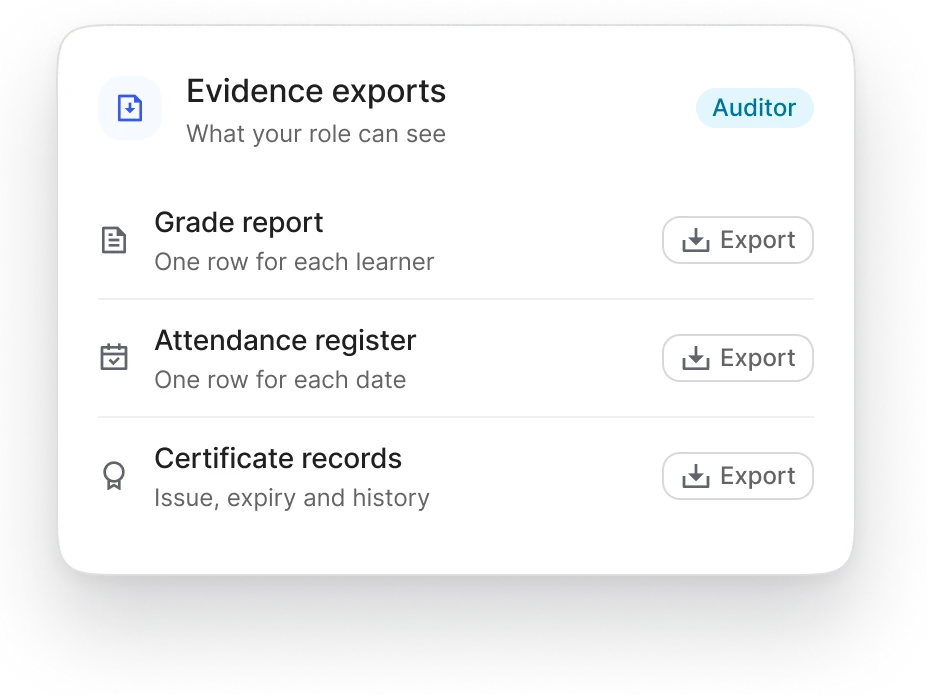

What each export holds.
Export
One row for
What's in it
Learner list
Each learner
Courses enrolled, in progress and completed, and certificates earned
Grade report
Each learner on a course
The overall grade, the score on every assignment, their plan, and whether a certificate is due and issued
Problem grade report
Each learner on a course
Points earned and points possible on every question
Assessment answers
Each learner who answered one question
Their answer to that question, for every learner, in one file
Attendance register
Each learner on one session date
Present or absent, minutes attended, and where the record came from: the meeting report, the trainer's register, a check-in scan or a trainer's override
Certificate records
Each certificate
Issue date, expiry date and its history: issued, expired, revoked, reissued, renewed or issued as an exception
Client report
Each employee one client sponsors
Enrollments, completion, attendance and certificates, for that client's people only
Rules every export follows.
Your role decides the rows
A client administrator exports only their own employees, and an auditor only the courses and programs in their scope. No export shows another client's learners or purchases.
Learning before a sponsorship is labeled
A client's report marks what an employee completed before the client paid for their training.
Ended sponsorships stay as they were
When a client stops sponsoring a learner, its report keeps their records as they stood and adds nothing new.
Suspended clients can still export
A client suspended for an overdue balance still downloads its history. A blocked client can't.
Large exports run in the background,
such as every answer to a question, and download when they're ready.
Platform managers, program managers, auditors and client administrators can export by default, and so can any custom role you give the export permission.
Related.
Part of Compliance and audit: the records behind every export.
Auditor access: read-only access, with exports, for auditors.
Trainer registers and sign-off: the registers behind attendance exports.
Assessment review: every attempt and answer, before you export it.
Client reporting and compliance visibility: what each client sees and downloads.

Bring the evidence list your awarding body sends.
We'll show you which export holds each item on it.