Everything a trainer needs for a session, in one place.
Trainers see only their own dates, cohorts and learners. They prepare, run the session and finish the paperwork without asking your team for access.

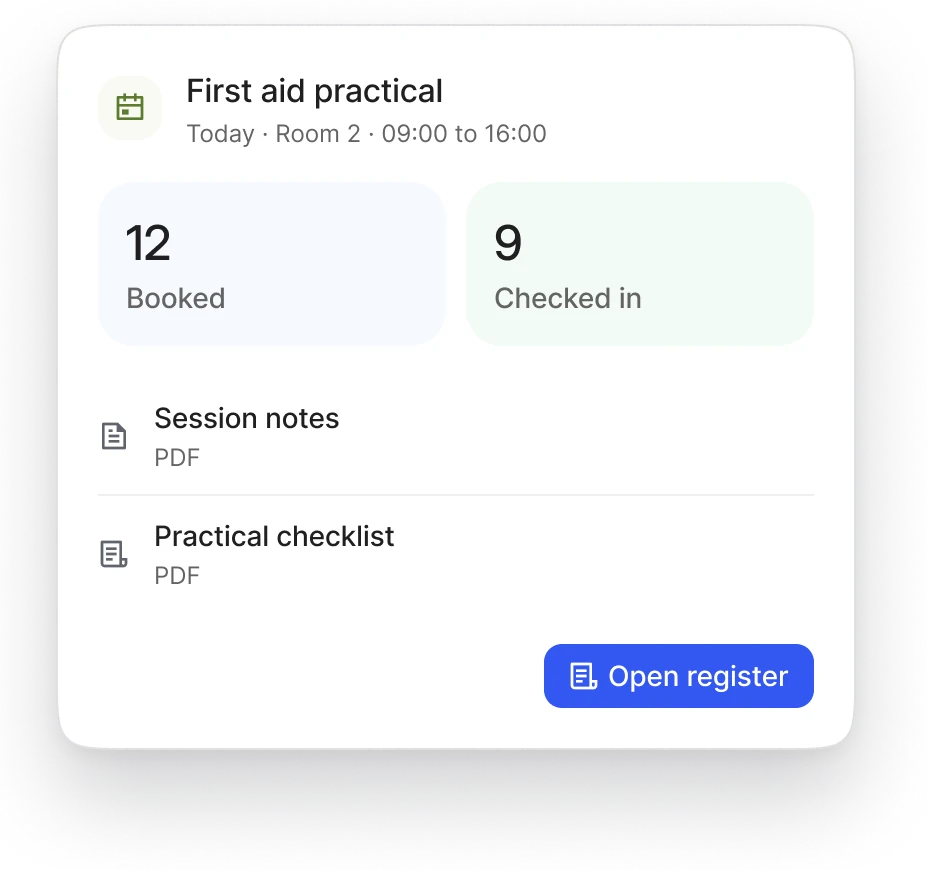

Before, during and after a session.
Before
Their upcoming dates, with the venue and room, or the live online session to host.
The learners booked on each date and, for a cohort they lead, who hasn't booked yet.
The materials for each session.
During
Start the live online session from Blend‑ed, or open the classroom register.
Learners who check in with the mobile app appear on the register as they arrive.
After
Correct the register where needed, with a reason, then sign it off. Trainer registers and sign-off →
Mark submissions and record grades for their learners.
Write a session report, with notes and feedback.
Check progress, attendance and certificates for their own learners.
What stays out of a trainer's view.
Learners, registers and marking for dates and cohorts they aren't assigned to.
Prices, payments and client billing.
Platform settings, roles and branding.
Assign or remove a trainer, and the workspace changes with it. Trainer availability and assignment →
Related.
Part of Trainer management: assigning, scheduling and supporting your trainers.
Scan-to-check-in for classrooms: the check-ins that appear on the register.
Assignments and open-response assessments: the work trainers mark.
Trainer profiles and qualifications: each trainer's own record.

Walk through a week as one of your trainers.
We'll open the trainer's own view of Blend‑ed with you and run one session from preparation to sign-off.